
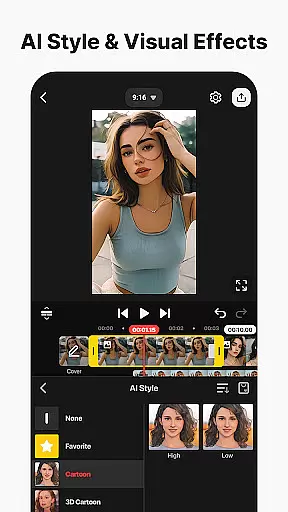
KineMaster is a comprehensive video editing application designed for both amateur and professional content creators. This app allows users to edit various types of videos including movies, vlogs, Reels, and Shorts with ease. It offers a wide array of AI-powered tools that simplify the video creation process, such as AI Auto Captions, AI Text-to-Speech, and AI Noise Removal. These features enable users to produce high-quality content without requiring extensive technical knowledge.
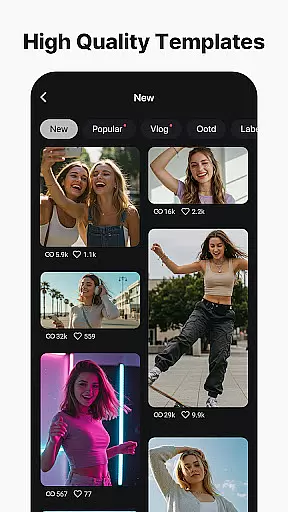
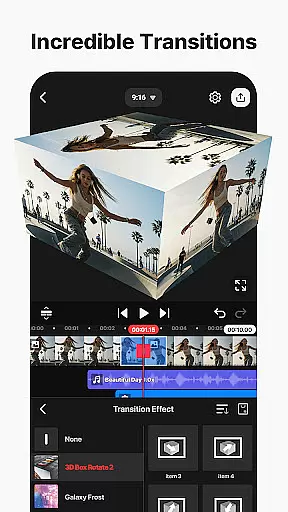
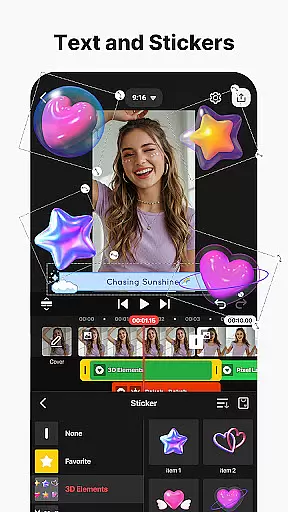
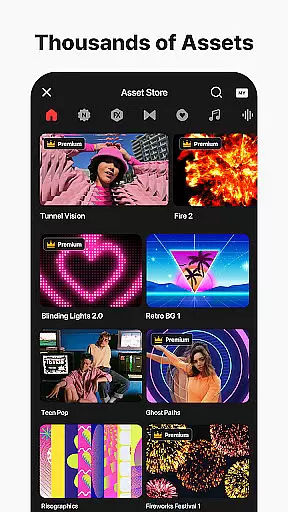
One of KineMaster's standout capabilities is its professional-grade editing tools that are accessible to everyone. With functionalities like Keyframe Animation, Chroma Key (Green Screen), and Speed Control, users can execute complex edits effortlessly. Additionally, the app provides thousands of templates and assets, including effects, stickers, music, and fonts, which help jumpstart creativity and enhance video projects. Whether you're looking to create engaging social media content or cinematic masterpieces, KineMaster equips you with everything needed to make your vision a reality.
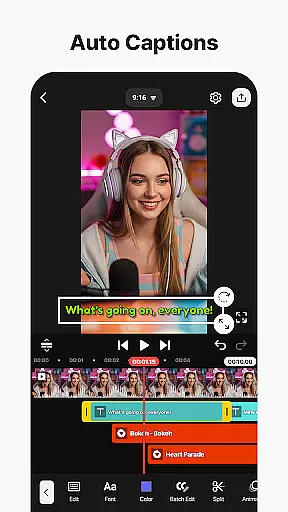
KineMaster stands out due to its rich feature set tailored for efficient and creative video editing. The app includes advanced AI tools that automate tedious tasks, allowing creators to focus on storytelling. For instance, AI Auto Captions automatically generate subtitles from audio, while AI Vocal Separator splits songs into vocals and instrumentals. These innovations not only save time but also open new creative possibilities for users.
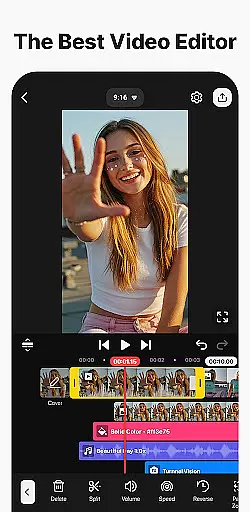
Beyond AI capabilities, KineMaster offers robust manual editing options. Users can leverage keyframe animation to control the size, position, and rotation of layers dynamically. The Chroma Key feature enables seamless background removal and video compositing, ideal for creating professional-looking presentations or fun, imaginative clips. Furthermore, precise speed controls allow editors to manipulate playback rates, crafting slow-motion scenes or dynamic time-lapses. With support for multiple layers, magnetic guides, and full-screen previews, KineMaster ensures an intuitive and powerful editing experience suitable for projects of any scale.
Video format compatibility is a crucial feature for any video editing application, ensuring that users can work with a wide range of file types without conversion hassles. KineMaster excels in this area by supporting an extensive array of video formats, allowing creators to import and export projects seamlessly.
The app's advanced format support includes popular codecs and resolutions, even enabling editing in 4K at 60 FPS. This flexibility ensures professional-quality output while maintaining the convenience of optimized settings for social media platforms like YouTube, TikTok, and Instagram.
Users benefit from KineMaster's ability to handle various aspect ratios and orientations, making it suitable for both portrait and landscape projects. The inclusion of transparent background support further expands creative possibilities, particularly for compositing work.
This comprehensive format compatibility saves valuable production time and enhances workflow efficiency, letting content creators focus on their artistic vision rather than technical limitations.
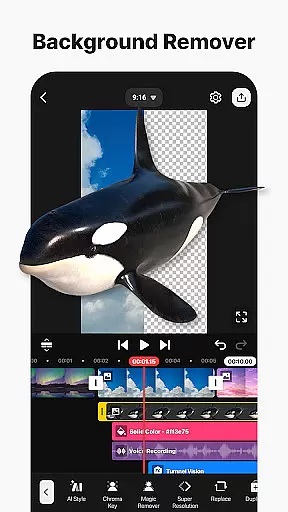
KineMaster incorporates cutting-edge AI-powered editing features that revolutionize video production workflows. These intelligent tools automate complex tasks, enabling creators to achieve professional results with minimal effort. The AI suite includes remarkable capabilities such as automatic caption generation, vocal separation, and background removal.
The application's AI functionality extends to audio processing, featuring noise removal, voice transformation, and text-to-speech conversion. Additionally, the AI Music Match recommends suitable soundtracks, while AI Upscaling enhances low-resolution media. These features significantly reduce editing time while maintaining high production values.
Particularly noteworthy is the AI Tracking feature, which allows dynamic elements to follow moving objects automatically. Combined with AI Magic Removal for background manipulation, these tools create sophisticated visual effects previously achievable only through advanced software.
By integrating these AI-powered features, KineMaster empowers creators to produce high-quality content efficiently, making professional-grade video editing accessible to everyone regardless of their technical expertise.
User-friendly interface
Extensive AI toolset
Professional editing features
Vast library of assets
High-quality output options
Subscription model required
Watermark on free version
Advanced tools may overwhelm beginners
Resource-intensive on older devices
Limited offline functionality

A full editing room to accompany your Insta360 cameras and handheld gimbals.
 3.30
3.30
Fast, private downloading, video saving, social media
4.50
HD video & music player - All format support with floating & PIP mode!
3.80
Capture images & record videos for USB Camera, Webcam, Microscopes, Endoscopes
3.80
KMPlayer Plus (Divx Codec) officially support Divx codec.
4.30
Turn your phone into a wireless camera!
4.20
IPTV Player - Watch live TV from m3m & m3u8 playlist, stream IPTV on mobile
3.30
Watch IPTV on your Android device
4.60
Browser for Samsung TV to stream webvideos, online movies and livestreams in HD
4.10
Flud is a simple and beautiful BitTorrent client for Android.
4.80
GENRAL PRO - General Pro is the best video player that fully supports all formats.
4.70
Download videos and play them offline
4.70
VLC Remote lets you control your VLC Media Player on Mac, PC or Linux.
4.60
Browser + Remote for Roku to stream webvideos, online movies and livestreams
4.60
Add date and time watermark to photos and videos
4.50
LumaFusion: The Ultimate Storytelling Experience for Video Editing
4.10
All format media Player, no need video converter any more!
4.00
Live TV, anywhere in your home
3.80
Play and download HD videos from all sources — fast, simple, and all-in-one.
4.3




User Reviews