
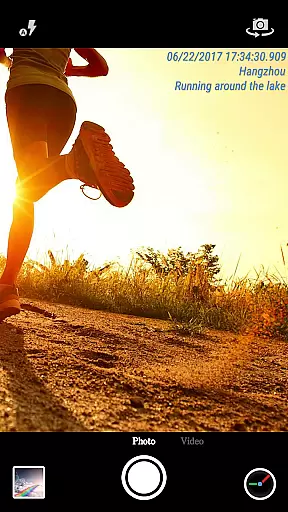
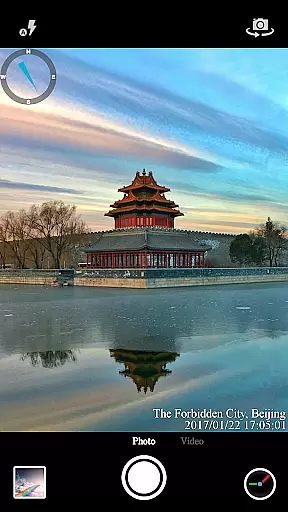
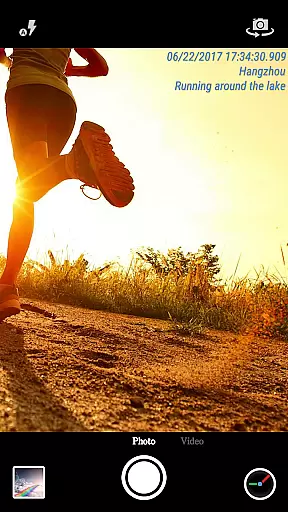
Timestamp Camera Pro is a powerful video and photo editing application that allows users to add real-time timestamp watermarks while capturing media. Designed for both casual users and professionals, the app offers precise timestamping down to the millisecond, making it ideal for evidence collection, time tracking, or personal memory keeping.
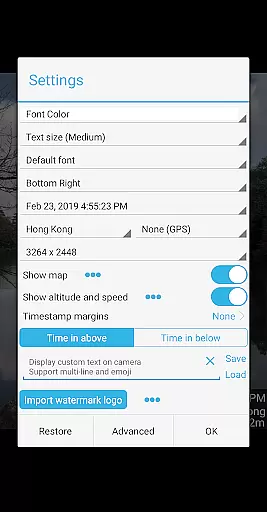
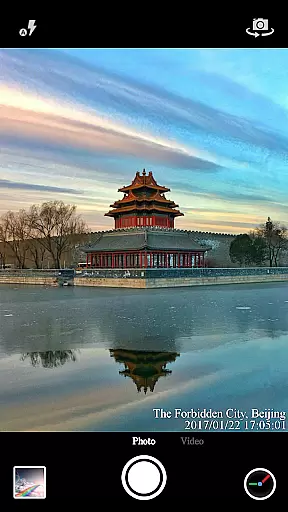
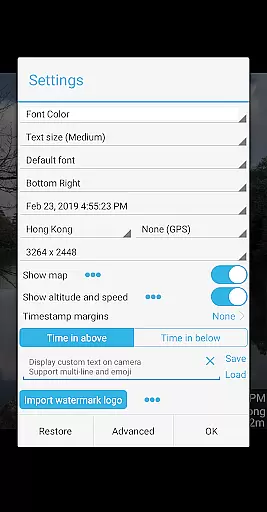
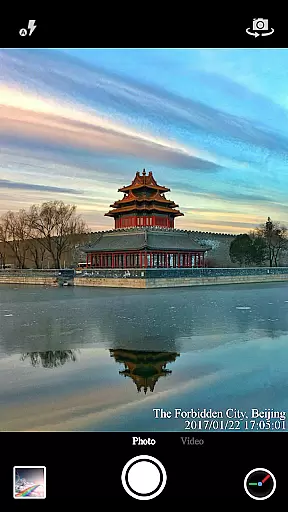
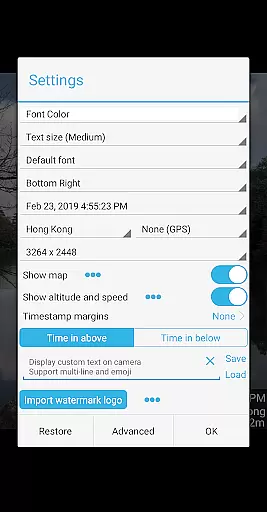
The app stands out with its extensive customization options, including 61 timestamp formats, adjustable font styles, sizes, colors, and positioning. It also supports location data, altitude, speed, and custom text overlays. Whether you're recording important events or creating content for social media, Timestamp Camera Pro provides the tools needed to enhance your media with accurate and visually appealing metadata.
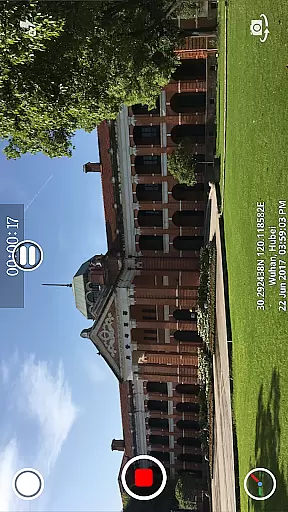
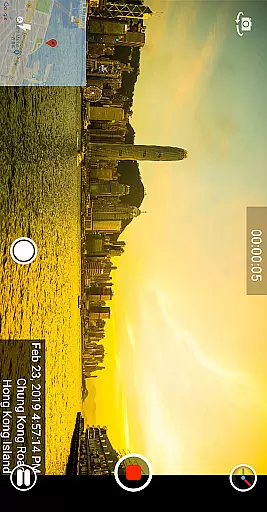
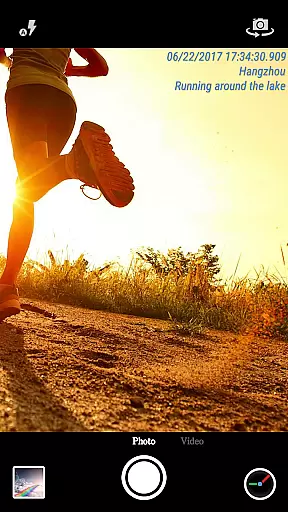
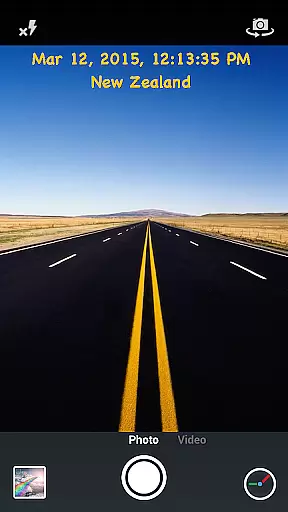
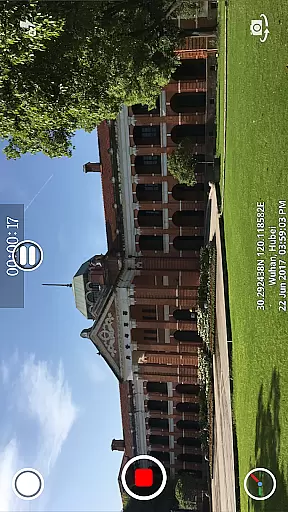
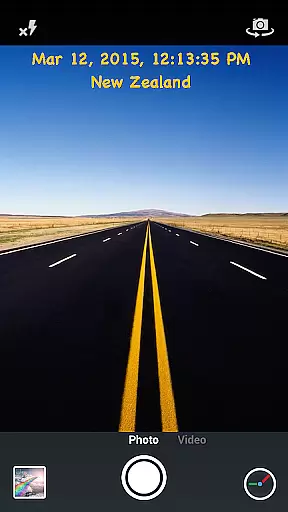
Timestamp Camera Pro offers an impressive range of features tailored to meet diverse user needs. One of its standout capabilities is the ability to record videos with millisecond-accurate timestamps, a feature unique to this app. Users can choose from 61 different timestamp formats and customize the appearance through various fonts, colors, sizes, and positions on the screen.
In addition to timestamps, the app supports advanced functionalities such as adding GPS location, altitude, and speed overlays. It also allows users to display custom text, emoji, logos, and even maps with adjustable transparency and scale. With support for both portrait and landscape modes, customizable resolutions, and battery-saving options, Timestamp Camera Pro ensures a versatile and efficient user experience.
All effects are applied in real-time, enabling seamless use during both photo and video capture. The app's intuitive interface makes it easy to toggle between settings, change effects mid-recording, and capture photos while recording videos.
Timestamp Camera Pro stands out with its extensive video format compatibility, ensuring that users can work with a wide range of file types without any hitches. The app supports popular formats such as MP4, AVI, and MOV, making it versatile for various devices and platforms.
Beyond just basic playback, the app allows real-time effects to be applied to videos regardless of their format. This includes adding timestamps with millisecond accuracy, custom text, emoji overlays, and even map displays with adjustable transparency and size.
Users benefit from the flexibility of recording videos with or without audio, changing resolutions, and saving directly to an SD card. These features ensure that whether you're capturing important moments or creating professional content, Timestamp Camera Pro adapts to your needs seamlessly.
The true power of Timestamp Camera Pro lies in its AI-powered editing features that revolutionize how users interact with their media. With support for 61 timestamp formats, users can customize time displays down to the millisecond, while also adjusting font styles, sizes, colors, and positions effortlessly.
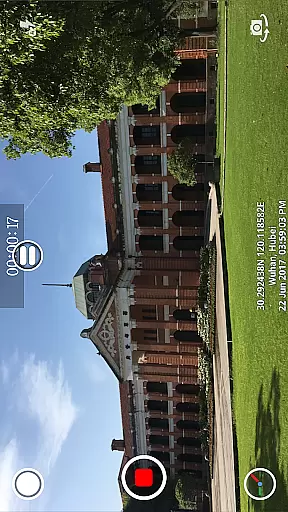
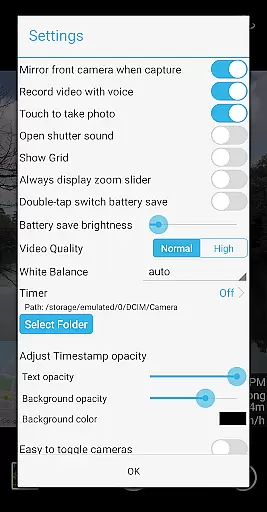
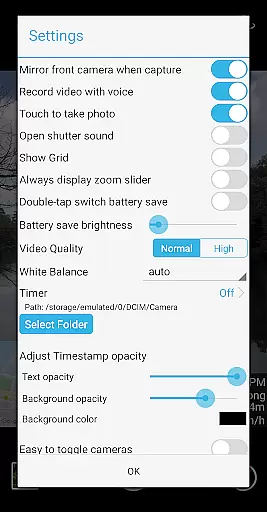
In addition to timestamps, the app uses AI to enhance location data by automatically adding GPS coordinates, altitude, and speed to videos and photos. Users can easily modify these elements along with opacity settings and background styles through an intuitive interface designed for both novices and experts alike.
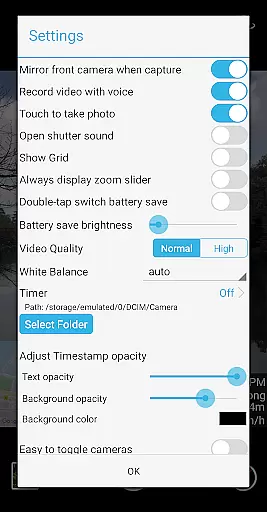
Furthermore, innovative functionalities like battery saver modeu2014which reduces screen brightnessu2014and silent shutter options demonstrate the app's commitment to user convenience. Such tools not only improve usability but also extend device longevity during extended shooting sessions, providing a comprehensive solution for modern videography needs.
Millisecond accuracy
Extensive format options
Real-time effects
Customizable UI
GPS integration
Complex for beginners
Heavy on battery
Paid features
Occasional bugs
Limited free version

The smartest M3U IPTV Player your playlists have ever seen.
 4.5
4.5
Online Videos Player
3.90
Auto video maker with music & exclusive filters. Video editing made simple.
4.50
A full editing room to accompany your Insta360 cameras and handheld gimbals.
3.30
Powerful, professional, versatile teleprompter. Developed by an active film crew
4.00
?100% FREE! Download & save videos? safely in this app. All formats supported.
4.60
Create photo video with music & template. AI video maker for stunning slideshow.
4.60
1)AirPlay/DLNA Mirroring/Streaming, up to 4 connections; 2)Samba/NAS/DMS Player.
4.00
Browser + Remote for Roku to stream webvideos, online movies and livestreams
4.60
Find, download, and play torrents with the official BitTorrent® Pro app
4.70
Watch a large amount of high-definition short drama content
4.60
Fast video downloader & private browser. Save HD clips to watch offline.
4.40
KMPlayer Plus (Divx Codec) officially support Divx codec.
4.30
VLC for Android is the best open source video and music player, fast and easy!
4.10
All format media Player, no need video converter any more!
4.00
HD video & music player - All format support with floating & PIP mode!
3.80
Kodi media center, a free and open source cross-platform entertainment hub
3.60
IPTV Player - Watch live TV from m3m & m3u8 playlist, stream IPTV on mobile
3.30
Powerful HD video player with support for all formats & subtitles.
4.3







User Reviews