
OPlayer is a professional media playback tool that has been under development for 12 years, offering support for DTS and DivX formats. It supports almost all media formats including MKV, MP4, AVI, and more, making it one of the best HD video players for Android devices.
As an Ultra HD video player, OPlayer supports 4K resolution and hardware acceleration. Its features include gesture unlock for video safety, Chromecast support, subtitle downloader, pop-up window playback, night mode, and quick mute among others. The app also provides a full-featured file manager and automatic identification of video files on your device and SD Card.
Whether you're using an Android tablet or phone, OPlayer enhances your viewing experience with its comprehensive set of tools designed to provide high-quality playback and ease of use.
OPlayer stands out with its extensive format support, covering most video formats such as MKV, MP4, M4V, AVI, MOV, 3GP, FLV, WMV, RMVB, TS, and many others. This versatility ensures that users can play virtually any video file without compatibility issues.
In addition to playing videos in ultra HD quality up to 4K resolution, OPlayer offers advanced functionalities like casting videos to TV via Chromecast, playing video in a pop-up window or split screen, background playback, and multi-playback options including auto-rotation and aspect ratio adjustments.
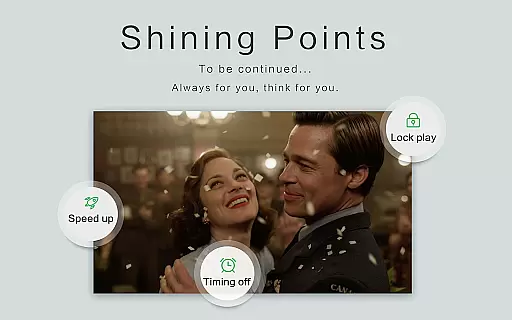
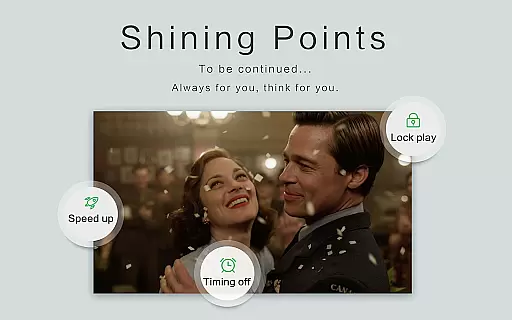
The app's integrated file manager allows easy management of video files, while features like gesture unlock, night mode, quick mute, and playback speed adjustment enhance user convenience and control over their media experience.
Video format compatibility is a crucial feature for any video player application, determining its ability to support a wide range of file types. OPlayer excels in this area by supporting almost all popular and niche video formats available today.
The application handles various formats including MKV, MP4, M4V, AVI, MOV, 3GP, FLV, WMV, RMVB, TS, and more. This extensive support ensures that users can play videos without the need for format conversion or additional codecs, making it an ultra HD video player suitable for both Android tablets and phones.
OPlayer also supports 4K video playback, providing users with a high-quality viewing experience. The inclusion of hardware acceleration enhances performance, allowing smooth playback even for high-resolution videos. This makes OPlayer not just a simple video player but a comprehensive tool for enjoying media content in all its forms.
While OPlayer positions itself as primarily a video player, it incorporates AI-powered editing features that add significant value for users who wish to manage and modify their video files. These features are designed to make video management seamless and efficient.
The app includes a full-featured file manager that allows users to perform actions such as moving, cutting, and pasting video files. This functionality extends to identifying all video files on the device and SD Card automatically, ensuring that users have a complete overview of their media library without manual searching.
In addition to file management, OPlayer offers multi-playback options like auto-rotation, aspect-ratio adjustments, and screen-lock settings. These features, powered by intelligent algorithms, enhance user control over their viewing experience. Furthermore, the app's capability to cast videos to TV with Chromecast adds another layer of convenience, making it a versatile tool for modern digital lifestyles.
Extensive format support
Ultra HD and 4K playback
Hardware acceleration
Chromecast integration
Advanced playback options
Complex interface for beginners
Limited customer support
No cloud streaming
Occasional bugs reported
Premium version required for full features

Online Videos Player
 3.90
3.90
Fast, private downloading, video saving, social media
4.50
Connect 2 UVC devices for recording and broadcast video/audio stream
3.90
Video Downloader is an utility that can save videos and music from web sites
4.20
Support 1000+ Video Format, Subtitle Download, mp3 & Background Play, Cast On TV
4.60
Video player with powerful streaming playback and various convenient features.
2.10
Download website videos fast&privacy
4.40
Cast to Smart TV, Fire TV. Cast video, photo - Fast & Stable!
3.90
#1 Torrent App on Android ** No Ads Ever + Battery Saver **
4.80
Pro video editor app for Instagram, edit video with song, AI, effect & slowmo.
4.80
Search & download videos from net with all video downloader, auto-detect & safe.
4.60
Photo and Music Video Creator into Stunning Videos—Effortlessly
4.40
Create & edit videos with AI
4.30
Powerful Video Editor & Photo Editing App —— Quick Edits & Stunning Effects!
4.30
AI Video Editor:AI Music, Text to Video,Text to Speech,Auto Caption,Video Effect
4.00
This app is an emulator of some specific IPTV boxes
3.50
Browser for Sony TV to stream web videos, online movies and live tv
3.20
Powerful HD video player with support for all formats & subtitles.
4.4
Play and download HD videos from all sources — fast, simple, and all-in-one.
4.3




User Reviews