
Filmora is an AI-powered video editor tailored for social creators, offering a balance between advanced functionality and user-friendliness. The app enables users to transform clips, photos, or scripts into engaging videos suitable for platforms like TikTok, Reels, and YouTube without prior editing experience.
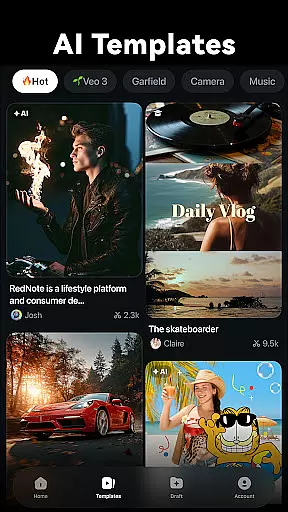
With innovative AI features such as Image to Video, Dynamic Captions, Text to Video, AI Remover, AI Auto Cut, AI Beats, VideoGen, and Text to Speech, Filmora simplifies the video creation process while delivering professional-quality results. These tools cater to both beginners and professionals, providing stunning templates, trimming capabilities, audio adjustments, and advanced features like keyframing and smart tracking.
Whether you're looking to create quick social media content or sophisticated video projects, Filmora's versatile editing suite supports various creative needs, making it an ideal choice for anyone aiming to produce high-impact visual stories.
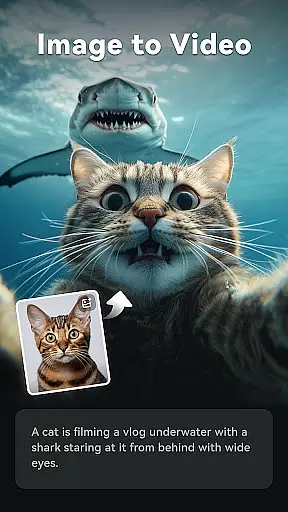
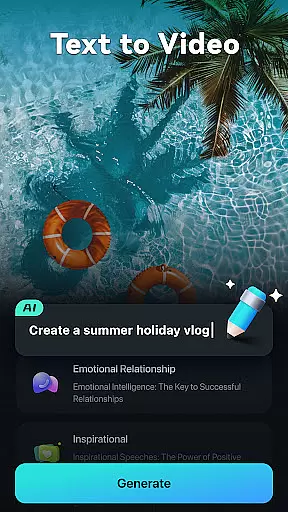
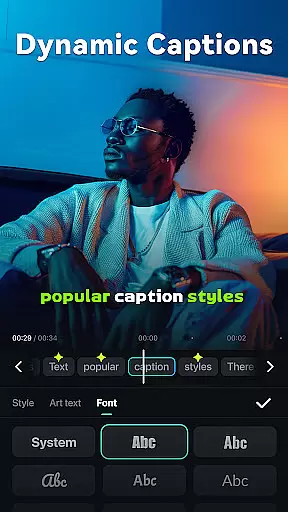
Filmora stands out with its comprehensive set of AI-driven features designed to enhance video editing efficiency and creativity. Notable functionalities include Image to Video, which animates static images based on user input; Dynamic Captions that convert speech to text automatically; and Text to Video, allowing users to generate movies from simple prompts.
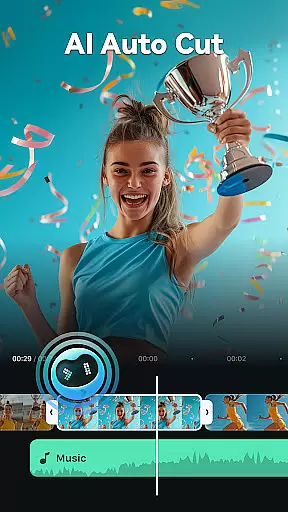
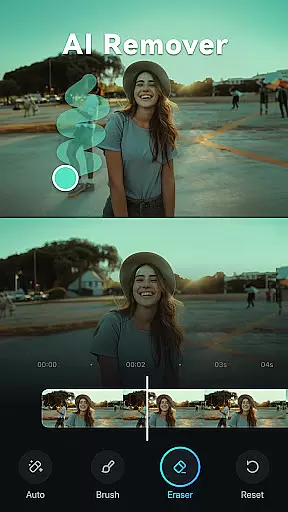
The app also includes practical tools like AI Remover for eliminating unwanted elements, AI Auto Cut for compiling highlight moments, and AI Beats for syncing video highlights with music rhythms. Additionally, VideoGen facilitates seamless element swapping within videos, while Text to Speech converts written content into voiceovers.
For those seeking more control, Filmora offers full-featured editing options such as customizable speed curves, PIP (Picture in Picture) layers, masking effects, and smart tracking for stickers and text. These robust capabilities ensure that whether you're a novice or a seasoned editor, Filmora provides the necessary tools to bring your creative visions to life.
Video format compatibility is a crucial feature for any video editor, ensuring that users can work with a wide range of file types without conversion hassles. Filmora supports an extensive array of video formats, allowing creators to import and export videos in their desired resolutions and codecs.
The application's broad format support includes popular standards such as MP4, AVI, MOV, and MKV, among others. This versatility enables users to seamlessly integrate media from different sources, whether they're editing content for TikTok, Reels, YouTube, or professional platforms.
By providing comprehensive video format compatibility, Filmora empowers users to focus on the creative process rather than technical limitations. The app ensures high-quality output across devices and platforms, preserving the integrity of the original footage while offering flexibility in sharing and distribution.
Filmora harnesses the power of AI to revolutionize video editing with intelligent features that simplify complex tasks. From auto speech-to-text for dynamic captions to effortlessly erasing unwanted elements using AI Remover, the software makes advanced editing accessible to everyone.
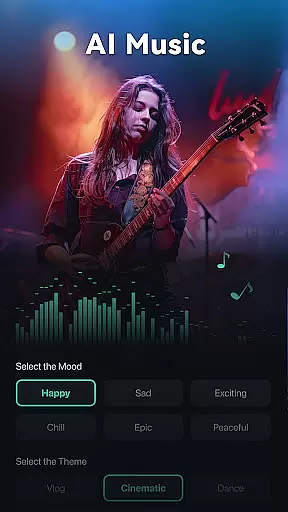
One standout feature is Text to Video, which allows users to generate cinematic content from simple prompts. Additionally, AI Auto Cut intelligently stitches highlight moments into cohesive narratives, while AI Beats syncs video highlights to music rhythms, creating professionally timed edits with minimal effort.
These AI-powered tools not only save time but also enhance creativity by enabling users to experiment with sophisticated effects. Whether you're a beginner or a professional, Filmora's AI capabilities help elevate your storytelling, making video production more intuitive and engaging.
User-friendly interface
Advanced AI features
Versatile editing tools
Professional templates
Cross-platform support
Subscription required
Learning curve for pros
Limited free features
Occasional bugs
High system requirements

Video player, file manager for all formats, 4K/HD media player supports subtitle
 4.30
4.30
Kodi media center, a free and open source cross-platform entertainment hub
3.60
Save photos and videos from social apps in one tap.
3.60
?100% FREE! Download & save videos? safely in this app. All formats supported.
4.60
Powerful HD video player with support for all formats & subtitles.
4.4
Capture images & record videos for USB Camera, Webcam, Microscopes, Endoscopes
3.80
1)AirPlay/DLNA Mirroring/Streaming, up to 4 connections; 2)Samba/NAS/DMS Player.
4.00
Movie maker & video editing app with AI effects and green screen
4.30
This app is an emulator of some specific IPTV boxes
3.50
#1 Torrent App on Android ** No Ads Ever + Battery Saver **
4.80
Screen recorder with audio to take live videos & Screenshot in high quality!
4.70
Cast Videos from Web Browser, IPTV to Roku, Chromecast, DLNA, Smart TV +more
4.60
Fast, private downloading, video saving, social media
4.50
Video Downloader, Multiple Resolution Options, Video Player
4.50
This app was created to edit the metadata of music files.
4.20
Browser for Samsung TV to stream webvideos, online movies and livestreams in HD
4.10
IPTV-Smarters Player Pro M3U - Watch Live Stream TV Channels with Chromecast
4.00
Cast to Smart TV, Fire TV. Cast video, photo - Fast & Stable!
3.90
Video player with powerful streaming playback and various convenient features.
2.10





User Reviews