
Video Player - AnyPlay is a versatile media solution for Android, combining an all-in-one video player, file manager, and video downloader. This app supports videos in all formats, ensuring users can enjoy HD video playback with customizable subtitles, gesture controls, and pop-up playback. It also auto-detects and manages all media files on your phone and SD card, allowing quick access to needed files.
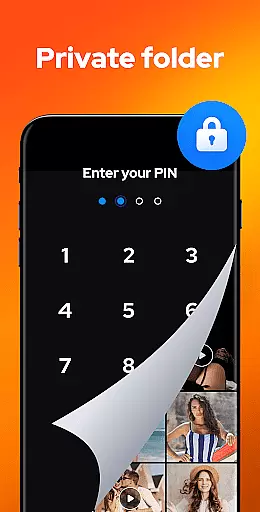
In addition to its powerful video capabilities, AnyPlay provides a private folder feature to hide videos, protecting user privacy. The app also allows direct downloading of HD videos from any website or social media platform. With its built-in equalizer and reverb effects, it delivers an immersive music experience across various audio formats. Lightweight yet full-featured, AnyPlay is designed to meet diverse media consumption needs efficiently.
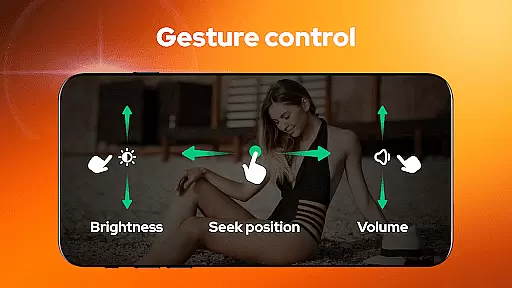
AnyPlay stands out with its comprehensive feature set tailored for media enthusiasts. As an HD video player, it supports all video formats and offers advanced subtitle customization, including importing local subtitles or downloading online ones. Users can adjust subtitle color and size, while enjoying smart gesture controls for fast forward/rewind, brightness, and volume adjustments. The pop-up play feature allows multitasking by playing videos in a floating window while using other apps.
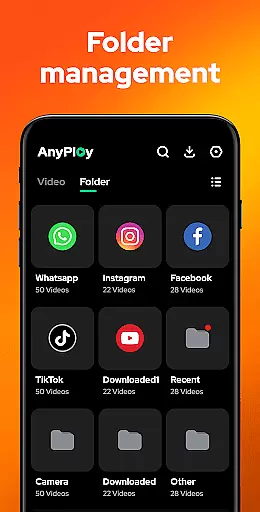
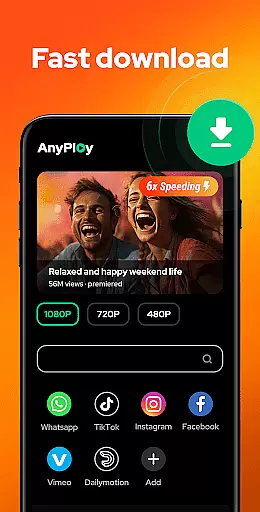
The app's powerful file manager automatically detects and organizes media files across phone storage and SD cards. It supports various formats including MKV, MP4, AVI, and more. Users can manage files through folders or playlists, hide videos in private folders, and sort them by different criteria. Additionally, the built-in HD video downloader enables fast downloads from any website with resolution options ranging from 1080P to 360P, making it a complete media management tool.
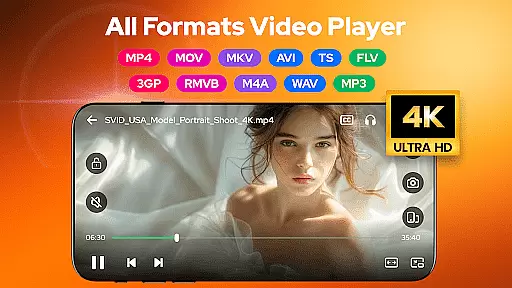
Video Player - AnyPlay stands out with its exceptional video format compatibility, ensuring users can enjoy HD video playback across all formats. The app supports a wide range of video types including MKV, MP4, M4V, AVI, MOV, 3GP, FLV, WMV, RMVB, and TS.
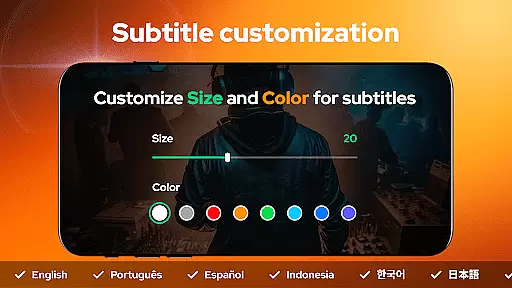
This extensive support is complemented by customizable subtitles, allowing users to import local subtitles or download online ones for free. Users can adjust the color and size of subtitles according to their preferences, enhancing the viewing experience.
Beyond just playing videos, AnyPlay offers smart gesture controls for fast forward/rewind, brightness adjustment, and volume control. This intuitive interface ensures that users have a seamless interaction with their media files, regardless of the format.
The importance of such comprehensive format compatibility lies in its ability to eliminate conversion hassles, making it easier for users to manage and play their diverse video collections without any hiccups.
AnyPlay incorporates AI-powered editing features that elevate the user's ability to manipulate and enhance their video content efficiently. With built-in equalizer and reverb effects, the app provides an unparalleled video playback experience tailored to individual preferences.
Users can take advantage of advanced functionalities like pop-up playback, which allows videos to be played in a floating window while multitasking on other apps. This feature is particularly useful for those who wish to continue watching content while engaging in other activities on their device.
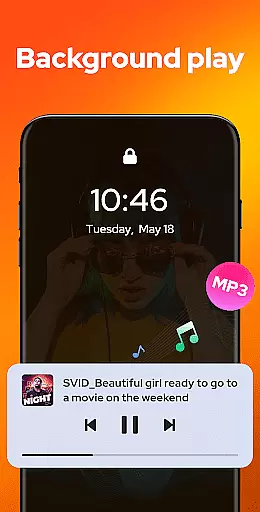
Additionally, background play enables users to listen to videos when the screen is off or while browsing through other applications. Such flexibility ensures uninterrupted entertainment and information consumption.
These intelligent editing capabilities not only streamline the user experience but also empower creators and viewers alike by offering tools that were once exclusive to professional editing suites, thus democratizing content creation and enjoyment.
User-friendly interface
Comprehensive format support
Advanced privacy features
Efficient file management
High-quality playback
May drain battery faster
Occasional ads in free version
Some features require premium
Interface can feel cluttered
Limited cloud integration

Watch full episodes of your favorite Cartoon Network and Cartoonito shows!
 3.50
3.50
Create & edit videos with AI
4.30
Support 1000+ Video Format, Subtitle Download, mp3 & Background Play, Cast On TV
4.60
Fast & Private Video Downloader App. Save all videos easily from the Internet.
4.40
Add date and time watermark to photos and videos
4.50
Browser for Sony TV to stream web videos, online movies and live tv
3.20
Download Hub, easy and private way to download and enjoy your videos offline
4.80
VLC for Android is the best open source video and music player, fast and easy!
4.10
Make videos you’re proud to share with Edits, a video editor for creators.
4.70
A Quick and Pro Video Editor
4.70
A Simple app to download Video & Music from the Internet.
4.70
Create photo video with music & template. AI video maker for stunning slideshow.
4.60
Fast & easy HD video downloader for all formats, support 4K playback & download.
4.60
AirMirror Receiver - Screen mirroring/cast web videos to Android TV by AirPlay.
4.40
Powerful Video Editor & Photo Editing App —— Quick Edits & Stunning Effects!
4.30
Your media, on your terms.
4.10
AI Video Editor:AI Music, Text to Video,Text to Speech,Auto Caption,Video Effect
4.00
The smartest M3U IPTV Player your playlists have ever seen.
4.5
Play and download HD videos from all sources — fast, simple, and all-in-one.
4.0




User Reviews