
Video Downloader is a versatile tool designed for users who need to download and manage video content directly on their mobile devices. The app supports all popular formats, including MP4, AVI, and MOV, making it suitable for various use cases from personal entertainment to professional media management.
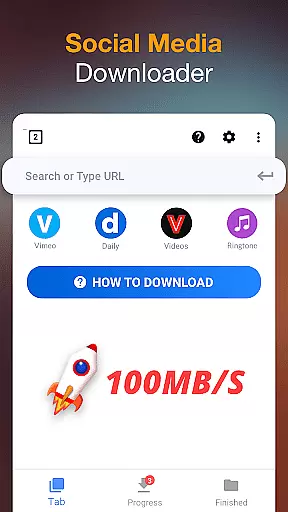
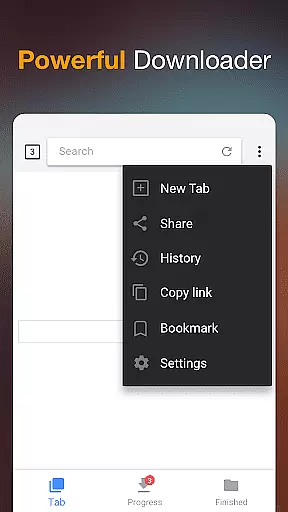
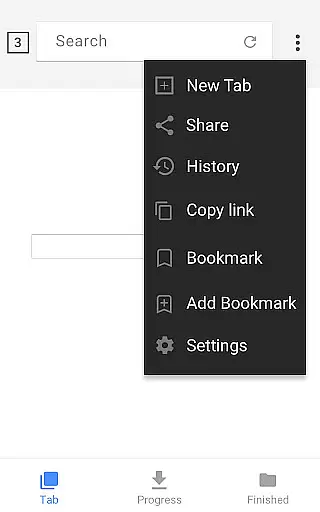
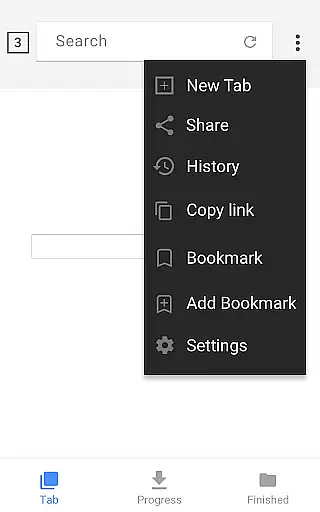
The application's standout feature is its built-in browser that allows users to seamlessly browse the web and download videos with a single tap. It also includes an offline player, enabling users to watch downloaded content without an internet connection. This makes it particularly valuable for travelers or those with limited data plans.
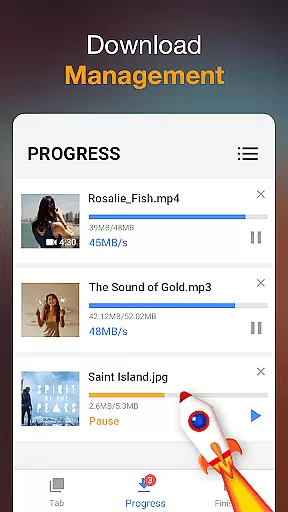
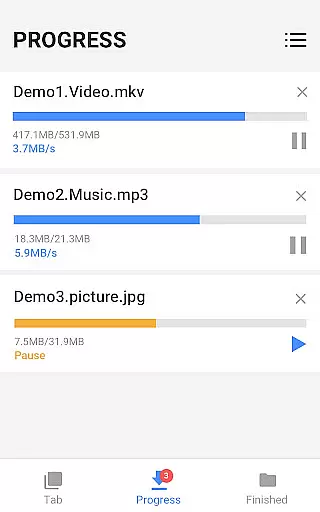
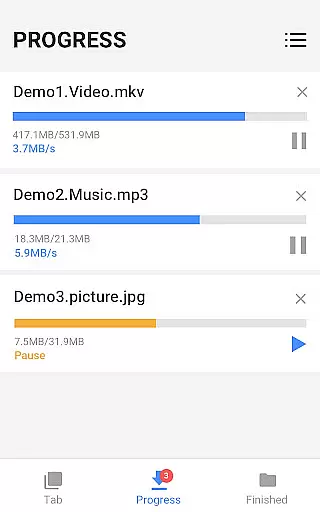
With its powerful download manager, Video Downloader offers advanced functionalities such as pause/resume, background downloading, and simultaneous file downloads. These features ensure efficient downloading even for large files, providing a reliable solution for users who regularly work with extensive media libraries.
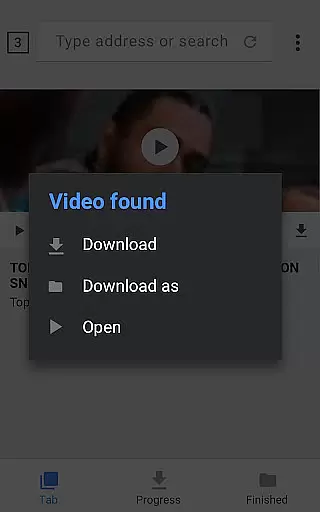
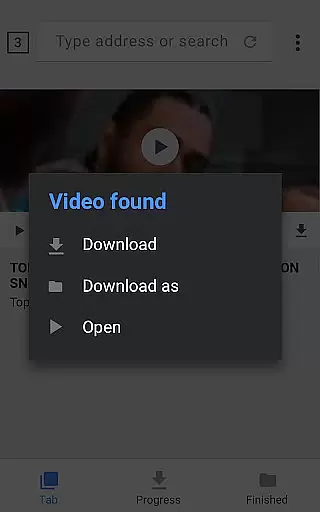
Video Downloader distinguishes itself through a comprehensive set of features tailored for seamless media management. Its automatic video detection system simplifies the downloading process by identifying downloadable content on web pages, allowing users to save videos with minimal effort.
The app's download manager is a robust tool that provides complete control over the downloading process. Users can pause and resume downloads at will, queue multiple files for sequential downloading, and even monitor download progress through a dedicated status bar. Additionally, the background download feature ensures that users can continue using their device while files are being saved.
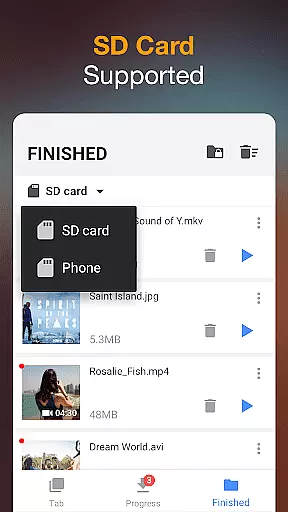
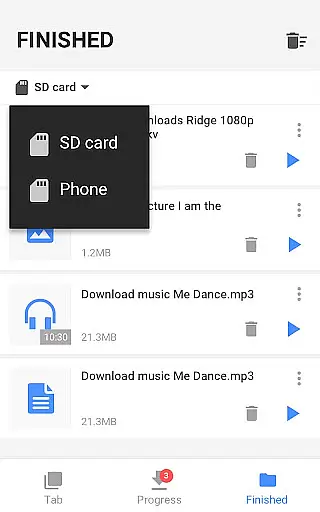
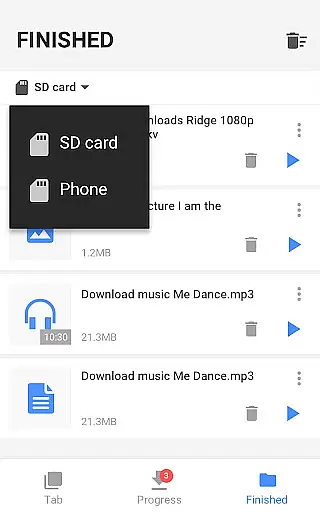
Security is another key aspect of Video Downloader's functionality. The app allows users to store downloaded files in password-protected folders, ensuring privacy and protection for sensitive content. Furthermore, support for SD card storage enables users to manage their device's internal memory effectively while maintaining easy access to their media library.
Video format compatibility is a crucial feature for any video player and editor, ensuring that users can work with a wide range of video types without facing playback or editing issues. Video Downloader supports all popular formats, including mp3, m4a, mp4, m4v, mov, avi, wmv, and more.
The application's robust architecture allows it to auto-detect videos across different platforms on the Internet, making downloading seamless. Whether you're looking to download music or high-definition videos, this app facilitates downloads in various formats, thus catering to both casual viewers and professional editors.
For users, this means freedom and flexibility. You won't be restricted by format limitations when saving media onto your device. The comprehensive format support extends to documents and images as well, such as doc, xls, pdf, and txt files, enhancing its utility beyond just video management.
Ultimately, Video Downloader's extensive format compatibility empowers users to manage their multimedia libraries more effectively. With the assurance of handling any file type, users can focus on enjoying or editing content rather than worrying about technical constraints.
AI-powered editing features represent the cutting edge of video player and editor technology, providing users with tools that enhance productivity and creativity. Video Downloader incorporates powerful AI capabilities that streamline the editing process, offering functionalities like automatic video detection and one-click downloads.
This app goes beyond simple playback by integrating a built-in browser and player, which together create an ecosystem where videos can be browsed, detected, and downloaded effortlessly. The AI algorithms assist in detecting downloadable content on web pages, significantly reducing the time and effort required from the user's end.
Users benefit from advanced download management options powered by AI, including pausing, resuming, and removing downloads. These features ensure that even large files are handled efficiently, while background downloading allows uninterrupted use of the device. Additionally, the ability to preview videos before completing the download adds another layer of convenience.
In summary, Video Downloader leverages AI to offer a smarter, faster, and more intuitive video downloading and editing experience. This positions the app as not just a tool for acquiring content but also as a comprehensive solution for managing digital media libraries with ease and precision.
User-friendly interface
Fast download speeds
Supports all major formats
Background downloading
Powerful download manager
Limited advanced editing tools
No cloud integration
Occasional compatibility issues
Ads in free version
Large app size

Kodi media center, a free and open source cross-platform entertainment hub
 3.60
3.60
Powerful, professional, versatile teleprompter. Developed by an active film crew
4.00
All format media Player, no need video converter any more!
4.00
AirMirror is Receiver for Screen Mirroring and Casting from Apple Devices.
3.60
Video player with powerful streaming playback and various convenient features.
2.10
Download videos easily & play them all in one smart, powerful video manager.
3.40
Video Downloader, Multiple Resolution Options, Video Player
4.50
Enjoy your favorite videos and channels with the official YouTube app.
3.90
convenient, safe and fast at Video Downloader & Player
4.60
Download Hub, easy and private way to download and enjoy your videos offline
4.80
Flud is a simple and beautiful BitTorrent client for Android.
4.80
Cast Videos from Web Browser, IPTV to Roku, Chromecast, DLNA, Smart TV +more
4.60
Auto video maker with music & exclusive filters. Video editing made simple.
4.50
KineMaster, Your Ultimate Video Editor!
4.40
Movie maker & video editing app with AI effects and green screen
4.30
Powerful video player with advanced hardware acceleration and subtitle supports
4.20
Video player with 4K & 1080P support, popup play, background play and subtitle.
4.20
Save photos and videos from social apps in one tap.
3.60
Watch full episodes of your favorite Cartoon Network and Cartoonito shows!
3.50







User Reviews