
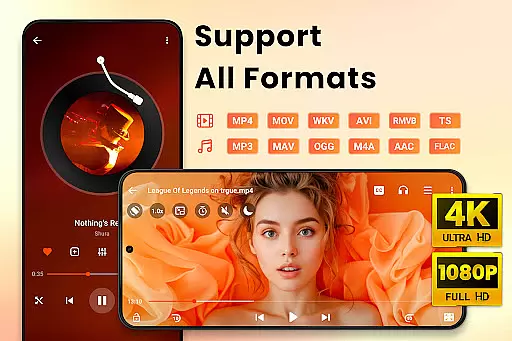
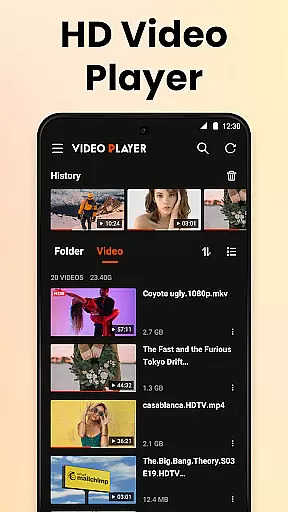
Video Player All Format HD is a versatile and feature-rich video player designed for Android devices. This application supports all major video formats including MKV, MP4, AVI, and more, ensuring that users can play any video file with ease. The app stands out with its ability to handle 4K and 1080p video playback, providing an exceptional viewing experience in high definition.
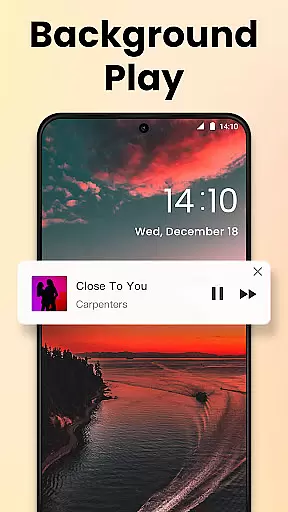
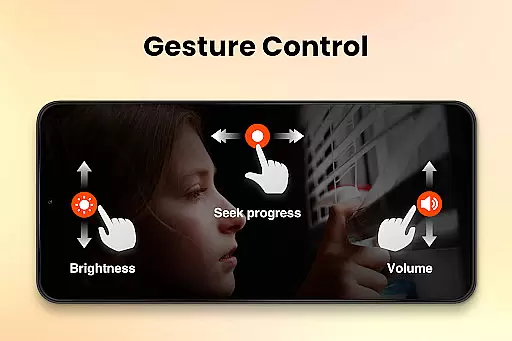
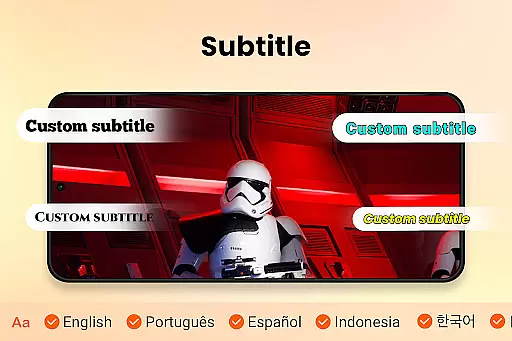
In addition to its core functionality, the Video Player All Format HD offers advanced features such as popup play for multitasking, speed control for customized playback, and background play for audio-focused sessions. With intuitive gesture controls, equalizer settings, and subtitle support, this app caters to both casual viewers and media enthusiasts who demand quality and flexibility.
Whether you're commuting, relaxing at home, or working on your device, this video player enhances your multimedia consumption by offering smooth performance and a user-friendly interface. Its lightweight design ensures quick installation and fast loading times, making it an ideal choice for users seeking efficiency without compromising on features.
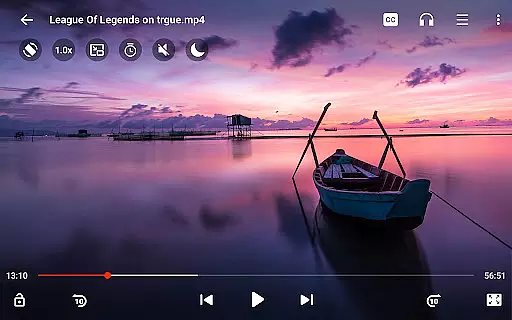
Video Player All Format HD distinguishes itself through a comprehensive suite of features tailored for diverse user needs. One of its standout capabilities is universal format support, accommodating files like MKV, MP4, AVI, and more, thus eliminating compatibility concerns. The inclusion of popup play allows users to watch videos in a floating window, perfect for multitasking while engaging with other apps.
The app also provides robust playback controls, enabling users to adjust video speed from 0.5x to 2x, facilitating both slow-motion and accelerated viewing. Background play is another highlight, allowing users to listen to video content with the screen off, akin to an audiobook experience. Additional functionalities include gesture-based navigation, automatic video file detection, and management tools such as delete and rename options.
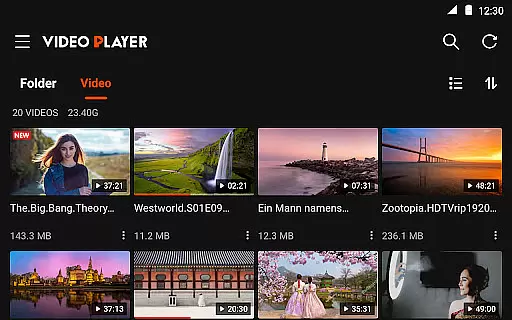
For enhanced usability, the app incorporates night mode, quick mute, and a five-band equalizer with bass boost. Subtitle downloading and seamless audio track switching further enrich the viewing experience. With grid and list view options, instant search, and sleep timer functionality, Video Player All Format HD delivers a polished and adaptable media player solution.
Video Player All Format HD stands out for its exceptional video format compatibility, ensuring users can play virtually any video file they encounter. This feature is crucial as it eliminates the frustration of format incompatibility that many media players face.
The application supports an extensive range of formats including MKV, MP4, M4V, AVI, MOV, 3GP, FLV, WMV, RMVB, TS, and more. Such wide-ranging support means users don't need to convert files before playback, saving both time and effort.
With this app, you can seamlessly enjoy high-definition 4K and 1080p videos without worrying about format issues. The automatic detection of video files and folders on your phone and SD card further enhances accessibility.
This comprehensive compatibility ensures that whether you're watching movies, educational content, or personal recordings, Video Player All Format HD provides a smooth and uninterrupted viewing experience across all supported formats.
While Video Player All Format HD primarily focuses on video playback, it also offers some AI-powered features that enhance the overall user experience. Although not a traditional video editor, the inclusion of intelligent functionalities sets it apart from basic players.
One notable feature is the automatic detection and organization of video files, which utilizes smart algorithms to categorize and present your media library in an easily navigable manner. This simplifies file management significantly.
The five-band equalizer with bass boost demonstrates another aspect of intelligent audio processing. While not strictly AI-driven, this feature optimizes sound quality based on content type, providing an enhanced auditory experience.
Additionally, the app's capability to download and add subtitles automatically for videos shows elements of smart processing. These features collectively contribute to a more intelligent and responsive video playback experience, making it more than just a simple media player.
User-friendly interface
Supports all video formats
Lightweight and fast
Advanced playback controls
Excellent multitasking features
Limited to Android platform
No built-in video editor
Occasional ads in free version
Basic UI design
Requires manual updates

Video player, file manager for all formats, 4K/HD media player supports subtitle
 4.30
4.30
Save photos and videos from social apps in one tap.
3.60
HD video & music player - All format support with floating & PIP mode!
3.80
KineMaster, Your Ultimate Video Editor!
4.40
This app was created to edit the metadata of music files.
4.20
Live TV, anywhere in your home
3.80
High-Quality USB Camera Viewer & HDMI Display
4.70
KMPlayer Plus (Divx Codec) officially support Divx codec.
4.30
An easy-to-use and all-round screen recorder with audio
4.80
AI Video Editor with Music, Filter, Slideshow, Effect, Merge & Trim Video.
4.80
Full HD Video mp3 Player, MP4 player play 1080p, File manager, Video Downloader
4.40
Video Downloader is an utility that can save videos and music from web sites
4.20
Powerful video player with advanced hardware acceleration and subtitle supports
4.20
Capture images & record videos for USB Camera, Webcam, Microscopes, Endoscopes
3.80
AirMirror is Receiver for Screen Mirroring and Casting from Apple Devices.
3.60
Connect EasyCap or UVC devices for recording and broadcast video/audio stream
3.60
You can play SWF format file!
2.50
Video player with powerful streaming playback and various convenient features.
2.10
The smartest M3U IPTV Player your playlists have ever seen.
4.5





User Reviews