
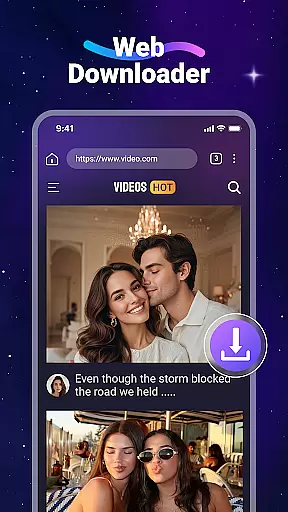
Video Downloader is a versatile utility app designed for users who want to download and manage videos and music files directly from websites. The app offers fast download speeds and supports all major file formats, including MP4, MP3, and PDF. With its built-in web browser, users can easily browse the web and download media content without switching between apps.
One of the standout features is the ability to play downloaded videos offline using the integrated media player. This makes it an ideal solution for users who frequently travel or have limited internet access. Additionally, the app supports SD card storage, allowing users to manage larger files more efficiently. Whether you need to save educational content for offline viewing or create a personal media library, Video Downloader provides a comprehensive solution.
Video Downloader stands out with its robust feature set tailored for seamless media management. The app's built-in browser not only detects downloadable videos automatically but also allows users to bookmark their favorite websites for future visits. This feature-rich app supports background downloading, enabling users to multitask without interrupting the download process.
Another notable aspect is its compatibility with various file formats, ranging from common video formats like MP4 and AVI to document types such as PDF and DOC. The app also includes a user-friendly interface where all downloaded files are organized under the 'Files' tab, making it easy to locate and manage your media. With support for SD card storage, users can store larger files externally, thus optimizing device performance. These features collectively make Video Downloader a powerful tool for anyone looking to expand their offline media library.
Video Downloader stands out for its extensive video format compatibility, ensuring users can download and play a wide range of file types without hassle. This includes popular formats such as MP4, AVI, and MOV, alongside audio files like MP3 and M4A.
The app's robust support for various formats means that no matter the source website, users can expect their downloads to be compatible with their device's native media player or any third-party applications they prefer to use.
This versatility not only enhances user convenience but also broadens the app's utility across different devices and operating systems, making it an indispensable tool for anyone looking to access multimedia content offline.
Beyond downloading capabilities, Video Downloader incorporates AI-powered editing features that elevate the user experience. These tools allow for intuitive video trimming, cropping, and merging, enabling creators to refine their content effortlessly.
The AI algorithms are designed to simplify complex editing tasks, providing smart suggestions for cuts and transitions based on the video content. This ensures that even users with minimal editing experience can produce polished results.
By integrating these advanced editing options, Video Downloader caters to both casual viewers and content creators who require efficient ways to modify and enhance their downloaded videos before sharing them across platforms.
User-friendly interface
Fast download speed
Supports multiple formats
Built-in media player
SD card supported
No YouTube support
Limited to website downloads
Requires careful legal use
Ads may appear
Interface could be outdated

Video player, file manager for all formats, 4K/HD media player supports subtitle
 4.30
4.30
Photo and Music Video Creator into Stunning Videos—Effortlessly
4.40
Snaptubè Video Downloader app allows to download videos and music in Snaptube. .
4.60
Video player with powerful streaming playback and various convenient features.
2.10
AirMirror Receiver - Screen mirroring/cast web videos to Android TV by AirPlay.
4.40
Fast & easy HD video downloader for all formats, support 4K playback & download.
4.60
Cast to Smart TV, Fire TV. Cast video, photo - Fast & Stable!
3.90
Video Downloader, Multiple Resolution Options, Video Player
4.50
AI Video Editor with Music, Filter, Slideshow, Effect, Merge & Trim Video.
4.80
Tik & Story Saver-Download ALL social media videos, photos & reels no watermark.
4.80
A Quick and Pro Video Editor
4.70
Search & download videos from net with all video downloader, auto-detect & safe.
4.60
Auto video maker with music & exclusive filters. Video editing made simple.
4.50
HD video maker with no watermark, no ads & vlog maker with music, PIP, text
4.50
Full HD Video mp3 Player, MP4 player play 1080p, File manager, Video Downloader
4.40
Viddo: Generate Action Figure, AI Anime, AI kiss, AI hug Video from image & text
4.40
1)AirPlay/DLNA Mirroring/Streaming, up to 4 connections; 2)Samba/NAS/DMS Player.
4.00
Online Videos Player
3.90
Powerful HD video player with support for all formats & subtitles.
4.4






User Reviews