
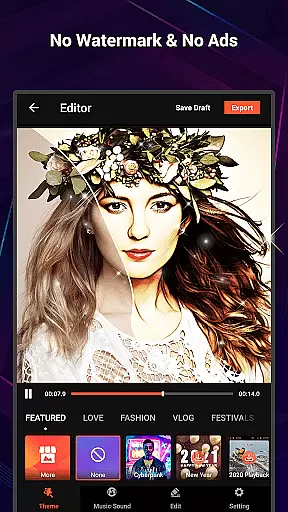
VideoShow Pro is a premium video editing application designed for both amateur and professional content creators. This app offers advanced features such as no watermark, ad-free interface, and support for exporting videos in 1080p and 4K resolutions. With an extensive library of exclusive materials, users can apply up to 20 visual effects (FX) in one video. The app provides a seamless experience by allowing users to create stunning videos with minimal effort.
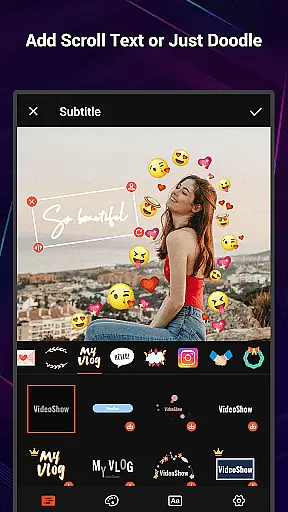
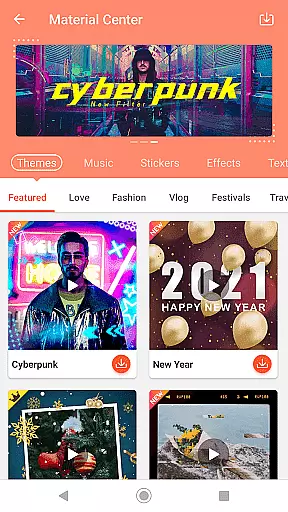
The app stands out with its intuitive design that integrates photos and videos into a single project, offering various expressions through beautification tools like texts, stickers, music filters, transitions, and sound effects. VideoShow Pro also includes a Material Store where users can access themes, music, text styles, stickers, sound effects, and fonts. It caters to diverse needs with specialized themes for occasions like love, birthdays, and more.
Whether you're looking to produce high-quality content for social media or personal use, VideoShow Pro delivers the tools necessary to express creativity and share your stories effectively.
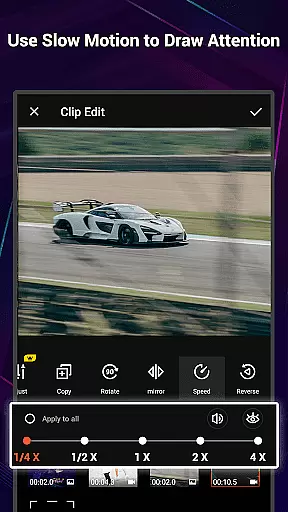
VideoShow Pro boasts a comprehensive suite of video editing tools that cater to a wide range of creative needs. One of its standout features is the ability to zoom and rotate videos at will, providing dynamic control over video composition. The app simplifies the video creation process by eliminating the need for pre-transcoding, making it faster to produce content.
Users can merge videos and photos seamlessly, creating multimedia projects with ease. The Material Store offers a variety of customizable themes, music tracks, text styles, stickers, sound effects, and fonts, enabling users to craft unique videos. Specialized themes for specific occasions and square formats tailored for social media platforms enhance the versatility of the app.
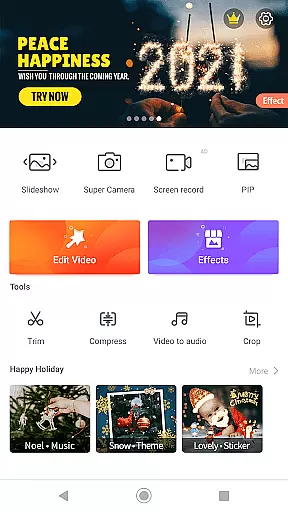
In addition to core editing capabilities, VideoShow Pro includes a robust toolbox with Ultra Cut for slicing and merging clips, Fast Trim for quick edits, Compress Video for reducing file sizes, and Video to MP3 for extracting audio tracks. These features collectively empower users to refine their work efficiently and share it across multiple social networks.
VideoShow Pro stands out with its extensive video format compatibility, ensuring that users can work with a wide range of video types without the need for pre-transcoding. This feature saves time and maintains the original quality of your footage.
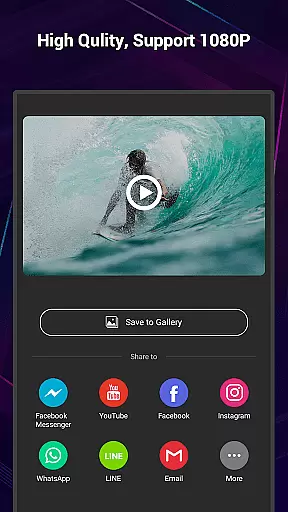
The app supports high-resolution formats, including 1080p and 4K video exports, allowing creators to produce professional-grade content. Whether you're editing casual home videos or working on a cinematic project, VideoShow Pro handles various resolutions with ease.
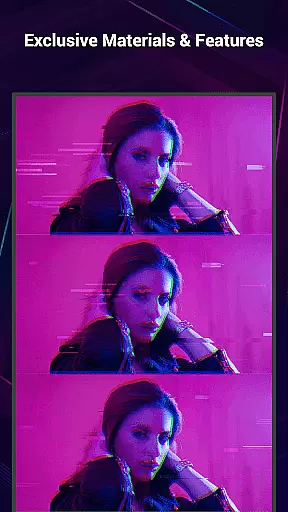
In addition to supporting standard video formats, the application provides unique materials and effects that enhance the creative process. With up to 20 FX effects available in one video, users have the freedom to experiment with different styles and expressions.
Furthermore, VideoShow Pro's compatibility extends to audio files, enabling users to incorporate both online and local music into their projects. This flexibility ensures that all multimedia elements are seamlessly integrated, resulting in a polished final product.
VideoShow Pro incorporates AI-powered editing features that revolutionize the way users create and edit videos. These intelligent tools simplify complex tasks, making video production accessible to everyone, regardless of skill level.
One notable AI feature is the automatic beautification tool, which applies stunning filters in just one step. This includes beauty enhancements and artistic effects like sketch filters, elevating the visual appeal of your videos effortlessly.
The app also utilizes AI for its live dubbing capabilities, allowing users to record their own voiceovers with precision. The smart system ensures that audio syncs perfectly with video, providing a professional touch to any project.
Moreover, VideoShow Pro offers an elaborate theme system powered by AI, offering instant generation of characteristic videos. Themes such as love, birthday, and friendship help users quickly create meaningful content tailored to specific occasions, enhancing both efficiency and emotional impact.
High-quality export options
Extensive material library
User-friendly interface
Advanced video effects
Quick editing tools
Premium version only
Occasional bugs reported
Large app size
Limited free resources
Subscription fees apply

HD Video player all format, HD Videos, Cast & Subtitle. No annoying ads.
 4.60
4.60
You can play SWF format file!
2.50
Tik & Story Saver-Download ALL social media videos, photos & reels no watermark.
4.80
Support 1000+ Video Format, Subtitle Download, mp3 & Background Play, Cast On TV
4.60
AirMirror is Receiver for Screen Mirroring and Casting from Apple Devices.
3.60
Video player with powerful streaming playback and various convenient features.
2.10
Download videos and play them offline
4.70
Connect EasyCap or UVC devices for recording and broadcast video/audio stream
3.60
Fast & Private HD Video Downloader with Built-in Proxy Browser and Video Player.
4.50
An easy-to-use and all-round screen recorder with audio
4.80
Pro video editor app for Instagram, edit video with song, AI, effect & slowmo.
4.80
Screen recorder with audio to take live videos & Screenshot in high quality!
4.70
Cast Videos from Web Browser, IPTV to Roku, Chromecast, DLNA, Smart TV +more
4.60
Seamlessly connect and control your smart devices, anytime, anywhere with ease.
4.60
Video Downloader is an utility that can save videos and music from web sites
4.20
Browser for Samsung TV to stream webvideos, online movies and livestreams in HD
4.10
Watch full episodes of your favorite Cartoon Network and Cartoonito shows!
3.50
Download videos easily & play them all in one smart, powerful video manager.
3.40
A full editing room to accompany your Insta360 cameras and handheld gimbals.
3.30



User Reviews