
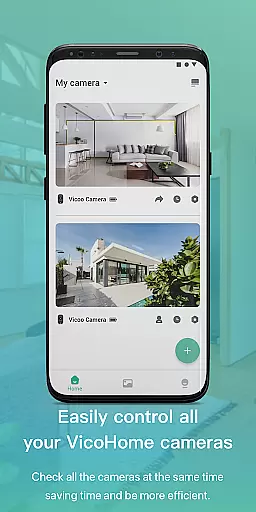
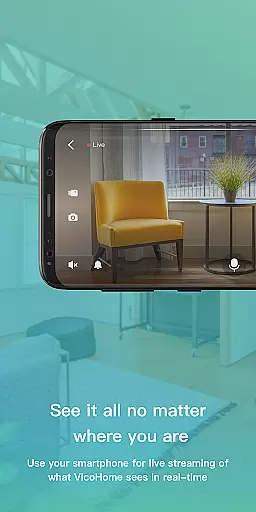
VicoHome is a smart home monitoring application that allows users to connect with their smart devices, especially cameras, from anywhere and at any time. Through its live screen feature, users can observe real-time situations at home, ensuring peace of mind whether they are at work or on vacation.
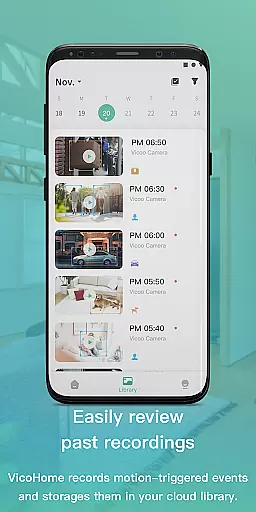
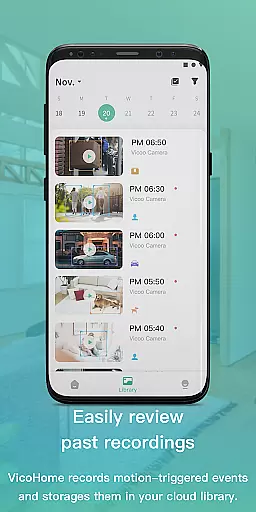
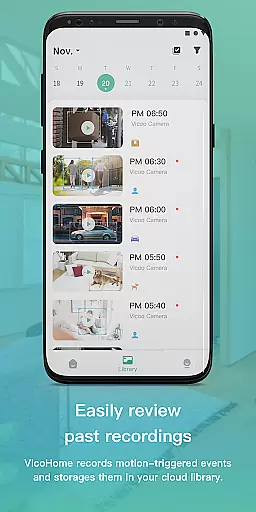
One of the standout features of VicoHome is its ability to store and allow access to past recorded videos, making sure you never miss an important moment or detail. This functionality not only enhances home security but also provides a reliable way to keep track of daily activities in and around your property.
VicoHome offers a comprehensive suite of features designed for seamless smart home integration. The app's primary feature is its live streaming capability, which lets users view live footage directly from their connected cameras. This ensures that you are always aware of what is happening at home, regardless of your location.
In addition to live streaming, VicoHome provides access to recorded videos. Users can easily browse through previous recordings, making it simple to review any events or moments they may have missed. This feature is particularly useful for enhancing home security and safety, as it allows users to maintain a detailed log of activities around their property.
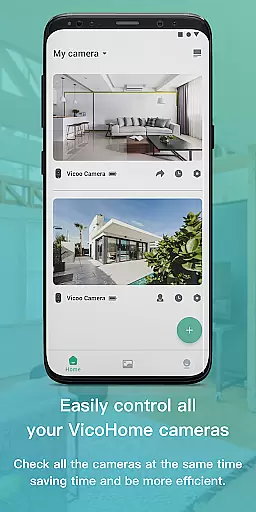
The app also emphasizes user-friendly design, ensuring that even those who are not tech-savvy can navigate and utilize its features effectively. With intuitive controls and straightforward setup processes, VicoHome makes smart home monitoring accessible to everyone.
Video format compatibility is crucial for a seamless user experience in any video player and editor application. VicoHome supports a wide range of video formats, ensuring that users can access their footage without the need for prior conversion or compatibility concerns.
The app's support spans popular formats such as MP4, AVI, and MOV, which are commonly used by smart devices including cameras. This versatility allows users to directly connect with their smart devices and instantly view live feeds or recorded videos without worrying about format issues.
By providing comprehensive video format support, VicoHome enables users to focus on what matters mostu2014viewing their content. Whether it's live monitoring or reviewing past recordings, users can do so with the confidence that VicoHome will play their videos without a hitch.
In today's digital age, AI-powered editing features have become an essential component of video player and editor applications. VicoHome incorporates intelligent tools that enhance the video management process, offering capabilities such as automated video tagging, smart search within videos, and optimized video playback.
These AI-driven features allow users to efficiently sort and retrieve specific moments from their recorded videos. For instance, the smart search functionality can identify and locate particular events or objects within the video timeline, saving users valuable time when looking for specific details.
With these advanced editing features, VicoHome not only simplifies video organization but also enriches the viewing experience. Users can enjoy a more intuitive and responsive interaction with their video content, making sure they never miss an important moment captured by their cameras.
User-friendly interface
Live camera streaming
Video recording access
Remote accessibility
Comprehensive security
Limited device compatibility
Subscription fees
Occasional connectivity issues
Privacy concerns
High data usage

Fast, private downloading, video saving, social media
 4.50
4.50
IPTV-Smarters Player Pro M3U - Watch Live Stream TV Channels with Chromecast
4.00
Create & edit videos with AI
4.30
IPTV Loader, loads your own Playlist. DOES NOT CONTAIN ANY LIST OR CHANNELS
4.60
Web Browser for LG TV to stream webvideos, online movies and livestreams in HD
4.20
Cast movies, tv shows and live streams to Chromecast, Roku, DLNA, Fire TV & more
4.60
Powerful video player with advanced hardware acceleration and subtitle supports
4.20
Video player with 4K & 1080P support, popup play, background play and subtitle.
4.20
convenient, safe and fast at Video Downloader & Player
4.60
Video Player - Unlimited features, 30 days money back guarantee.
4.60
Watch a large amount of high-definition short drama content
4.60
Auto video maker with music & exclusive filters. Video editing made simple.
4.50
Photo and Music Video Creator into Stunning Videos—Effortlessly
4.40
Download website videos fast&privacy
4.40
Manage your IPTV live channels and VOD playlists (no playlist included)
3.80
Save photos and videos from social apps in one tap.
3.60
Mix with Virtual DJ directly from your phone or tablet !
3.10
Stream high quality video from your camera over NDI protocol
4.3
Powerful HD video player with support for all formats & subtitles.
4.1






User Reviews