
Fast Downloader - Video Player is a versatile video downloader and player tailored for users who need to save videos from websites and social media platforms. The app's core functionality revolves around downloading videos in multiple formats and resolutions, ensuring that users can enjoy their favorite content offline without worrying about internet connectivity.
In addition to its primary download feature, the app offers privacy protection by allowing users to store downloaded videos in a secure, password-protected space. It also includes a built-in video player that supports various formats, eliminating the need for third-party players. Whether you're looking to download videos for later viewing or watch them immediately within the app, Fast Downloader - Video Player provides a comprehensive solution for all your video needs.
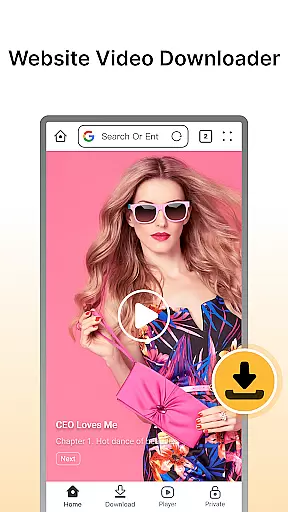
Fast Downloader - Video Player stands out with its robust set of features designed to enhance user experience. One of its key capabilities is the website video downloader, which allows users to download videos from numerous sites with just a few clicks. This ensures that users can save their favorite content for offline access, making it ideal for situations where internet connections may be unreliable.
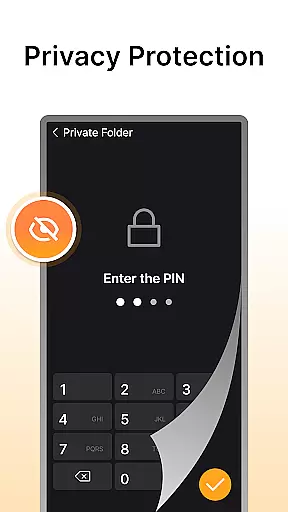
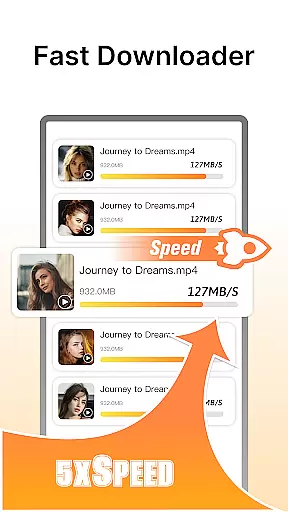
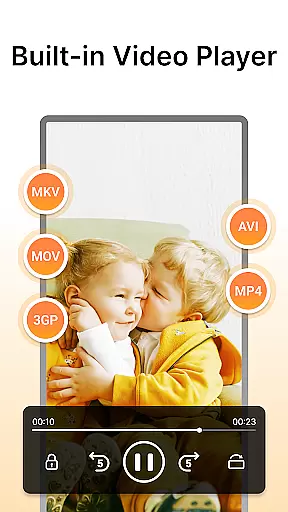
The app also excels in privacy protection, offering a built-in privacy mode that secures downloaded videos behind password protection. Furthermore, it supports multi-resolution downloads, enabling users to choose the video quality that best suits their device and preferences. With fast download speeds powered by advanced technology, users can save time and effort when downloading large files. Lastly, the integrated video player supports multiple formats, providing a seamless viewing experience directly within the app.
Video format compatibility is a crucial feature for any video player and editor, ensuring that users can enjoy videos in various formats without the need for conversion. Fast Downloader - Video Player supports an extensive range of video formats, making it versatile for different user needs.
The app's multi-format support extends to both websites and social media platforms, allowing users to download and play videos from multiple sources effortlessly. Whether you're downloading standard or HD videos, this app ensures that your content is accessible on any device.
With Fast Downloader - Video Player, users benefit from a seamless viewing experience without worrying about format restrictions. The built-in player eliminates the need for third-party applications, providing convenience and efficiency in managing video content.
AI-powered editing features are transforming how users interact with video content by offering intelligent tools that simplify the editing process. Fast Downloader - Video Player incorporates advanced AI technology to enhance video management and playback functionalities.
While primarily a downloader and player, the app leverages AI to optimize video quality and resolution selection based on user preferences and device capabilities. This ensures that every video is played back in the best possible quality, enhancing the overall viewing experience.
Users of Fast Downloader - Video Player can take advantage of these smart features to streamline their video handling tasks. From quick downloads to intelligent playback options, the app provides a modern solution for efficient video consumption and management.
User-friendly interface
Multi-resolution support
Privacy protection
Fast download speeds
Built-in video player
Limited format compatibility
No cloud integration
Ads in free version
Occasional bugs
Requires manual updates

Save photos and videos from social apps in one tap.
 3.60
3.60
Photo and Music Video Creator into Stunning Videos—Effortlessly
4.40
Watch a large amount of high-definition short drama content
4.60
Full HD Video mp3 Player, MP4 player play 1080p, File manager, Video Downloader
4.40
HD video maker with no watermark, no ads & vlog maker with music, PIP, text
4.50
IPTV Player - Watch live TV from m3m & m3u8 playlist, stream IPTV on mobile
3.30
#1 Torrent App on Android ** No Ads Ever + Battery Saver **
4.80
Screen recorder with audio to take live videos & Screenshot in high quality!
4.70
Enjoy your favorite videos and channels with the official YouTube app.
3.90
Download videos and play them offline
4.70
HD Video player all format, HD Videos, Cast & Subtitle. No annoying ads.
4.60
Search & download videos from net with all video downloader, auto-detect & safe.
4.60
Fast & easy HD video downloader for all formats, support 4K playback & download.
4.60
LumaFusion: The Ultimate Storytelling Experience for Video Editing
4.10
VLC for Android is the best open source video and music player, fast and easy!
4.10
AI Video Editor:AI Music, Text to Video,Text to Speech,Auto Caption,Video Effect
4.00
Make your own Animations, Video and Photo Edits, Visual Effects, and more!
4.00
Connect 2 UVC devices for recording and broadcast video/audio stream
3.90
Manage your IPTV live channels and VOD playlists (no playlist included)
3.80




User Reviews