
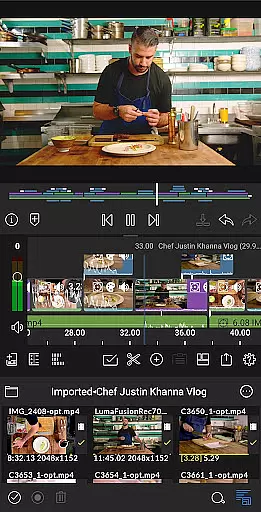
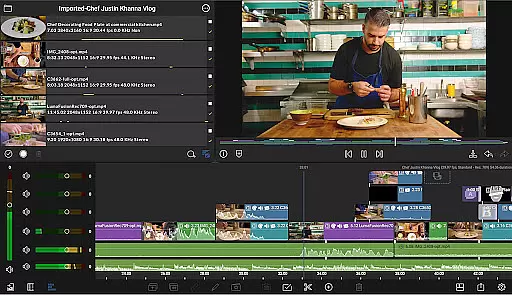
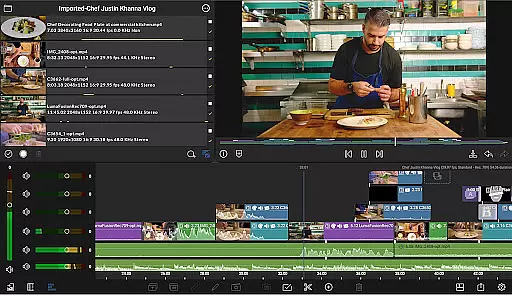
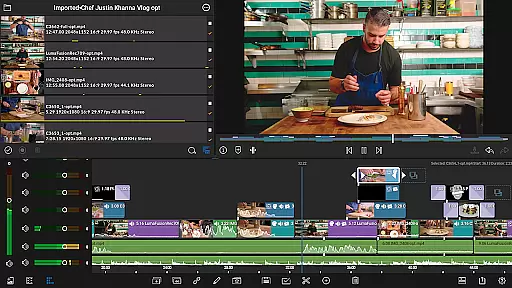
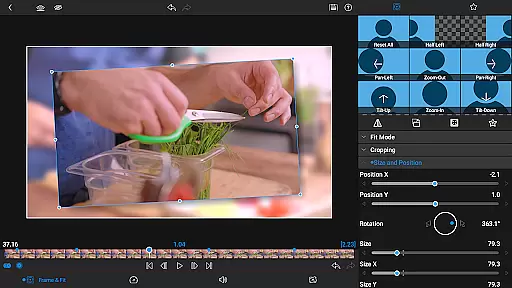
LumaFusion is the gold standard for storytellers, offering a fluid, intuitive touch-screen editing experience. With professional editing tools, it supports up to 4K media and provides six video-with-audio or graphic tracks alongside six additional audio-only tracks.
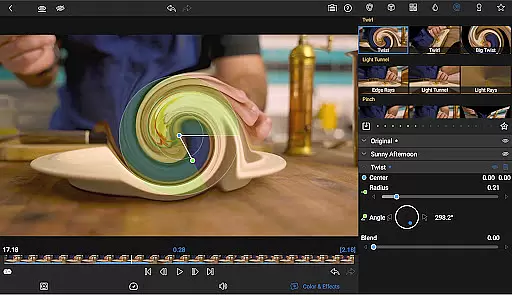
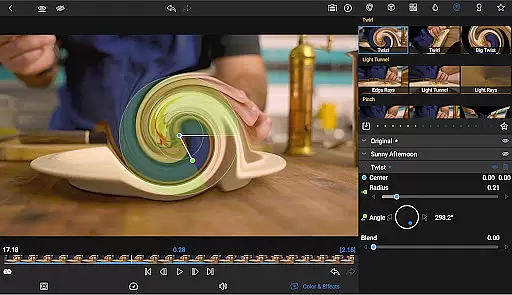
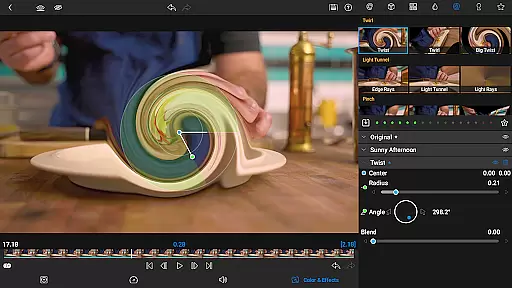
It features advanced audio control, creative titles, multilayer text, and project flexibility. Users can enjoy layered effects, color correction, and access to a vast media library. The app also allows sharing masterpieces directly to social media or cloud storage.
Ideal for content creators who require precision and creativity in video editing, LumaFusion turns any device into a powerful storytelling tool, enhancing both amateur and professional projects.
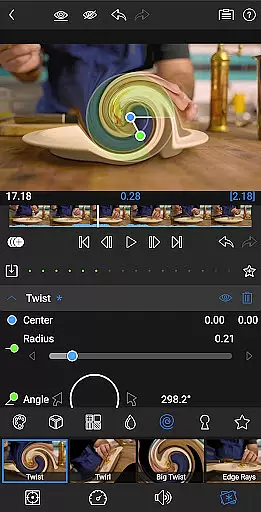
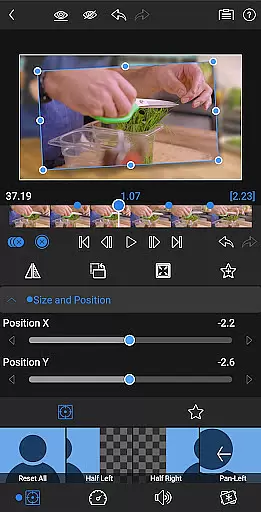
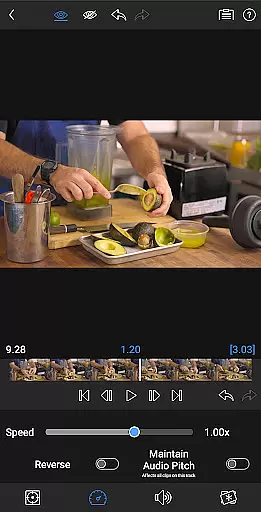
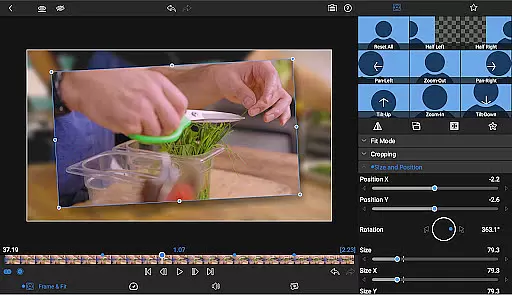
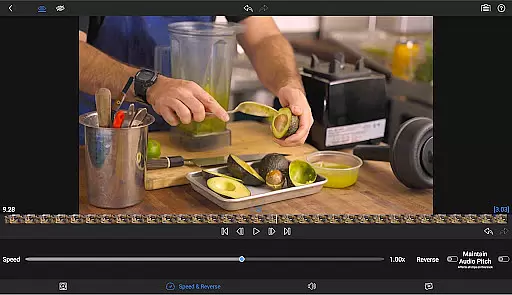
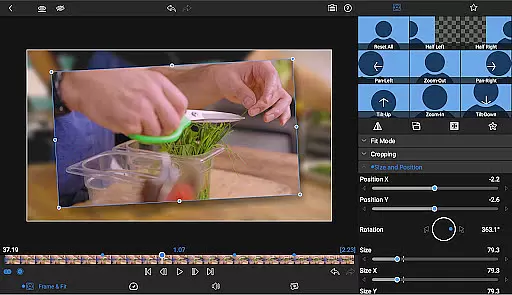
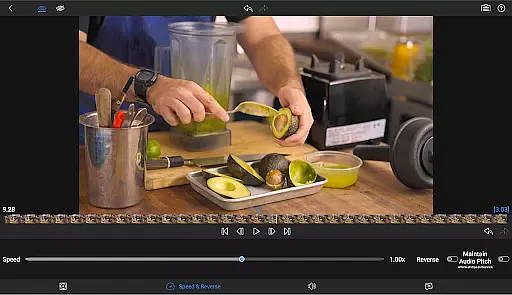
LumaFusion stands out with its ultimate timeline that offers fluent editing using flexible track-based and magnetic systems. It includes speed ramping and enhanced keyframing available via in-app purchase, allowing users to add eye-catching effects to on-screen motion.
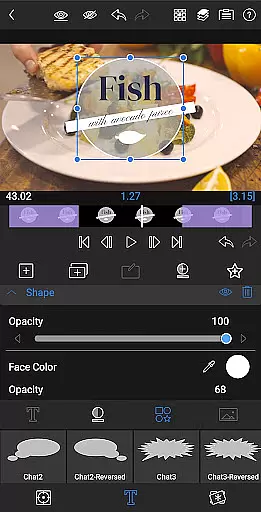
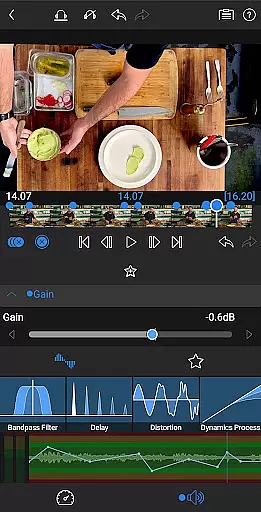
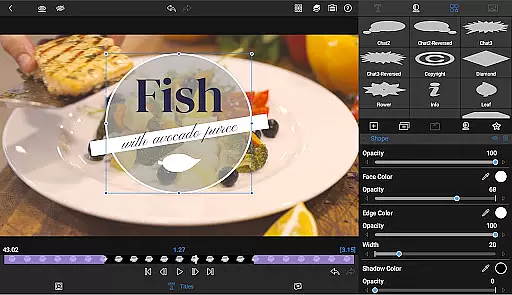
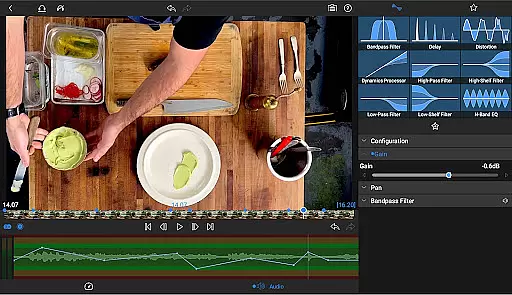
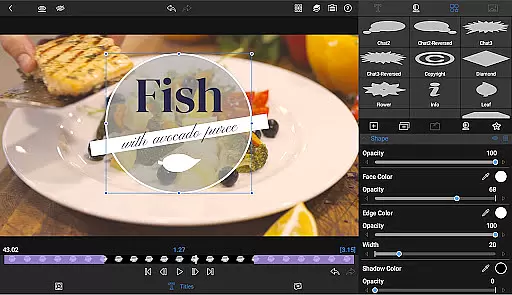
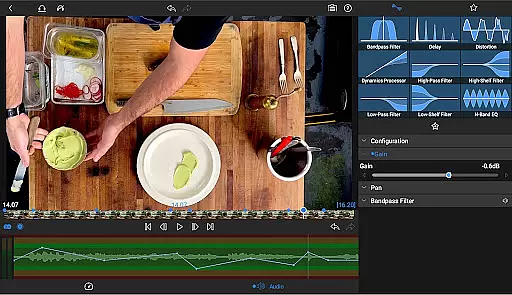
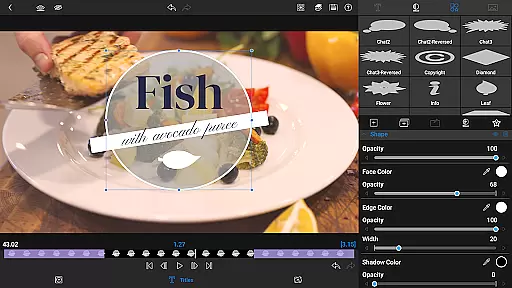
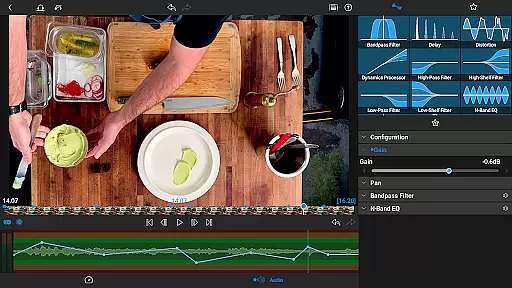
The app provides comprehensive audio controls such as Graphic EQ, Parametric EQ, and audio ducking which are essential for crafting seamless mixes. Additionally, it supports multilayer titles, customizable fonts, colors, borders, and shadows, enabling the design of visually striking titles.
With project flexibility, support for various aspect ratios, and frame rates from 18fps to 240fps, LumaFusion adapts to any workflow. Its exceptional free support includes online tutorials and a reference guide, ensuring users can maximize their editing potential.
Video format compatibility is a crucial feature for any video editing application, ensuring that users can work with a wide range of video files without conversion hassles. LumaFusion supports media up to 4K resolution across its six video-with-audio or graphic tracks, providing flexibility for professional editors.
The app allows direct editing from the Media library and USB-C drives, streamlining the workflow for creators who handle large video files. This seamless integration ensures that no matter where your content is stored, you can access and edit it effortlessly within the app.
With support for various aspect ratios and frame rates ranging from 18fps to 240fps, LumaFusion caters to diverse video production needs. Whether you're creating widescreen cinema or social media clips, this adaptability guarantees that your projects will meet the required specifications.
Export options in LumaFusion offer control over resolution, quality, and format, making it easy to share your finished works on different platforms. The ability to export directly to social media, local storage, or cloud services enhances the sharing process while maintaining high-quality standards.
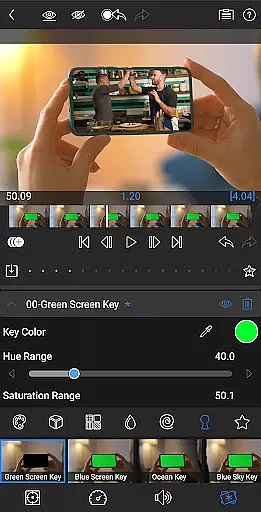
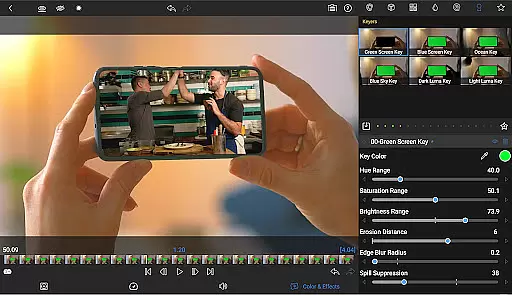
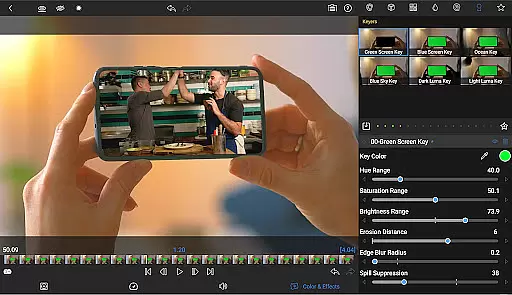
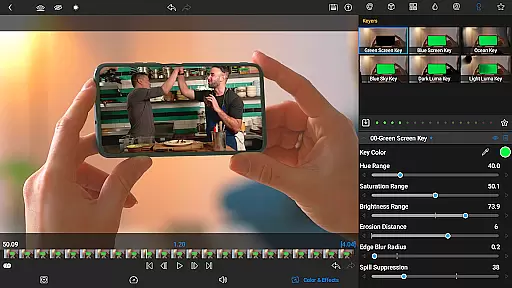
AI-powered editing features are revolutionizing the way video content is created, allowing for more efficient workflows and enhanced creativity. LumaFusion incorporates advanced tools like green screen, luma, and chroma keys, which enable creative compositing and open new possibilities for visual storytelling.
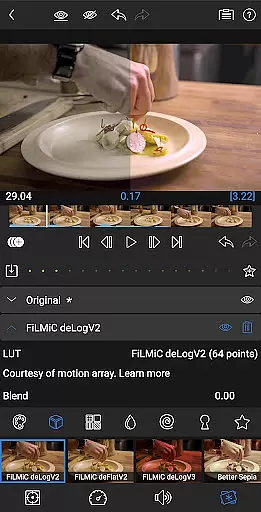
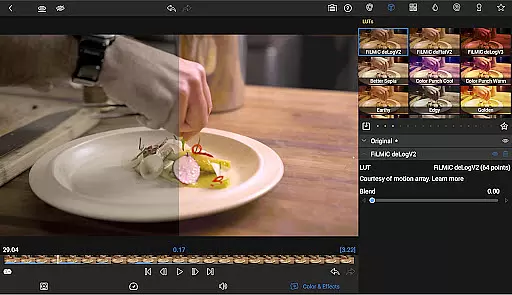
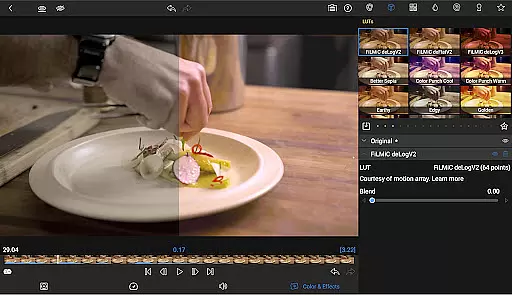
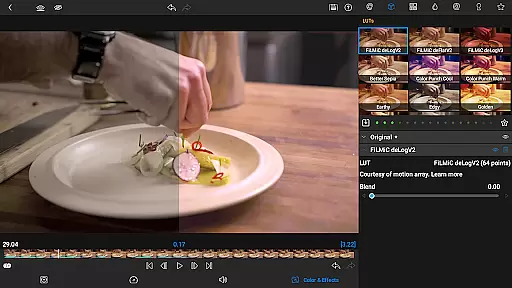
The app includes powerful color correction tools and scopes such as Video Waveform, vector, and histogram displays. These features help editors achieve their desired look with precision, while also supporting the import of .cube or .3dl LUTs for professional-grade color grading.
Audio editing in LumaFusion benefits from AI enhancements too, with Graphic EQ and Parametric EQ capabilities that allow fine-tuning of soundscapes. Keyframe audio levels, panning, and EQ adjustments ensure seamless mixes, while Audio Ducking balances music and dialogue automatically.
For text animations and effects, LumaFusion offers customizable presets that save time and maintain consistency across projects. Editors can craft multilayer titles combining shapes, images, and text, then save these as presets to be reused or shared with collaborators, enhancing productivity through intelligent design automation.
Intuitive interface
Professional tools
Versatile export options
Advanced audio features
Comprehensive text tools
Subscription required
High cost
Complex for beginners
Limited free features
In-app purchases needed

KineMaster, Your Ultimate Video Editor!
 4.40
4.40
Play ALL formats in 4K & HD. Video downloader, MP3 player, Chromecast & more.
4.80
This app was created to edit the metadata of music files.
4.20
KMPlayer Plus (Divx Codec) officially support Divx codec.
4.30
Make your own Animations, Video and Photo Edits, Visual Effects, and more!
4.00
Browser + Remote for Roku to stream webvideos, online movies and livestreams
4.60
Cast movies, tv shows and live streams to Chromecast, Roku, DLNA, Fire TV & more
4.60
Video player with 4K & 1080P support, popup play, background play and subtitle.
4.20
convenient, safe and fast at Video Downloader & Player
4.60
Download videos and play them offline
4.70
?100% FREE! Download & save videos? safely in this app. All formats supported.
4.60
Watch IPTV on your Android device
4.60
Fast, private downloading, video saving, social media
4.50
Create & edit videos with AI
4.30
VLC for Android is the best open source video and music player, fast and easy!
4.10
IPTV-Smarters Player Pro M3U - Watch Live Stream TV Channels with Chromecast
4.00
All in one multi protocols stream receiver for AirPlay, Cast and DLNA.
3.60
IPTV Player - Watch live TV from m3m & m3u8 playlist, stream IPTV on mobile
3.30
Stream high quality video from your camera over NDI protocol
4.5




User Reviews