
IPTV Pro is the premium version of IPTV app, offering an ad-free experience with advanced features for seamless TV streaming. It supports M3U and XSPF playlists, multicast streams via UDP proxy, EPG in XMLTV and JTV formats, and multiple viewing options like grid, list, or tile views.
Designed for users seeking uninterrupted entertainment, this app allows auto-play of the last channel and extended playlist history. With both internal and external video player support, it ensures compatibility across devices. Note that IPTV Pro does not include built-in channels; users must provide their own playlist.
This application is ideal for those using set-top boxes or wanting to stream live TV from internet providers. Its parental control feature adds security, making it suitable for households. For optimal performance, especially with multicast streams, installing a UDP proxy on your local network is recommended.
IPTV Pro stands out with its comprehensive feature set tailored for avid TV viewers. The app provides essential tools such as M3U and XSPF playlist support, enabling users to organize and access their favorite channels effortlessly. A notable advantage is the extended playlist history, allowing easy revisiting of past content.
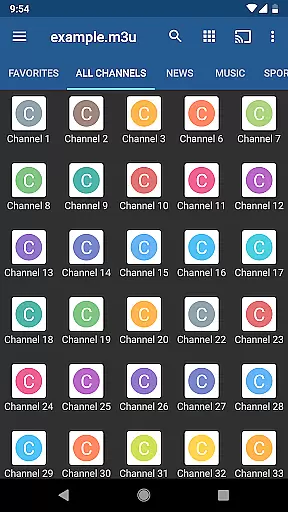
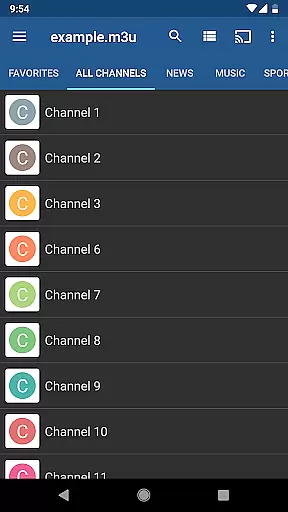
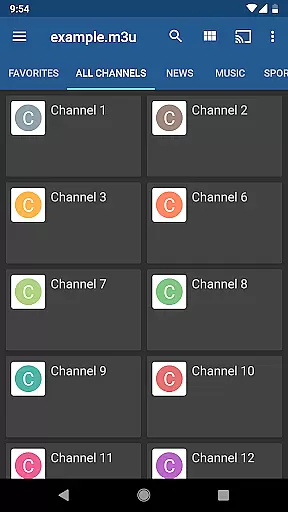
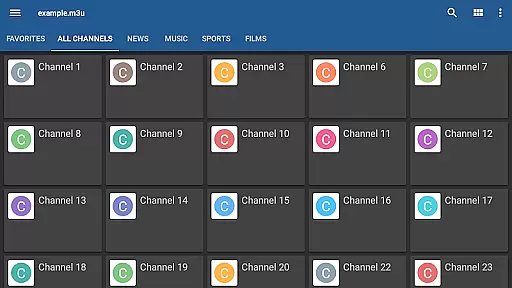
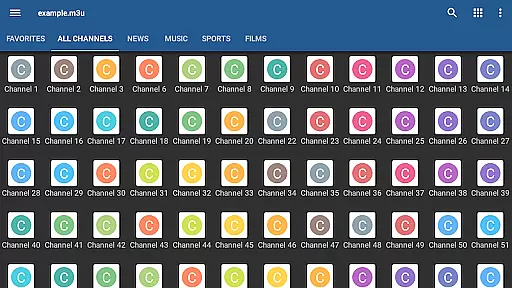
One of the key highlights is the multicast streaming capability using a UDP proxy, which enhances the streaming experience within LAN environments. Users can choose between grid, list, or tile views for TV channels, catering to individual preferences. Additionally, the app supports EPG in XMLTV and JTV formats, ensuring accurate program scheduling information.
With both internal and external video players available, IPTV Pro delivers flexibility in playback options. Parental controls are another valuable feature, providing peace of mind for family use. While the app doesn't come with built-in channels, its robust functionality makes it a top choice for personalized TV streaming.
Video format compatibility is a crucial feature for any video player application, ensuring that users can access content in various formats without technical hindrances. IPTV Pro supports both M3U and XSPF playlists, which are commonly used for internet television and radio broadcasts.
The app's ability to handle multicast streams with a UDP proxy adds another layer of versatility, allowing users to stream content from local network sources. This is particularly beneficial for those who receive IPTV services from their Internet provider or wish to watch live TV channels from web sources.
With options for grid, list, or tile view of TV channels, IPTV Pro caters to user preferences and device capabilities. The support for EPG in XMLTV and JTV formats further enhances the viewing experience by providing program schedules, making it easier for users to plan their viewing.
By offering both internal and external video player options, IPTV Pro ensures that users can choose the playback method that best suits their needs. This flexibility in video format compatibility empowers users to enjoy a wide range of content seamlessly, affirming the app's position as a comprehensive tool for IPTV consumption.
While IPTV Pro focuses primarily on video playback rather than editing, its AI-powered features contribute significantly to a streamlined user experience. Although not an editor in the traditional sense, the app incorporates smart functionalities that simplify IPTV management and enhance usability.
One such feature is the extended playlists history, which utilizes algorithms to remember past selections and streamline future access. This personalized approach saves time and effort, especially for users with extensive channel lists or those who prefer revisiting specific content regularly.
Parental control settings represent another intelligent aspect of the app, allowing administrators to restrict access based on predefined criteria. This feature uses logic parameters to ensure that inappropriate content remains inaccessible, providing peace of mind for families and institutions utilizing the app.
The auto-play last channel option exemplifies how IPTV Pro employs smart technology to anticipate user preferences. By automatically resuming where users left off, the app creates a seamless transition between sessions. These AI-driven enhancements may not constitute traditional editing tools but significantly improve the overall IPTV navigation and management process.
Ad-free experience
Auto-play last channel
Extended playlist history
Multiple channel views
Parental control feature
No built-in channels
Requires user playlists
Complex setup for multicast
Separate UDP proxy needed
Limited third-party affiliation

You can play SWF format file!
 2.50
2.50
Your media, on your terms.
4.10
HD video maker with no watermark, no ads & vlog maker with music, PIP, text
4.50
Video player with powerful streaming playback and various convenient features.
2.10
High-Quality USB Camera Viewer & HDMI Display
4.70
IPTV Loader, loads your own Playlist. DOES NOT CONTAIN ANY LIST OR CHANNELS
4.60
#1 Torrent App on Android ** No Ads Ever + Battery Saver **
4.80
Cast movies, tv shows and live streams to Chromecast, Roku, DLNA, Fire TV & more
4.60
Manage your YouTube channel on the go
4.40
Pro video editor app for Instagram, edit video with song, AI, effect & slowmo.
4.80
Snaptubè Video Downloader app allows to download videos and music in Snaptube. .
4.60
Search & download videos from net with all video downloader, auto-detect & safe.
4.60
Auto video maker with music & exclusive filters. Video editing made simple.
4.50
Fast & Private Video Downloader App. Save all videos easily from the Internet.
4.40
Turn your phone into a wireless camera!
4.20
Web Browser for LG TV to stream webvideos, online movies and livestreams in HD
4.20
Online Videos Player
3.90
Connect 2 UVC devices for recording and broadcast video/audio stream
3.90
The essential companion to your Blue Iris PC software
2.50



User Reviews