
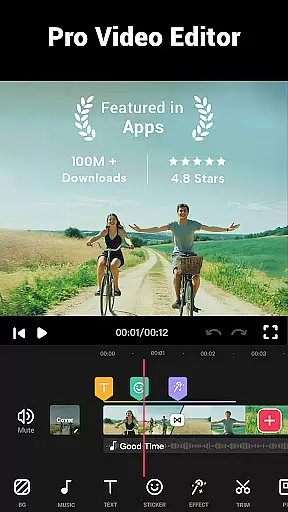
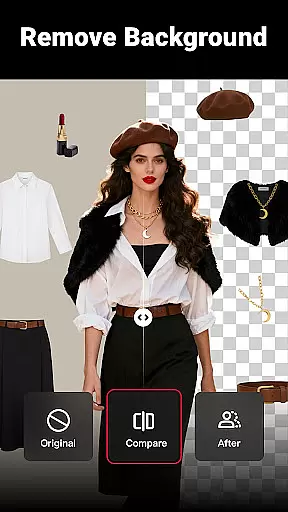
Video Maker is a versatile AI-powered video editing app that allows users to create professional-quality videos from photos and music. The app offers an extensive range of features including trimming, cutting, adjusting video speed, and applying transition effects, filters, and more.
Designed for both beginners and experienced video editors, Video Maker provides a user-friendly interface with powerful tools such as multi-layer editing, audio extraction, and the ability to add custom music tracks. Users can export their projects in stunning 4K resolution without any watermarks, making it ideal for sharing on platforms like YouTube, Instagram, and TikTok.
This all-in-one video editor stands out by offering a seamless experience for creating engaging vlogs, intro sequences, and stylish video content suitable for various social media platforms. Its comprehensive feature set ensures that users can express their creativity while maintaining high-quality output.
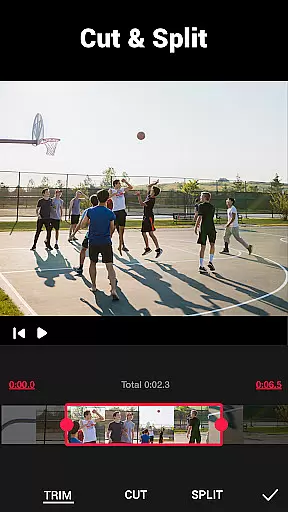
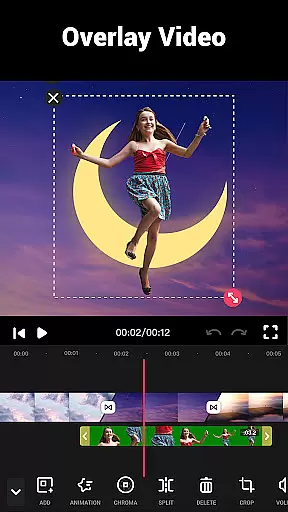
Video Maker distinguishes itself through its robust feature set tailored for comprehensive video editing. It includes advanced options such as multi-layer editing where users can add music, voice-overs, sound effects, and stylish fonts. The app also supports precise video trimming and cutting, enabling creators to split videos into multiple clips seamlessly.
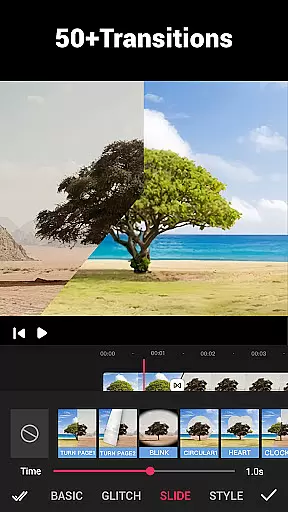
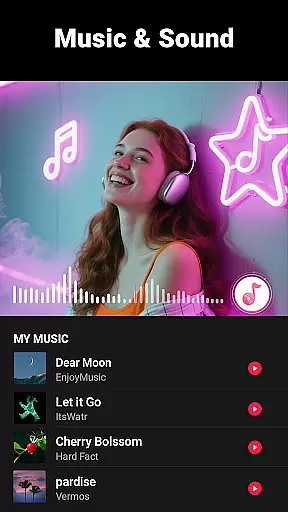
One of the standout features is the vast selection of over 50 transition effects which enhance video storytelling. Additionally, users can extract audio from videos and adjust tracks according to music rhythm. With dozens of HD-free background music tracks and customizable BGM options, Video Maker caters to diverse auditory preferences.
The app further impresses with its video filter and FX effects, allowing users to merge clips with transitions and apply movie-style filters. Speed editing capabilities let users adjust playback rates from 0.2x to 100x, while background customization options include blurring and color adjustments. These features collectively empower users to produce visually captivating content efficiently.
Video format compatibility is a crucial feature for any video editing application, ensuring that users can work with a wide range of video files without conversion hassles. Video Maker excels in this area by supporting various popular formats, allowing creators to import and export videos seamlessly.
The app's powerful engine supports high-quality video processing, including 4K exports without watermarks. This flexibility enables content creators to produce professional-grade videos suitable for platforms like YouTube, Instagram, and TikTok.
With its all-in-one approach, Video Maker provides comprehensive format support while maintaining exceptional output quality. Users can confidently edit videos knowing their final product will retain its original resolution and clarity across different devices and platforms.
This extensive format compatibility eliminates technical barriers, empowering both beginners and professionals to focus on their creative process rather than worrying about file compatibility issues.
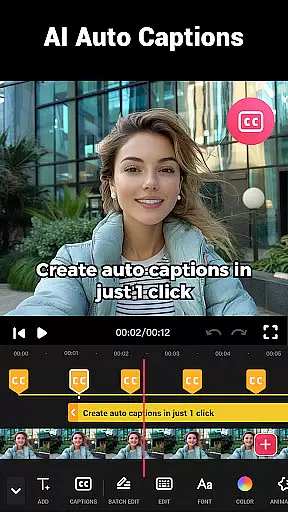
AI-powered editing features represent a significant advancement in video editing technology, offering intelligent tools that streamline the creative process. Video Maker incorporates sophisticated AI algorithms that enhance various aspects of video production, from automatic color correction to smart object recognition.
The application's AI capabilities extend to audio processing, where it can intelligently extract soundtracks and synchronize them with visual elements. These features enable users to create professional-looking videos with minimal effort, even without extensive editing experience.
Through machine learning, Video Maker continuously improves its suggestion system, recommending optimal transitions, effects, and filters based on current trends and user preferences. This adaptive approach ensures that creators always have access to cutting-edge editing tools.
These AI-powered enhancements significantly reduce editing time while maintaining high production values, making professional-quality video creation accessible to everyone regardless of their skill level.
User-friendly interface
Extensive editing tools
High-quality export options
No watermark on exports
Versatile transition effects
Occasional bugs reported
Advanced features may overwhelm new users
Limited customer support channels
Heavy app size
Some features require premium access

The smartest M3U IPTV Player your playlists have ever seen.
 4.0
4.0
IPTV-Smarters Player Pro M3U - Watch Live Stream TV Channels with Chromecast
4.00
Search & download videos from net with all video downloader, auto-detect & safe.
4.60
Live TV, anywhere in your home
3.80
Download website videos fast&privacy
4.40
This app is an emulator of some specific IPTV boxes
3.50
A Simple app to download Video & Music from the Internet.
4.70
Screen recorder with audio to take live videos & Screenshot in high quality!
4.70
VLC for Android is the best open source video and music player, fast and easy!
4.10
Tik & Story Saver-Download ALL social media videos, photos & reels no watermark.
4.80
Watch a large amount of high-definition short drama content
4.60
Support 1000+ Video Format, Subtitle Download, mp3 & Background Play, Cast On TV
4.60
Watch IPTV on your Android device
4.60
Cast movies, tv shows and live streams to Chromecast, Roku, DLNA, Fire TV & more
4.60
Video Downloader, Multiple Resolution Options, Video Player
4.50
Fast video downloader & private browser. Save HD clips to watch offline.
4.40
Movie maker & video editing app with AI effects and green screen
4.30
Livestream, news, & gaming content. Watch, chat, and upload. Join Rumble today!
3.80
Video player with powerful streaming playback and various convenient features.
2.10





User Reviews