
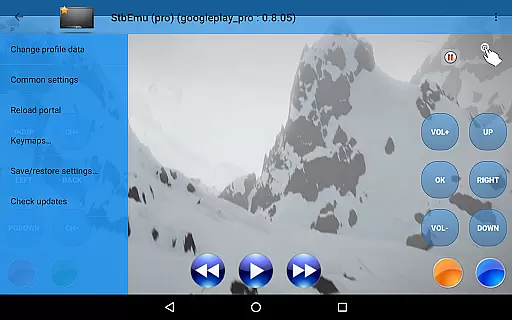
StbEmu (Pro) is a specialized IPTV player designed for advanced users seeking to configure their own IPTV portals. This app provides the tools necessary to set up and manage IPTV services tailored to individual preferences.
With its focus on customization, StbEmu (Pro) allows users to adjust settings to match their specific IPTV provider requirements. It's an ideal solution for those who want full control over their IPTV experience without relying on pre-configured settings.
While it doesn't support m3u playlists, this app shines in environments where personalized IPTV configurations are required. Its value lies in empowering users to create a bespoke viewing experience, provided they have the technical know-how to navigate its complex settings.
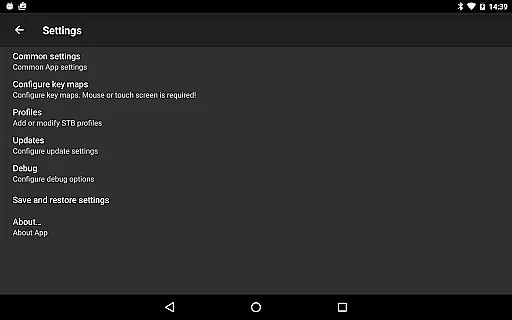
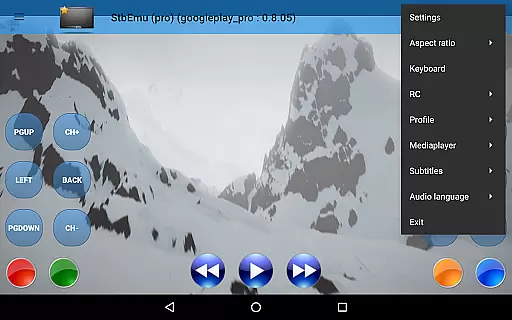
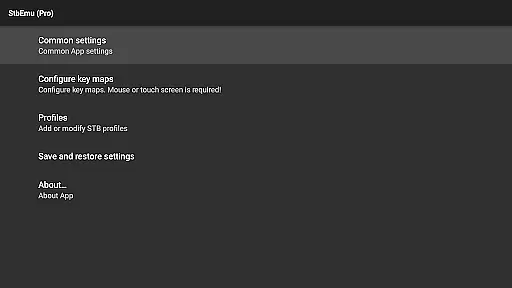
StbEmu (Pro) offers a range of features that cater to experienced IPTV users. The app includes advanced configuration options that allow for detailed customization of IPTV portals, ensuring compatibility with various providers.
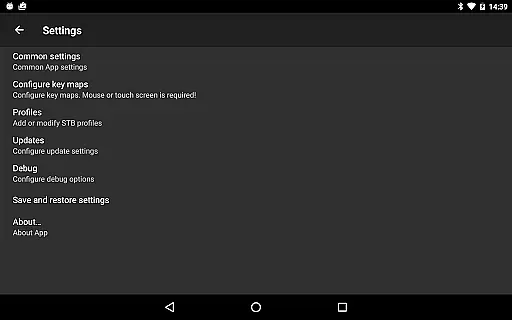
Among its capabilities, the app provides extensive settings for network configurations, EPG sources, and playback options. These features enable users to fine-tune their IPTV experience according to their specific needs and preferences.
The app stands out with its wiki documentation and support resources, offering guidance through the complex setup process. While it requires technical expertise to configure properly, once set up, it delivers a powerful and flexible IPTV viewing platform.
Video format compatibility is a crucial aspect of any video player application, ensuring that users can enjoy content in various formats without technical hindrances. StbEmu (Pro) offers support for specific video formats tailored to IPTV streaming, making it suitable for users who want seamless playback from their IPTV providers.
The app is designed with experienced users in mind, meaning it supports formats commonly used in IPTV but requires proper configuration before use. This ensures optimal performance and reliability when streaming content, although it may present a learning curve for newcomers.
By configuring the app correctly, users can access a wide range of video formats supported by their IPTV provider, enhancing their viewing experience. The emphasis on customization allows users to tailor the app to their specific needs, although initial setup is essential.
For those willing to invest time into understanding its settings, StbEmu (Pro) provides a robust platform for IPTV consumption, provided users follow the documentation to ensure all video formats are properly supported.
While StbEmu (Pro) focuses primarily on IPTV streaming rather than video editing, its AI-powered features lie in its ability to optimize streaming quality and adapt to network conditions. This ensures users receive the best possible video playback without manual adjustments, mimicking some aspects of AI-driven editing tools.
The app includes advanced settings that allow users to tweak streaming parameters, which can enhance video delivery based on available bandwidth. These optimizations mimic AI's role in video editing by automatically adjusting stream quality to match current network conditions.
Although not a traditional video editor, StbEmu (Pro) incorporates intelligent algorithms to maintain smooth playback, reducing buffering and improving overall user satisfaction. This feature is particularly beneficial for users with fluctuating internet speeds.
Experienced users will appreciate the control offered by these AI-like optimizations, as they ensure high-quality streams while minimizing disruptions. Proper configuration is key to unlocking these capabilities and enjoying an uninterrupted IPTV experience.
Highly customizable
Advanced configuration options
Compatible with multiple IPTV providers
Detailed network settings
Comprehensive EPG support
Not beginner-friendly
Lacks m3u playlist support
Requires technical knowledge
No pre-configured settings
Complex setup process

Kodi media center, a free and open source cross-platform entertainment hub
 3.60
3.60
You can play SWF format file!
2.50
Powerful, professional, versatile teleprompter. Developed by an active film crew
4.00
Video Trimmer, Video to MP3 Converter. Extract music from video, Easy & Fast.
4.80
Stream high quality video from your camera over NDI protocol
4.3
IPTV Loader, loads your own Playlist. DOES NOT CONTAIN ANY LIST OR CHANNELS
4.60
AI Video Editor with Music, Filter, Slideshow, Effect, Merge & Trim Video.
4.80
Enjoy your favorite videos and channels with the official YouTube app.
3.90
Manage your YouTube channel on the go
4.40
Tik & Story Saver-Download ALL social media videos, photos & reels no watermark.
4.80
A Quick and Pro Video Editor
4.70
All in one HD video downloader & player for multiple formats with full privacy
4.70
Video Player - Unlimited features, 30 days money back guarantee.
4.60
Snaptubè Video Downloader app allows to download videos and music in Snaptube. .
4.60
Fast, private downloading, video saving, social media
4.50
KineMaster, Your Ultimate Video Editor!
4.40
Fast video downloader & private browser. Save HD clips to watch offline.
4.40
AI Video Editor:AI Music, Text to Video,Text to Speech,Auto Caption,Video Effect
4.00
Capture images & record videos for USB Camera, Webcam, Microscopes, Endoscopes
3.80




User Reviews