
Video to MP3 is a versatile media converter tool that allows users to convert video files to high-quality audio formats. With support for various input and output formats, including MP4 to MP3 and MOV to MP4, this app provides an all-in-one solution for video and audio conversion needs.
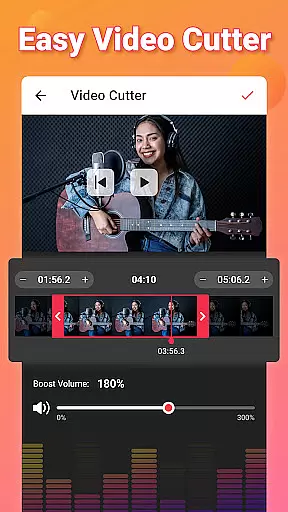
The application stands out with its advanced editing features such as video trimming, audio cutting, and sound boosting. Users can also merge audio tracks, edit metadata tags, and apply fade effects. The ability to create custom ringtones and notification sounds adds practical utility to the app.
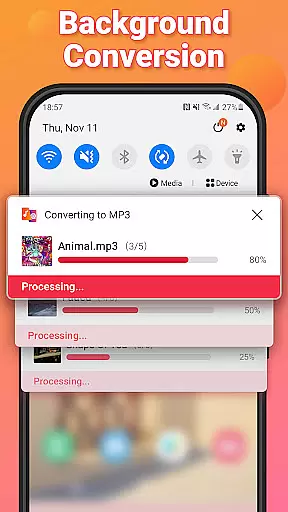
Ideal for content creators and casual users alike, Video to MP3 Converter enables quick extraction of music from videos while maintaining excellent audio quality. Its batch processing capability and background conversion feature make it particularly useful for handling multiple files efficiently.
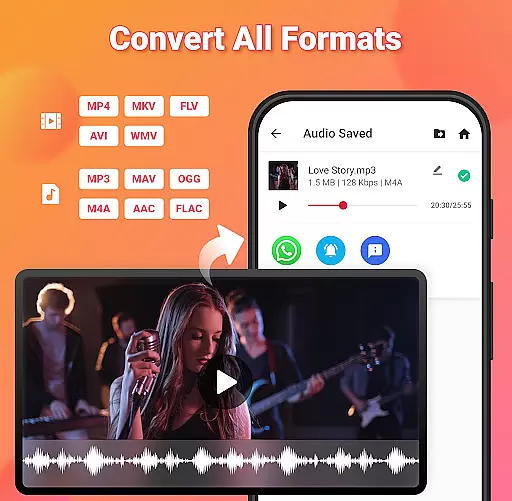
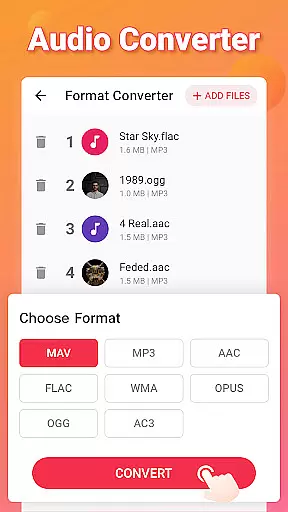
Video to MP3 offers an impressive array of features that cater to diverse media conversion requirements. The app supports batch conversion of up to 15 videos simultaneously, making it suitable for both small and large projects. It handles numerous video formats like MP4, MKV, AVI, and WMV, while offering extensive audio format support including MP3, WAV, and FLAC.
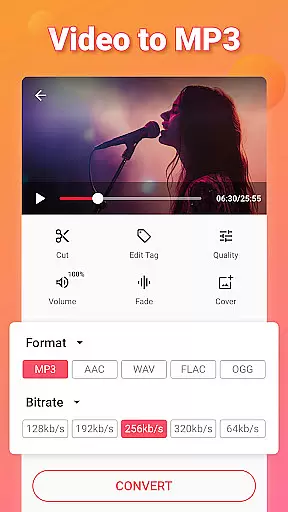
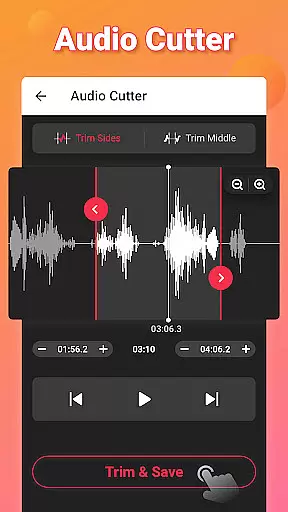
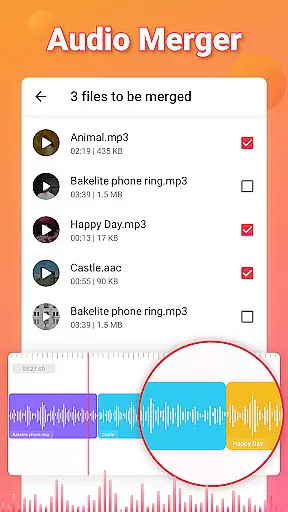
Advanced functionality includes precise video trimming, professional-grade audio cutting, and seamless audio merging capabilities. The built-in sound boost feature enhances audio quality, while the fade-in and fade-out effects add professional touches to audio tracks. Users can customize bitrate settings ranging from 32kb/s to 320kb/s for optimal file size and quality balance.
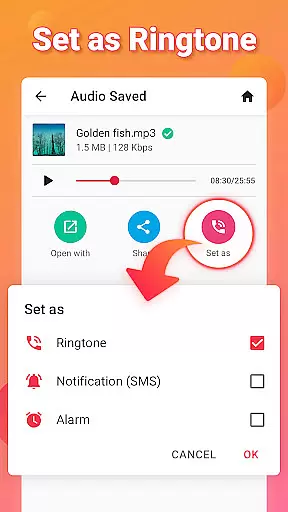
Additional notable features include comprehensive tag editing for proper media organization, background processing for uninterrupted workflow, and the ability to set converted files as ringtones or notification sounds. The app's user-friendly interface makes these powerful tools accessible to both beginners and experienced users.
Video to MP3 stands out with its extensive video format compatibility, ensuring users can convert nearly any video file to audio. The app supports a wide array of video formats including MP4, MKV, FLV, AVI, and WMV.
This broad compatibility is crucial for users who work with different video sources, allowing them to focus on content creation rather than format limitations. Whether it's converting MOV to MP4 or MKV to MP4, the app handles these tasks seamlessly.
The ability to process various formats not only simplifies the conversion workflow but also enhances productivity. Users can batch convert up to 15 videos at once, saving valuable time when handling multiple files.
By supporting both common and specialized video formats, Video to MP3 ensures that professionals and casual users alike can extract high-quality audio from their video files without worrying about format restrictions.
Beyond basic conversion, Video to MP3 incorporates AI-powered editing features that elevate the user experience. These smart tools include automatic sound boosting, fade-in and fade-out effects, and customizable bitrate settings ranging from 32kb/s to 320kb/s.
The app's intelligent processing engine detects optimal cutting points in audio tracks, making it an efficient MP3 cutter and audio editor. This feature is particularly useful when creating custom ringtones or trimming audio files for specific purposes.
Advanced editing capabilities extend to metadata management, allowing users to edit tags such as Title, Album, Artist, and Genre. The inclusion of background conversion and batch processing demonstrates the app's commitment to efficiency.
These AI-enhanced features transform a simple converter into a comprehensive audio editing suite, providing users with professional-grade tools while maintaining an intuitive interface suitable for both beginners and experienced editors.
User-friendly interface
Batch conversion support
High-quality audio output
Extensive format compatibility
Advanced editing tools
Limited advanced features
Occasional conversion errors
Ads in free version
Large file processing time
No cloud integration

A full editing room to accompany your Insta360 cameras and handheld gimbals.
 3.30
3.30
HD video & music player - All format support with floating & PIP mode!
3.80
Full HD Video mp3 Player, MP4 player play 1080p, File manager, Video Downloader
4.40
Fast & Private Video Downloader App. Save all videos easily from the Internet.
4.40
Cast to Smart TV, Fire TV. Cast video, photo - Fast & Stable!
3.90
The essential companion to your Blue Iris PC software
2.50
LumaFusion: The Ultimate Storytelling Experience for Video Editing
4.10
Powerful video player with advanced hardware acceleration and subtitle supports
4.20
Video player with 4K & 1080P support, popup play, background play and subtitle.
4.20
An easy-to-use and all-round screen recorder with audio
4.80
Play ALL formats in 4K & HD. Video downloader, MP3 player, Chromecast & more.
4.80
Flud is a simple and beautiful BitTorrent client for Android.
4.80
Snaptubè Video Downloader app allows to download videos and music in Snaptube. .
4.60
1)AirPlay/DLNA Mirroring/Streaming, up to 4 connections; 2)Samba/NAS/DMS Player.
4.00
Browser for Sony TV to stream web videos, online movies and live tv
3.20
Mix with Virtual DJ directly from your phone or tablet !
3.10
You can play SWF format file!
2.50
Video player with powerful streaming playback and various convenient features.
2.10
Stream high quality video from your camera over NDI protocol
4.3



User Reviews