
MX Player is a powerful video and music player designed for Android devices, offering advanced hardware acceleration and comprehensive subtitle support. With features like the new HW+ decoder, it ensures smooth playback even for high-resolution videos.
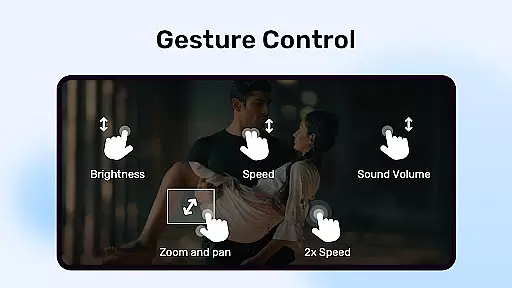
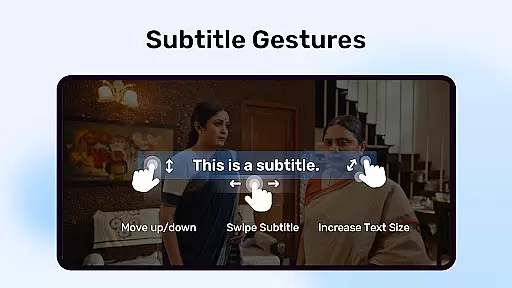
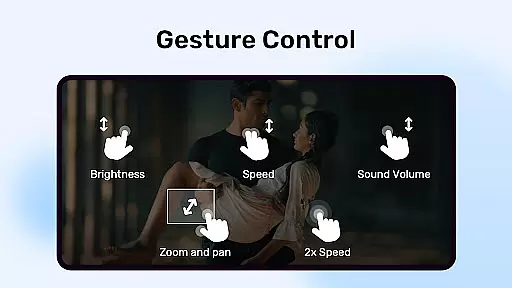
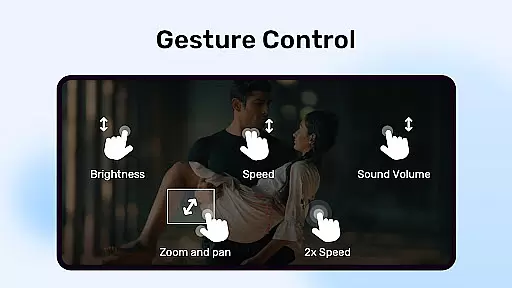
The app stands out with its multi-core decoding capability, which significantly enhances performance on multi-core devices by up to 70%. It also provides user-friendly controls such as pinch-to-zoom, zoom and pan options, and intuitive subtitle gestures, making it versatile for various viewing preferences.
MX Player boasts an array of sophisticated features tailored for an optimal media experience. Its hardware acceleration and multi-core decoding ensure that users can enjoy seamless video playback without lag or interruptions.
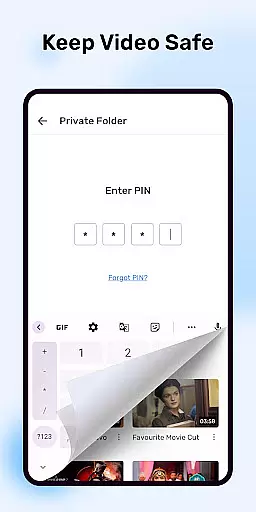
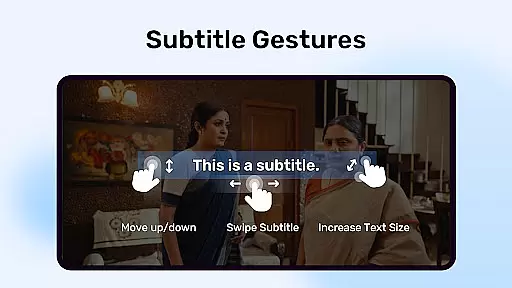
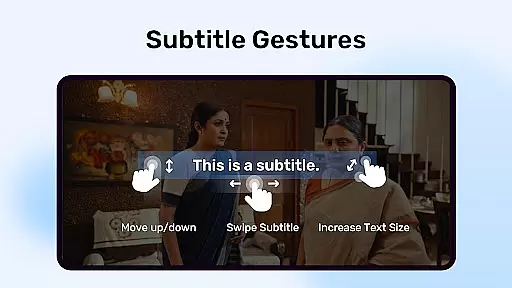
Additionally, the app offers innovative user interaction through pinch-to-zoom functionality and customizable subtitle gestures. Users can easily navigate subtitles and adjust settings according to their preference. The inclusion of a privacy folder and kids lock feature further enhances its utility by safeguarding user privacy and providing a child-safe environment.
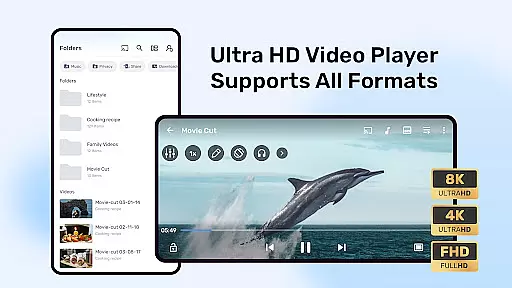
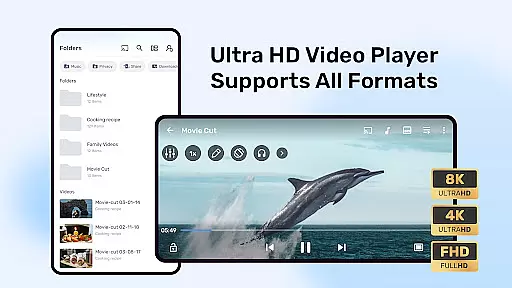
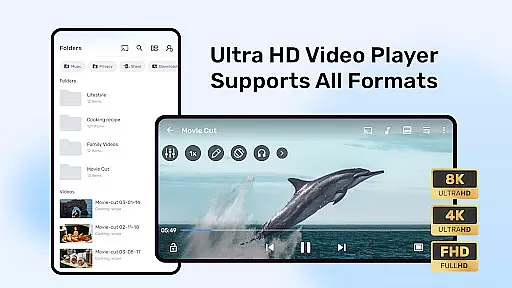
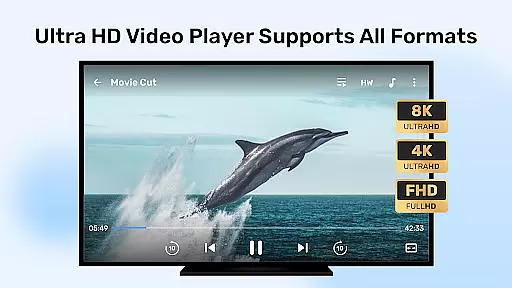
MX Player stands out with its extensive video format compatibility, ensuring users can enjoy a wide range of media files without conversion hassles. The application supports popular formats like MP4, AVI, and MKV, alongside less common ones such as FLV and VOB.
This versatility is powered by advanced decoding capabilities, including the revolutionary HW+ decoder for hardware acceleration. This not only enhances playback smoothness but also reduces device battery consumption during video streaming.
Additionally, multi-core decoding boosts performance on supported devices by up to 70%, making MX Player an ideal choice for users seeking seamless playback across various file types. Whether you're watching locally stored videos or streaming online content, this app ensures consistent quality and reliability.
While primarily known for its playback capabilities, MX Player also incorporates AI-powered features that enhance user interaction with video content. Subtitle gesture controls exemplify this innovation, allowing intuitive navigation through pinch-to-zoom and swipe gestures.
The application's intelligent Kids Lock feature demonstrates another aspect of its smart functionality. By leveraging device permissions, it creates a secure environment where children can watch videos without accessing other apps or making unintended calls.
Furthermore, the Privacy Folder function uses smart detection to help users protect sensitive content. These AI-driven enhancements transform MX Player from a simple video player into a comprehensive multimedia solution that adapts to various user needs and scenarios.
Advanced hardware acceleration
Multi-core decoding support
User-friendly zoom controls
Comprehensive subtitle support
Privacy protection features
Occasional compatibility issues
Ads in free version
Limited iOS availability
Complex permission requirements
Heavy resource usage

IPTV-Smarters Player Pro M3U - Watch Live Stream TV Channels with Chromecast
 4.00
4.00
Watch full episodes of your favorite Cartoon Network and Cartoonito shows!
3.50
?100% FREE! Download & save videos? safely in this app. All formats supported.
4.60
Watch a large amount of high-definition short drama content
4.60
Snaptubè Video Downloader app allows to download videos and music in Snaptube. .
4.60
KineMaster, Your Ultimate Video Editor!
4.40
Support 1000+ Video Format, Subtitle Download, mp3 & Background Play, Cast On TV
4.60
Video player with powerful streaming playback and various convenient features.
2.10
Screen recorder with audio to take live videos & Screenshot in high quality!
4.70
Cast Videos from Web Browser, IPTV to Roku, Chromecast, DLNA, Smart TV +more
4.60
Search & download videos from net with all video downloader, auto-detect & safe.
4.60
Fast & easy HD video downloader for all formats, support 4K playback & download.
4.60
Photo and Music Video Creator into Stunning Videos—Effortlessly
4.40
KMPlayer Plus (Divx Codec) officially support Divx codec.
4.30
Video player with 4K & 1080P support, popup play, background play and subtitle.
4.20
LumaFusion: The Ultimate Storytelling Experience for Video Editing
4.10
Make your own Animations, Video and Photo Edits, Visual Effects, and more!
4.00
Connect 2 UVC devices for recording and broadcast video/audio stream
3.90
Explore the largest library of free GIFs, Stickers & Memes - or create your own!
3.90





User Reviews