
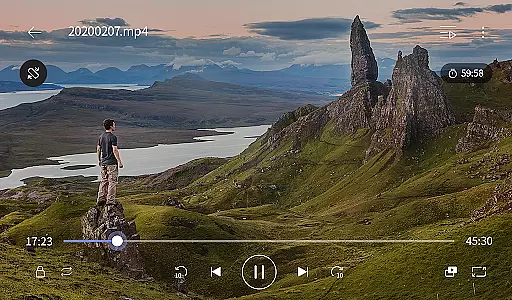
KMPlayer Plus (Divx Codec) is a versatile video player that supports Divx codec, making it ideal for users who need to play various video formats. The app offers high-definition playback for HD, 4K, and even 8K videos, ensuring an exceptional viewing experience across all resolutions.
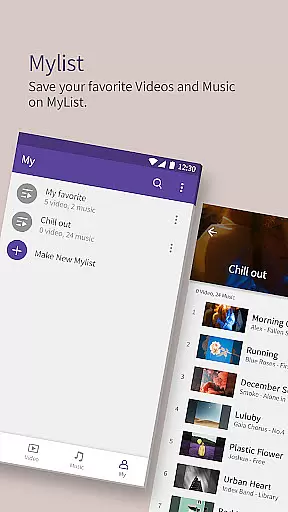
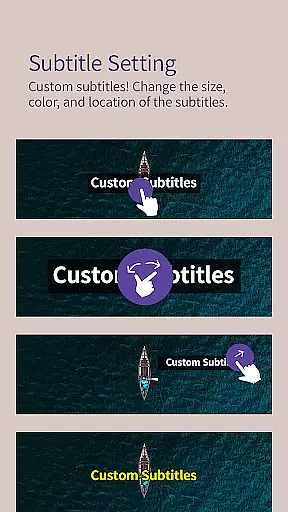
With advanced features like bookmarking, color adjustment, and subtitle settings, KMPlayer Plus provides users with complete control over their media playback. Additionally, its support for multiple subtitle formats and network streaming capabilities makes it a comprehensive solution for both local and online video content.
The app boasts an array of powerful features including section repeat, speed control from 0.25x to 4x, and equalizer settings for optimal audio quality. Its popup play functionality allows multitasking by playing videos in a floating window while using other apps.
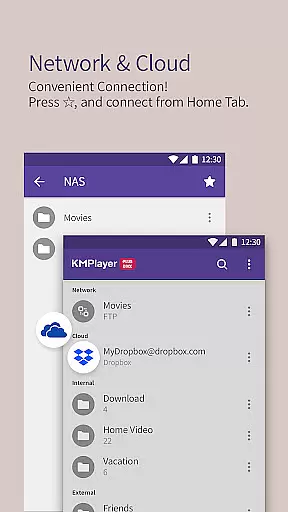
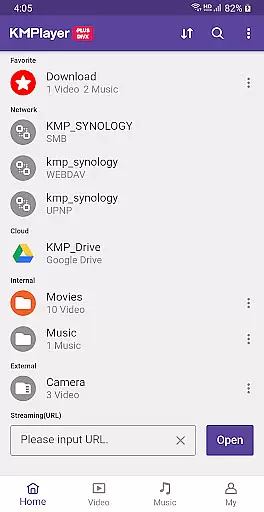
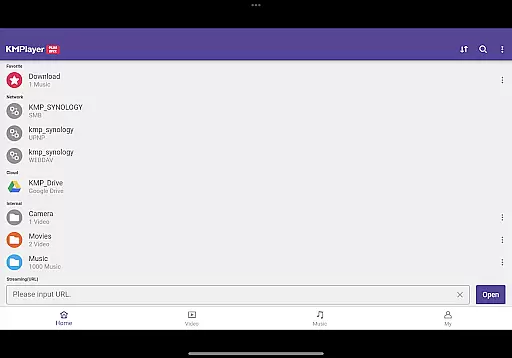
KMPlayer Plus also supports cloud integration with Dropbox and OneDrive, enabling seamless access to your media files stored in the cloud. Moreover, the inclusion of a Torrent Client and MP3 Converter highlights its commitment to providing users with flexible media handling options.
KMPlayer Plus (Divx Codec) stands out for its extensive video format compatibility, ensuring users can enjoy a seamless playback experience across various file types.
The application officially supports Divx codec and an array of other codecs including DXMF, DX50, DIVX, DIV4, DIV3, and MP4V for Avi and MKV files. This broad support allows users to play most video files without the need for additional software or conversions.
Moreover, KMPlayer Plus provides clear guidance on unsupported codecs such as DTS, EAC3, and TrueHD, helping users manage their expectations and seek alternatives when necessary.
By offering comprehensive codec support, KMPlayer Plus ensures that users can enjoy high-quality video playback, whether they're watching HD, 4K, or even 8K content, making it an essential tool for video enthusiasts who require reliable performance across different formats.
While KMPlayer Plus (Divx Codec) is primarily known for its video playback capabilities, it also offers several AI-powered editing features that enhance user interaction with media files.
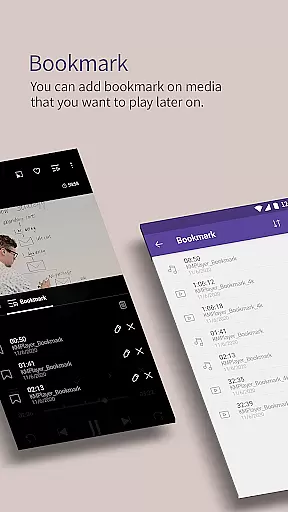
Among these features are advanced bookmarking options, allowing users to mark specific positions in videos for easy access later. Additionally, the app includes powerful video manipulation tools such as color adjustment, zoom functionality, section repeat, and video inversion.
For those looking to customize their viewing experience further, KMPlayer Plus provides quick buttons for one-click player options, popup play for multitasking, and equalizer settings for optimizing audio quality.
These AI-driven functionalities not only improve usability but also empower users to tailor their media consumption according to personal preferences, thus elevating the overall entertainment value of the application.
User-friendly interface
Wide codec support
Advanced playback controls
Cloud service integration
Multitasking with popup play
Limited free trial
Subscription required for VIP features
Some codecs not supported
Storage permission mandatory
Premium features locked behind paywall

Video player, file manager for all formats, 4K/HD media player supports subtitle
 4.30
4.30
Photo and Music Video Creator into Stunning Videos—Effortlessly
4.40
Video Trimmer, Video to MP3 Converter. Extract music from video, Easy & Fast.
4.80
Create & edit videos with AI
4.30
Full HD Video mp3 Player, MP4 player play 1080p, File manager, Video Downloader
4.40
Pro video editor app for Instagram, edit video with song, AI, effect & slowmo.
4.80
Browser for Sony TV to stream web videos, online movies and live tv
3.20
Watch IPTV on your Android device
4.60
Cast movies, tv shows and live streams to Chromecast, Roku, DLNA, Fire TV & more
4.60
Play ALL formats in 4K & HD. Video downloader, MP3 player, Chromecast & more.
4.80
All in one HD video downloader & player for multiple formats with full privacy
4.70
Download videos and play them offline
4.70
Cast Videos from Web Browser, IPTV to Roku, Chromecast, DLNA, Smart TV +more
4.60
VLC Remote lets you control your VLC Media Player on Mac, PC or Linux.
4.60
Browser + Remote for Roku to stream webvideos, online movies and livestreams
4.60
Movie maker & video editing app with AI effects and green screen
4.30
Powerful Video Editor & Photo Editing App —— Quick Edits & Stunning Effects!
4.30
1)AirPlay/DLNA Mirroring/Streaming, up to 4 connections; 2)Samba/NAS/DMS Player.
4.00
Online Videos Player
3.90




User Reviews