
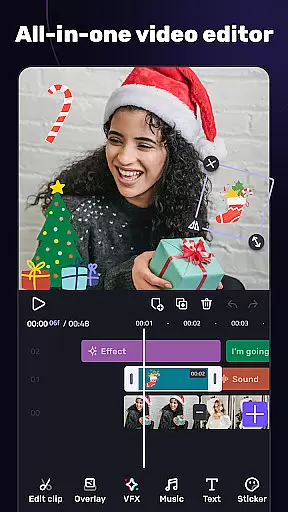
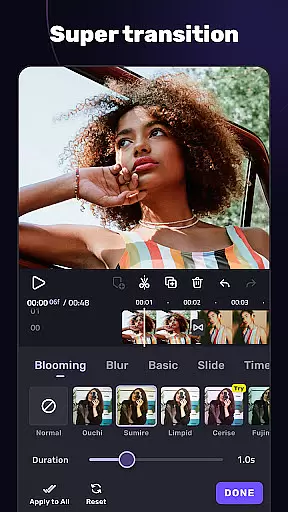
VivaCut is a versatile video editing application designed for both casual users and professional content creators. The app offers an extensive range of features, including basic tools like trimming, splitting, and combining video clips, as well as advanced functionalities such as green screen effects, keyframe animation, and picture-in-picture overlays. With its multi-layer timeline interface, users can achieve frame-by-frame precision in their edits. VivaCut also provides creative filters, glitch effects, and customizable transitions to enhance videos further.
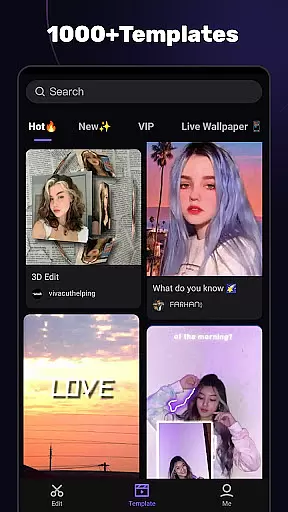
One of the standout aspects of VivaCut is its ability to cater to different skill levels. Beginners can utilize pre-made templates to create engaging short videos with minimal effort, while experienced editors can take advantage of professional-grade tools like chroma key compositing and blending modes. Whether you're looking to produce cinematic content for YouTube or share fun moments on Instagram and TikTok, VivaCut equips you with everything needed to craft visually stunning videos that stand out on social media.
VivaCut distinguishes itself through its comprehensive suite of video editing tools. At its core, the app provides essential functions such as trimming, splitting, and merging clips, allowing users to refine their footage easily. Beyond these basics, it introduces advanced capabilities like green screen (chroma key) effects, which enable Hollywood-style video mixing. The keyframe animation feature lets users apply dynamic animations to text, stickers, and other elements, adding a polished look to projects. Additionally, the picture-in-picture functionality allows for creative compositions by layering multiple videos within a single frame.
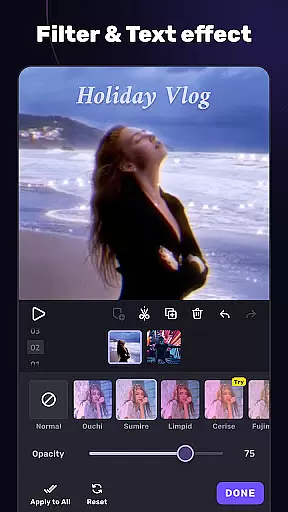
The app also excels in offering aesthetic enhancements. Users can experiment with various filters, glitch effects, and transitions to give their videos a unique style. For those focused on audio, VivaCut includes music markers and audio extraction tools, ensuring synchronization between visuals and soundtracks. Export options are equally robust, supporting resolutions up to 4K. These features collectively empower creators to produce high-quality content tailored to platforms like YouTube, Instagram, and TikTok, making VivaCut a top choice for anyone serious about video editing.
One of the key strengths of AI Video Editor lies in its exceptional video format compatibility. The application supports a wide range of video formats, ensuring that users can import and edit footage from various sources without any hassle.
The app's multi-layer timeline allows for seamless integration of different video clips, regardless of their original format. This flexibility enables creators to focus on their artistic vision rather than technical limitations.
With support for exporting videos in 720p, 1080p, and even 4K resolution, the editor provides professional-grade output options. This comprehensive format coverage makes it suitable for both casual users and content creators who need high-quality results.
The ability to handle diverse video formats extends to its Picture-in-Picture feature and overlay options, allowing users to combine different media types while maintaining optimal quality throughout the editing process.
AI Video Editor distinguishes itself through innovative AI-powered editing features that streamline the video creation process. The application's advanced tools include automatic effect application and intelligent template suggestions based on content analysis.
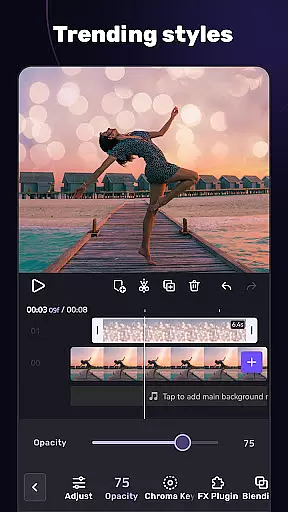
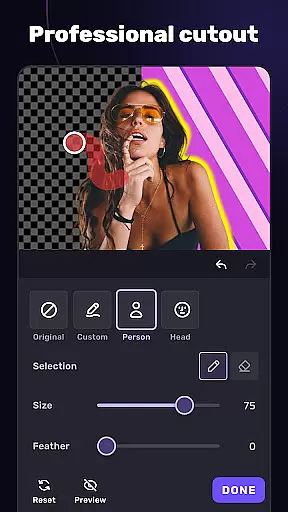
The AI-driven chroma key feature simplifies green screen editing, making professional-level video compositing accessible to users of all skill levels. This technology enables precise background removal and replacement with minimal manual adjustments required.
Smart audio processing capabilities allow for automatic music synchronization and beat detection, enhancing the overall production value of edited videos. These AI-enhanced features work in tandem with traditional editing tools to create a hybrid workflow that combines automation with creative control.
Additionally, the app's AI algorithms assist in optimizing video rendering times and improving export efficiency, ensuring that users can quickly share their creations across multiple platforms while maintaining high-quality standards.
User-friendly interface
Advanced editing tools
Wide range of effects
4K video export
Pre-made templates
Paid subscription model
Steep learning curve
Limited free features
Occasional bugs
High device requirements

The smartest M3U IPTV Player your playlists have ever seen.
 4.1
4.1
Video Downloader is an utility that can save videos and music from web sites
4.20
All format media Player, no need video converter any more!
4.00
Pro video editor app for Instagram, edit video with song, AI, effect & slowmo.
4.80
An easy-to-use and all-round screen recorder with audio
4.80
AI Video Editor:AI Music, Text to Video,Text to Speech,Auto Caption,Video Effect
4.00
Watch IPTV on your Android device
4.60
#1 Torrent App on Android ** No Ads Ever + Battery Saver **
4.80
Video player with 4K & 1080P support, popup play, background play and subtitle.
4.20
Video Trimmer, Video to MP3 Converter. Extract music from video, Easy & Fast.
4.80
Tik & Story Saver-Download ALL social media videos, photos & reels no watermark.
4.80
All in one HD video downloader & player for multiple formats with full privacy
4.70
Snaptubè Video Downloader app allows to download videos and music in Snaptube. .
4.60
Search & download videos from net with all video downloader, auto-detect & safe.
4.60
Viddo: Generate Action Figure, AI Anime, AI kiss, AI hug Video from image & text
4.40
Turn your phone into a wireless camera!
4.20
Mix with Virtual DJ directly from your phone or tablet !
3.10
Client application for NextPVR software
3.00
Stream high quality video from your camera over NDI protocol
4.4



User Reviews