
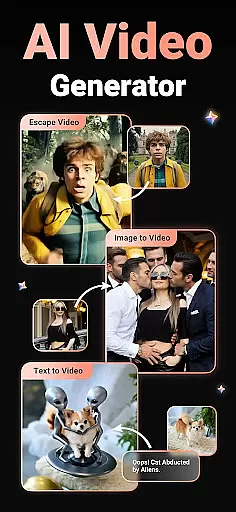
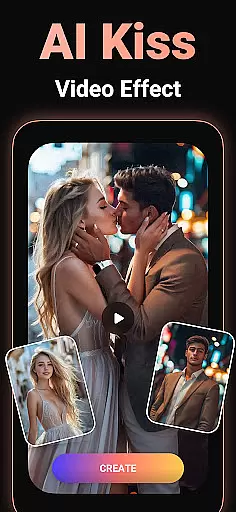
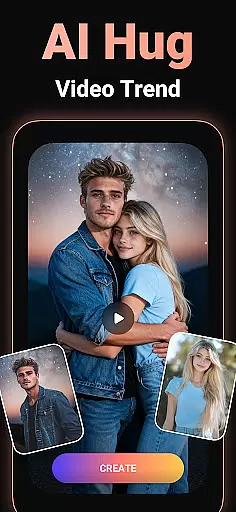
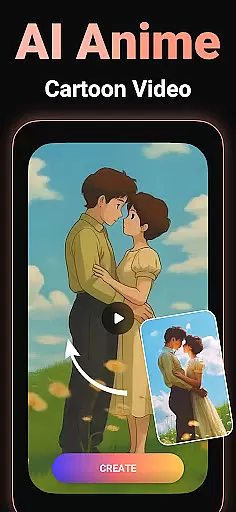
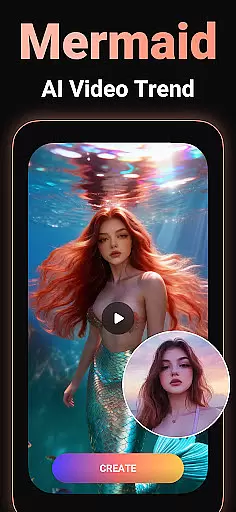
Viddo - AI Video Generator is a revolutionary video creation tool that harnesses the power of artificial intelligence to transform images and text into stunning, lifelike videos. With advanced features like Image-to-Video conversion, Text-to-Video generation, and AI Keyframe transitions, users can effortlessly create professional-quality content. The app also offers trendy AI effects such as AI Hug, AI Kiss, AI Anime, and more, allowing creators to experiment with viral trends or develop unique styles.
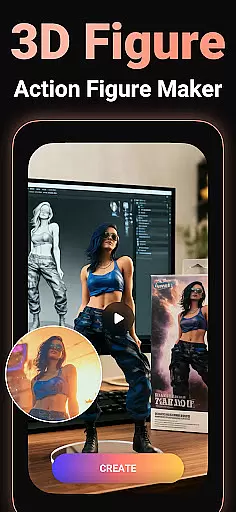
Whether you're looking to make your photos dance, turn yourself into an action figure, or craft cross-dimensional romantic stories, Viddo makes it possible. Its user-friendly interface ensures that both beginners and experienced creators can produce high-quality videos for social media, storytelling, or personal enjoyment. From birthday greetings to surreal animations of flying landmarks, Viddo empowers users to bring their wildest imaginations to life.
Viddo stands out with its diverse range of innovative features tailored for creative video production. The Image-to-Video AI Generator allows users to upload photos and convert them into dynamic animations, complete with customizable prompts for added personalization. Meanwhile, the Text-to-Video AI Creator transforms written scripts into engaging visual narratives, perfect for marketing campaigns or educational content.
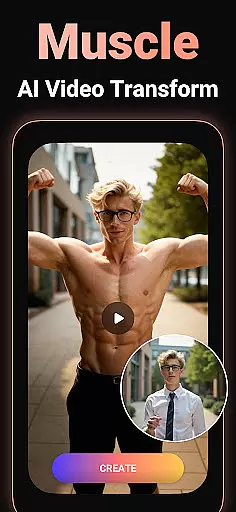
One of the most impressive capabilities is the AI Keyframe Video Generator, which creates seamless transitions between two frames—ideal for crafting dramatic transformations like turning animals into mythical creatures or experimenting with outfit changes. Additionally, Viddo's library of trending AI effects, including AI Dance, AI Muscle Man Mode, and retro anime styles, provides endless opportunities for creativity. These tools are designed not only to enhance productivity but also to inspire entirely new forms of artistic expression.
Video format compatibility is a crucial feature for any video player and editor, ensuring that users can work with a wide range of video file types. Viddo - AI Video Generator supports an extensive array of formats, allowing creators to upload and export videos in their desired format without any hassle.
The app leverages advanced conversion technologies to maintain high-quality video output regardless of the original format. Whether you're dealing with MP4, AVI, MOV, or other less common formats, Viddo ensures seamless integration and processing. This flexibility empowers users to focus on their creative process without worrying about format restrictions.
For content creators who share their work across various platforms, this compatibility is a game-changer. It enables direct sharing to social media channels like Instagram, TikTok, and Facebook without the need for additional conversion steps. The ability to instantly post AI-generated videos enhances user engagement and expands reach.
Moreover, Viddo's comprehensive format support future-proofs your video projects. As new formats emerge, the app's developers continuously update its capabilities to ensure ongoing compatibility. This commitment to staying current with technological advancements makes Viddo a reliable tool for both amateur enthusiasts and professional videographers.
AI-powered editing features represent the cutting edge of video production technology, enabling users to create professional-quality content with minimal effort. Viddo - AI Video Generator incorporates sophisticated artificial intelligence tools that revolutionize the editing process, making advanced techniques accessible to everyone.
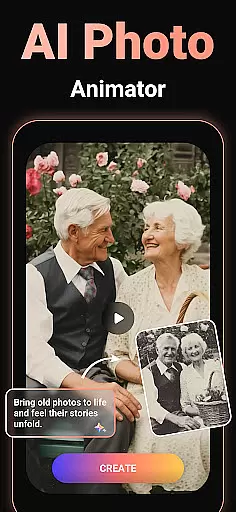
One of the standout AI capabilities is the Image-to-Video generator, which transforms static images into dynamic, lifelike animations. Users can upload photos and watch as Viddo's algorithms create seamless transitions and movements, producing results that rival traditional animation methods. This feature particularly appeals to those looking to bring old memories to life or experiment with unique visual styles.
The Text-to-Video creator exemplifies another powerful AI application within Viddo. By simply inputting script and selecting preferred styles, users can generate complete video sequences that would traditionally require extensive manual editing. This functionality proves invaluable for social media managers, educators, and storytellers seeking efficient content creation solutions.
Viddo also offers specialized AI effects such as Action Figure transformation, Anime-style conversion, and various viral trends like AI Hugs and Kisses. These innovative features not only enhance creativity but also keep users engaged with constantly updated options that reflect current social media trends. The combination of practical editing tools and entertaining AI effects positions Viddo as a versatile platform for modern video creation.
User-friendly interface
Advanced AI technology
Versatile editing options
Trending AI effects
Instant sharing capability
Limited free features
Subscription costs
Occasional glitches
Learning curve
Privacy concerns

A full editing room to accompany your Insta360 cameras and handheld gimbals.
 3.30
3.30
Kodi media center, a free and open source cross-platform entertainment hub
3.60
Tik & Story Saver-Download ALL social media videos, photos & reels no watermark.
4.80
Create photo video with music & template. AI video maker for stunning slideshow.
4.60
Turn your phone into a wireless camera!
4.20
Play and download HD videos from all sources — fast, simple, and all-in-one.
4.5
Flud is a simple and beautiful BitTorrent client for Android.
4.80
Fast & Private HD Video Downloader with Built-in Proxy Browser and Video Player.
4.50
Photo editor & video maker with music and slideshows.
4.10
#1 Torrent App on Android ** No Ads Ever + Battery Saver **
4.80
HD Video player all format, HD Videos, Cast & Subtitle. No annoying ads.
4.60
Video Player - Unlimited features, 30 days money back guarantee.
4.60
Video Downloader, Multiple Resolution Options, Video Player
4.50
LumaFusion: The Ultimate Storytelling Experience for Video Editing
4.10
1)AirPlay/DLNA Mirroring/Streaming, up to 4 connections; 2)Samba/NAS/DMS Player.
4.00
Online Videos Player
3.90
Watch full episodes of your favorite Cartoon Network and Cartoonito shows!
3.50
IPTV Player - Watch live TV from m3m & m3u8 playlist, stream IPTV on mobile
3.30
The smartest M3U IPTV Player your playlists have ever seen.
4.2



User Reviews