
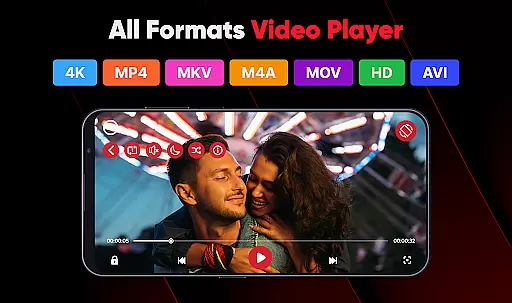
ViPlayer is a versatile video player and downloader designed to enhance your video-watching experience. This app supports all major video formats including MP4, MKV, AVI, and MOV, allowing users to play high-definition videos directly from their devices. With advanced gesture controls and a powerful built-in player, ViPlayer offers smooth streaming and playback capabilities.
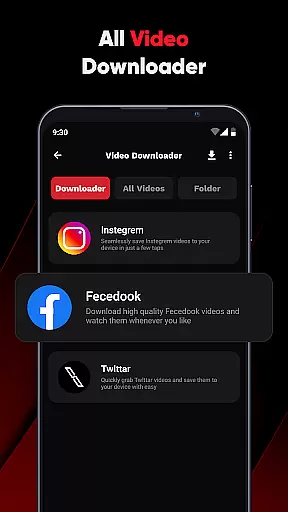
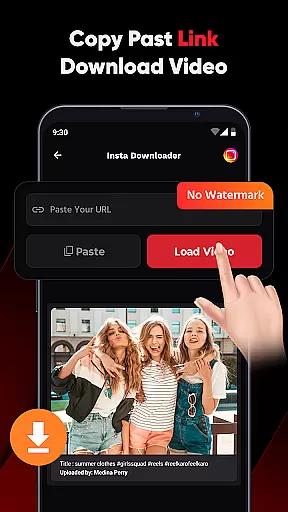
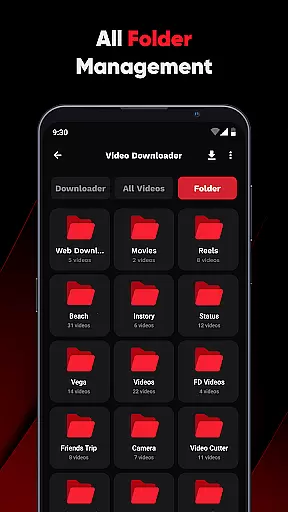
In addition to its robust video playing features, ViPlayer allows users to download videos from various social media platforms by simply pasting the URL. The app organizes downloaded content by folder, making it easy to manage saved videos from internal and external storage. Whether you're watching personal content or downloading videos for offline viewing, ViPlayer provides a fast, simple, and stylish solution.
The app's user-friendly interface ensures that even those with minimal technical knowledge can navigate effortlessly. With no login required, ViPlayer guarantees a secure and private environment for enjoying videos. Its lightweight design and intuitive controls make it an ideal choice for anyone seeking a seamless video experience on their mobile device.
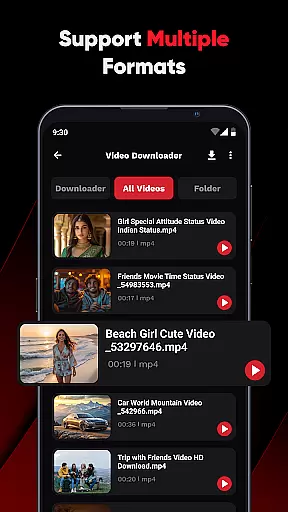
ViPlayer stands out with its comprehensive set of features tailored for video enthusiasts. One of its key strengths is the support for all major video formats, ensuring compatibility with a wide range of files. The app automatically detects videos stored on your device, organizing them neatly by folder for easy access.
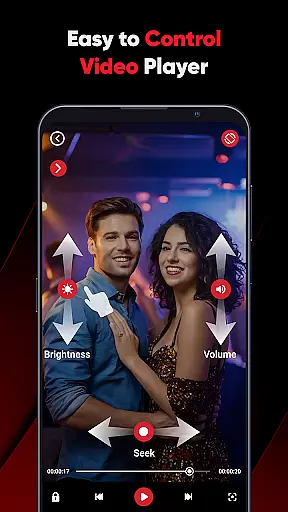
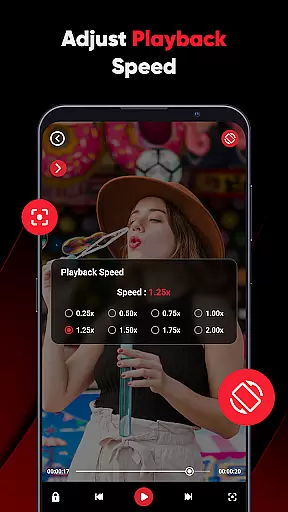
Another notable feature is the advanced gesture controls, which allow users to adjust volume, brightness, and playback with simple swipes. This enhances the overall user experience by providing intuitive and responsive interactions. Additionally, ViPlayer includes a one-click downloader function, enabling users to paste URLs from platforms like Fb and Insta, preview the content, and save it quickly to their gallery.
ViPlayer also emphasizes privacy and security, requiring no login to use its features. Its clean and lightweight UI ensures fast performance and ease of use, while the disclaimer reminds users to respect copyright laws. These thoughtful design elements make ViPlayer a reliable and efficient tool for managing and enjoying video content.
ViPlayer stands out as a versatile video player due to its extensive video format compatibility. It supports an array of major video formats including MP4, MKV, AVI, and MOV, ensuring that users can play virtually any video file without the need for conversion.
The application automatically detects videos stored across both internal and external storage, organizing them efficiently by folder. This feature not only simplifies navigation but also enhances user experience by providing quick access to desired content.
With ViPlayer, users are guaranteed a seamless playback experience regardless of the video format. The app's robust built-in player handles high-definition videos with ease, delivering smooth streaming and playback directly from the device.
This level of compatibility and organization empowers users to enjoy their personal video collections without limitations or technical hindrances, making ViPlayer a reliable choice for all video playback needs.
While ViPlayer focuses primarily on video playback and downloading, it incorporates AI-powered features that enhance user interaction and control. Advanced gesture controls allow users to adjust volume, brightness, and playback using simple swipe motions, offering an intuitive and modern interface.
The one-click downloader functionality is another highlight, enabling users to paste URLs from social media platforms like Fb and Insta, preview the content, and download HD videos swiftly. This streamlined process eliminates unnecessary steps, providing a fast and efficient way to save online videos for offline viewing.
Although ViPlayer does not offer traditional video editing tools, its smart features such as auto-detection of videos and effortless downloading contribute to a more dynamic user experience. These capabilities ensure that users can manage and enjoy their video content with minimal effort.
By combining intelligent controls with powerful downloading options, ViPlayer delivers a comprehensive video solution that prioritizes speed, simplicity, and style, catering to users who value both functionality and ease of use.
User-friendly interface
Supports multiple formats
Advanced gesture controls
Fast video downloading
No login required
Limited social platform integration
Occasional ads in free version
Requires manual updates
No cloud syncing
Basic editing tools

The smartest M3U IPTV Player your playlists have ever seen.
 4.4
4.4
Connect 2 UVC devices for recording and broadcast video/audio stream
3.90
Powerful, professional, versatile teleprompter. Developed by an active film crew
4.00
A Quick and Pro Video Editor
4.70
Watch full episodes of your favorite Cartoon Network and Cartoonito shows!
3.50
Snaptubè Video Downloader app allows to download videos and music in Snaptube. .
4.60
VLC Remote lets you control your VLC Media Player on Mac, PC or Linux.
4.60
Make your own Animations, Video and Photo Edits, Visual Effects, and more!
4.00
Livestream, news, & gaming content. Watch, chat, and upload. Join Rumble today!
3.80
An easy-to-use and all-round screen recorder with audio
4.80
Seamlessly connect and control your smart devices, anytime, anywhere with ease.
4.60
Watch IPTV on your Android device
4.60
Photo and Music Video Creator into Stunning Videos—Effortlessly
4.40
Viddo: Generate Action Figure, AI Anime, AI kiss, AI hug Video from image & text
4.40
Powerful video player with advanced hardware acceleration and subtitle supports
4.20
Video player with 4K & 1080P support, popup play, background play and subtitle.
4.20
IPTV-Smarters Player Pro M3U - Watch Live Stream TV Channels with Chromecast
4.00
Fast private browser with secure, seamless access & supported video downloads!
4.00
You can play SWF format file!
2.50



User Reviews