
VN is a versatile video editing app that combines professional-grade features with an intuitive interface, making it accessible for both amateur and experienced editors. The app offers a complete suite of tools including multi-track editing, keyframe animations, speed adjustments, and rich cinematic filters.
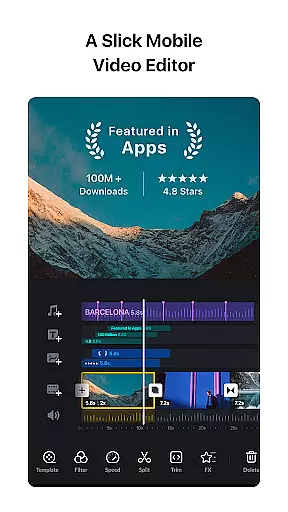
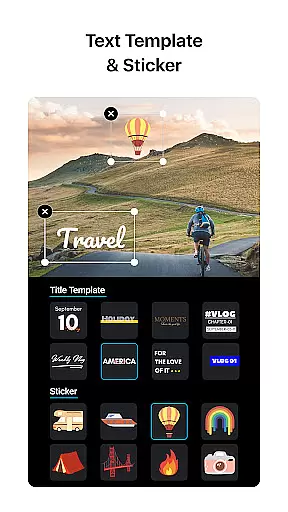
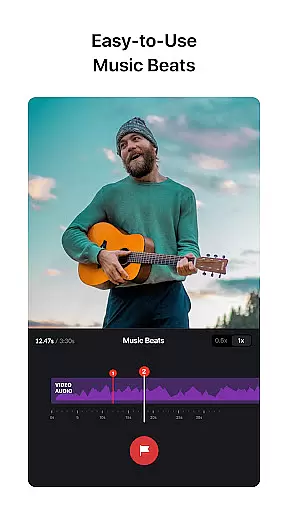
One standout feature is its advanced multi-track timeline, which allows users to seamlessly integrate picture-in-picture videos, texts, stickers, and animations. Additionally, VN provides creative tools like music beat synchronization and customizable text templates, enabling users to produce high-quality, engaging videos without watermarks.
Whether you're creating short social media clips or detailed vlogs, VN's flexibility ensures professional results. Its ability to save drafts, collaborate via cloud services, and export in 4K resolution makes it a reliable choice for creators seeking efficiency and quality.
VN stands out with its comprehensive feature set tailored for modern video creators. The app includes a built-in rough cut tool, allowing precise zooming and keyframe selection as short as 0.05 seconds. This level of precision is complemented by non-destructive editing capabilities, ensuring original files remain intact while edits are made.
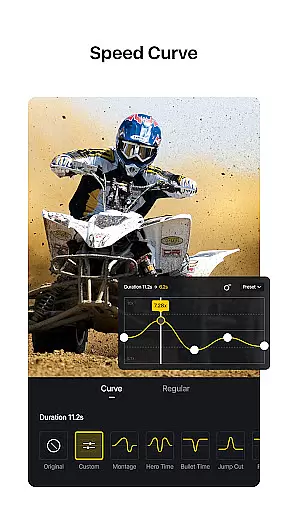
For creative effects, VN offers unique options such as speed curve adjustments, reverse playback, and freeze-frame generation. Users can also import LUT (.cube) files for advanced color grading, mimicking cinematic styles. The inclusion of transitions, overlays, and blur effects further enhances the visual storytelling experience.
Collaboration and customization are prioritized, with seamless project transfers between devices via Google Drive or OneDrive. Export settings are highly adjustable, supporting up to 4K resolution at 60 FPS, giving creators full control over their final output.
One of VN's standout features is its extensive video format compatibility, ensuring users can work with a wide range of file types without any hitches. The app supports popular formats such as MP4, AVI, MOV, and more, making it versatile for various user needs.
The multi-track timeline functionality allows seamless integration of different video formats within a single project. This means you can easily add picture-in-picture videos, photos, stickers, and texts to your projects, regardless of their original formats.
Additionally, VN provides the flexibility to import materials via Wi-Fi, WhatsApp, or Telegram, supporting bulk imports through Zip files. This ensures that no matter where your files are coming from, VN can handle them efficiently, thus enhancing the creative process.
With VN's custom export feature, users can also tailor the video resolution, frame rate, and bit rate to their liking, with support for 4K resolution and up to 60 FPS. This level of customization guarantees that your final output will meet professional standards, irrespective of the initial file formats used.
VN incorporates advanced AI-powered editing features that significantly enhance the video creation process. These tools include intuitive multi-track video editing, music beats synchronization, and rich cinematic filters, all designed to simplify complex tasks.
The app's AI capabilities allow users to add markers that align video clips to music beats effortlessly, elevating the overall quality of the production. Additionally, the speed curve tool offers six preset curves akin to Time Remapping in Adobe Premiere Pro, enabling nuanced control over video pacing.
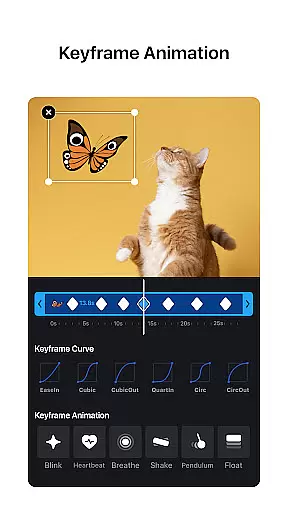
Keyframe animation is another powerful AI-driven feature, providing 19 built-in effects to customize video elements dynamically. Users can further experiment with reverse and zoom effects, freeze frames, and transitions to craft engaging visual narratives.
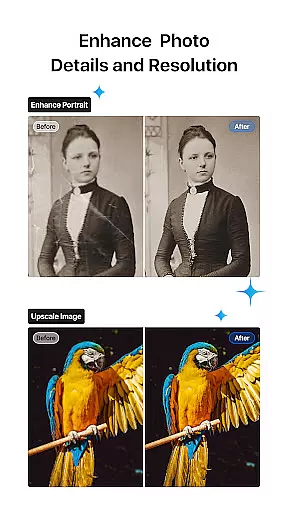
Moreover, VN's AI beauty and enhancement functions ensure that every frame looks polished and professional. With these intelligent tools at your disposal, even amateur editors can produce high-quality content that rivals industry standards, all while enjoying an intuitive and user-friendly interface.
User-friendly interface
Professional editing tools
No watermark on exports
Cloud collaboration support
Customizable export settings
Limited advanced tutorials
Occasional performance lags
Fewer third-party integrations
Preset limitations in free version
Heavy file size after export

HD Video player all format, HD Videos, Cast & Subtitle. No annoying ads.
 4.60
4.60
Tik & Story Saver-Download ALL social media videos, photos & reels no watermark.
4.80
Search & download videos from net with all video downloader, auto-detect & safe.
4.60
KineMaster, Your Ultimate Video Editor!
4.40
AirMirror Receiver - Screen mirroring/cast web videos to Android TV by AirPlay.
4.40
GENRAL PRO - General Pro is the best video player that fully supports all formats.
4.70
Browser + Remote for Roku to stream webvideos, online movies and livestreams
4.60
Download Hub, easy and private way to download and enjoy your videos offline
4.80
Photo editor & video maker with music and slideshows.
4.10
Find, download, and play torrents with the official BitTorrent® Pro app
4.70
Fast & Private HD Video Downloader with Built-in Proxy Browser and Video Player.
4.50
Fast & Private Video Downloader App. Save all videos easily from the Internet.
4.40
Fast video downloader & private browser. Save HD clips to watch offline.
4.40
Movie maker & video editing app with AI effects and green screen
4.30
This app was created to edit the metadata of music files.
4.20
VLC for Android is the best open source video and music player, fast and easy!
4.10
All format media Player, no need video converter any more!
4.00
Connect 2 UVC devices for recording and broadcast video/audio stream
3.90
Live TV, anywhere in your home
3.80




User Reviews