
Photo Editor Video Maker Music is a versatile video editing tool that transforms your photos into stunning, emotional videos with music and creative effects. The app offers an AI Video Generator that allows users to create dynamic videos using templates like AI Hug and AI Kiss. With features such as background music integration, photo editing tools, and customizable text options, it provides everything needed to craft personalized video stories.
The application supports a variety of editing capabilities including filters, cropping, retouching, and adding frames or themed borders. It also includes advanced features like AI Background Remover and AI Photo Enhancer, which streamline the editing process. Whether you're creating content for social media platforms like Reels and Shorts or preserving personal memories, this app ensures professional-quality results with minimal effort.
Ideal for both casual users and content creators, Photo Editor Video Maker Music helps bring photos to life through engaging video presentations. Its intuitive interface and powerful editing tools make it suitable for commemorating special occasions or enhancing everyday moments, ensuring your videos stand out with style and emotion.
Photo Editor Video Maker Music boasts an impressive array of features designed to enhance your video creation experience. One standout feature is the AI Video Generator, which uses advanced algorithms to transform static images into dynamic videos. Templates like AI Hug and AI Kiss provide unique ways to interact with your photos, creating memorable visual stories with just a few clicks.
In addition to its AI capabilities, the app offers comprehensive photo editing tools. Users can apply filters, adjust lighting, crop images, and fine-tune details before incorporating them into videos. The built-in editor also supports adding frames, text overlays, and visual effects, allowing for complete customization of each project. These features ensure that every video not only looks polished but also conveys the intended emotional impact.
Another key advantage is the seamless integration of music and soundtracks. The app provides a library of trending tracks and allows users to add their own audio files, making it easy to synchronize visuals with the perfect soundtrack. This combination of powerful editing tools, AI-driven enhancements, and music integration makes Photo Editor Video Maker Music a top choice for anyone looking to create captivating video content.
One of the key strengths of Photo Editor Video Maker Music is its extensive video format compatibility. The app supports a wide range of video formats, ensuring that users can work with their preferred file types without any hassle.
This flexibility in format support allows creators to import and export videos in various resolutions and codecs. Whether you're working with high-definition footage or need specific encoding for social media platforms, this app has got you covered.
The comprehensive format compatibility also extends to audio files, enabling seamless integration of background music and sound effects. This ensures that your video projects maintain consistent quality across all elements.
Furthermore, the app's ability to handle different formats without compromising on performance or output quality makes it an ideal choice for both amateur and professional video editors who need reliable conversion and editing capabilities.
Photo Editor Video Maker Music stands out with its advanced AI-powered editing features that revolutionize how users create and edit videos. The app's artificial intelligence capabilities automate complex editing tasks, making professional-quality video production accessible to everyone.
The AI Video Generator is particularly impressive, offering specialized templates like AI Hug and AI Kiss that transform static photos into dynamic video content. These features use sophisticated algorithms to analyze and animate images, creating emotional and engaging visual stories.
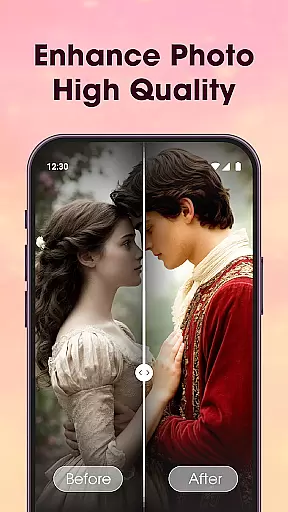
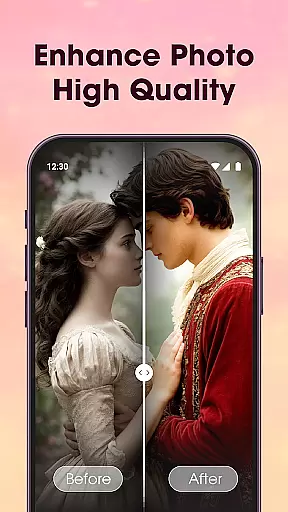
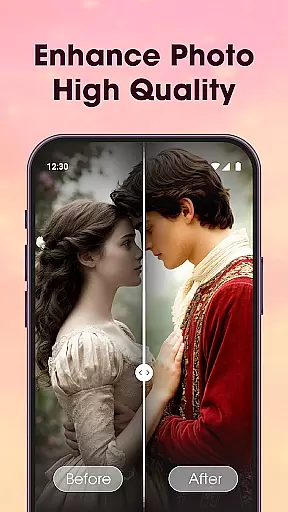
Additional AI tools include the background remover, which accurately detects and eliminates photo backgrounds with a single click, and the photo enhancer that automatically improves image quality through intelligent analysis of lighting and detail.
These AI-powered features not only save time but also enhance creativity, allowing users to focus on storytelling while the app handles technical aspects of video production. The combination of automation and creative control makes this app a powerful tool for modern content creators.
User-friendly interface
Advanced AI features
Versatile editing tools
Customizable templates
HD quality export
Limited free features
Occasional ads
Premium subscription required
High storage usage
Learning curve for beginners

KineMaster, Your Ultimate Video Editor!
 4.40
4.40
Support 1000+ Video Format, Subtitle Download, mp3 & Background Play, Cast On TV
4.60
AirMirror Receiver - Screen mirroring/cast web videos to Android TV by AirPlay.
4.40
Pro video editor app for Instagram, edit video with song, AI, effect & slowmo.
4.80
Download videos easily & play them all in one smart, powerful video manager.
3.40
Find, download, and play torrents with the official BitTorrent® Pro app
4.70
Browser for Fire TV to stream webvideos, online movies, livestreams in HD
4.40
A Simple app to download Video & Music from the Internet.
4.70
Fast & Private HD Video Downloader with Built-in Proxy Browser and Video Player.
4.50
Tik & Story Saver-Download ALL social media videos, photos & reels no watermark.
4.80
Download videos and play them offline
4.70
Watch a large amount of high-definition short drama content
4.60
Create photo video with music & template. AI video maker for stunning slideshow.
4.60
IPTV Loader, loads your own Playlist. DOES NOT CONTAIN ANY LIST OR CHANNELS
4.60
Cast to Chromecast, Xbox, Fire Stick, Roku, DLNA, Smart TV & No Feature Limited!
4.50
Download website videos fast&privacy
4.40
Stream Web Videos to Chromecast, Samsung, LG, Sony, Roku, Fire TV, DLNA + more
4.00
Manage your IPTV live channels and VOD playlists (no playlist included)
3.80
The essential companion to your Blue Iris PC software
2.50
























User Reviews