
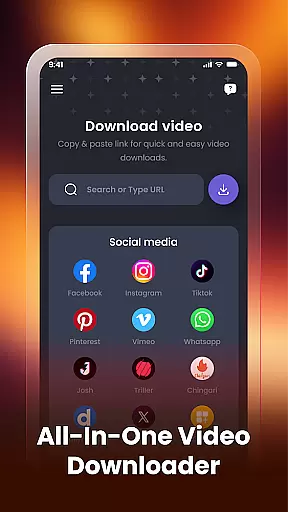
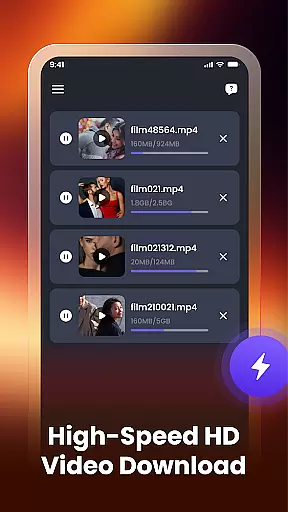
Video Downloader & Player is a versatile app designed for downloading, managing, and playing videos with ease. The core functionality allows users to paste links from social apps or websites to download videos instantly. It supports multiple downloads, ensuring that users can manage several video downloads simultaneously without interruptions.
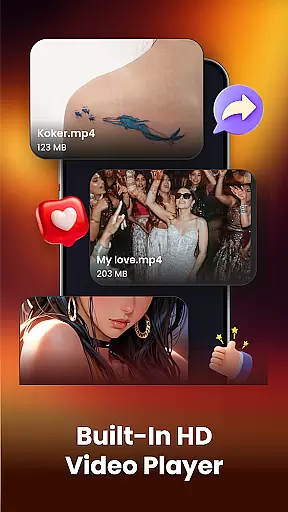
In addition to its downloading capabilities, the app features a built-in video player, enabling users to watch downloaded videos directly within the app. The smart video manager helps organize files by allowing users to rename, share, or delete videos effortlessly. With auto-detection of existing videos and clear file paths, this app ensures users can easily locate their content on their device.
This app is ideal for those who wish to save videos for offline viewing, offering a seamless experience across various platforms and websites. Whether it's HD videos from social media or other sources, Video Downloader & Player provides a fast, secure, and user-friendly interface, making it an essential tool for managing your video library.
Video Downloader & Player stands out with its comprehensive feature set tailored for video enthusiasts. One of the key highlights is the fast video downloading capability, which lets users instantly download videos by simply pasting the link. This feature is complemented by support for multiple simultaneous downloads, enhancing productivity and convenience.
The built-in video player is another standout feature, providing a smooth playback experience without the need for additional applications. Users can also take advantage of the smart video manager to efficiently organize their library. Functions such as renaming, sharing, and deleting videos are streamlined, while the ability to view file paths ensures users always know where their files are stored.
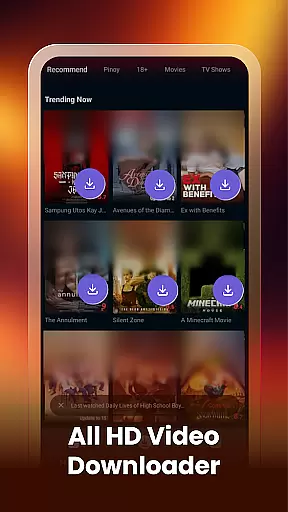
Moreover, the app automatically detects videos already present on the device, integrating them into the manager for a unified experience. By supporting HD video formats and working across various platforms without requiring login, Video Downloader & Player offers a powerful yet accessible solution for all video management needs.
Video format compatibility is a crucial feature for any video player, ensuring that users can enjoy content in various formats without technical barriers. Video Downloader & Player excels in this area by supporting an extensive range of video formats, including but not limited to MP4, AVI, MKV, and MOV.
The app's robust decoding capabilities allow it to handle high-definition (HD) and even 4K videos with ease, providing users with a seamless playback experience regardless of the source or quality of the video file. This flexibility ensures that whether you're downloading from social media platforms or transferring files from your computer, the app will recognize and play them without requiring additional conversions.
For users, this means unparalleled convenience. You no longer need to worry about whether a particular video will be supported; simply download and play. The app also supports audio tracks in multiple formats, enhancing the overall multimedia experience.
By offering such comprehensive format support, Video Downloader & Player positions itself as a versatile tool for both casual viewers and tech-savvy users who demand high-quality playback across different types of media files.
AI-powered editing features represent the cutting edge of video processing technology, enabling users to enhance their videos with minimal effort. Video Downloader & Player incorporates several AI-driven tools that simplify the editing process while delivering professional-grade results.
One standout feature is the automatic video enhancement tool, which uses machine learning algorithms to analyze and improve video quality. This includes adjusting brightness, contrast, and color balance to ensure optimal visual presentation. Additionally, the app offers smart trimming and cropping functions that intelligently identify key scenes, allowing users to create concise and engaging clips effortlessly.
Another innovative aspect is the AI-based stabilization feature, which smooths out shaky footage to produce more polished and watchable videos. These automated enhancements save time and eliminate the need for complex manual adjustments, making advanced editing accessible to everyone.
By integrating these sophisticated AI-powered editing features, Video Downloader & Player not only simplifies the post-production process but also empowers users to elevate the quality of their downloaded videos, adding significant value to the overall user experience.
User-friendly interface
Fast download speeds
Supports multiple downloads
Built-in video player
Smart video management
No native cloud integration
Limited format customization
Requires manual updates
Ads in free version
Occasional download errors

Online Videos Player
 3.90
3.90
HD Video player all format, HD Videos, Cast & Subtitle. No annoying ads.
4.60
High-Quality USB Camera Viewer & HDMI Display
4.70
Mix with Virtual DJ directly from your phone or tablet !
3.10
Flud is a simple and beautiful BitTorrent client for Android.
4.80
Web Browser for LG TV to stream webvideos, online movies and livestreams in HD
4.20
Download Hub, easy and private way to download and enjoy your videos offline
4.80
VLC for Android is the best open source video and music player, fast and easy!
4.10
Photo editor & video maker with music and slideshows.
4.10
An easy-to-use and all-round screen recorder with audio
4.80
A Quick and Pro Video Editor
4.70
GENRAL PRO - General Pro is the best video player that fully supports all formats.
4.70
Download videos and play them offline
4.70
IPTV Loader, loads your own Playlist. DOES NOT CONTAIN ANY LIST OR CHANNELS
4.60
Fast, private downloading, video saving, social media
4.50
Fast & Private HD Video Downloader with Built-in Proxy Browser and Video Player.
4.50
KMPlayer Plus (Divx Codec) officially support Divx codec.
4.30
AI Video Editor:AI Music, Text to Video,Text to Speech,Auto Caption,Video Effect
4.00
Capture images & record videos for USB Camera, Webcam, Microscopes, Endoscopes
3.80




User Reviews