
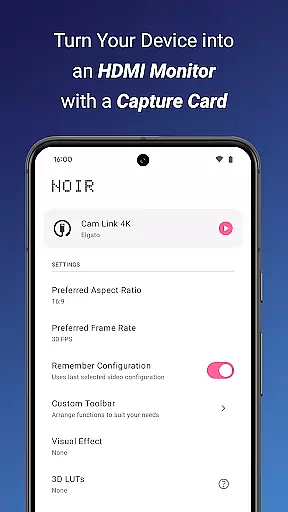
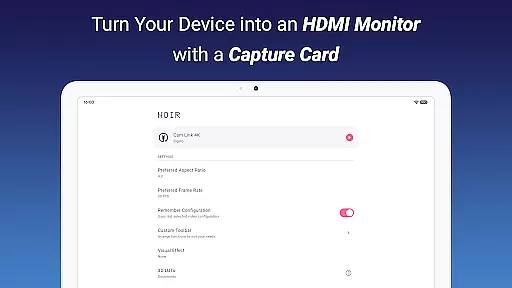
Noir Pro is a versatile video player and editor designed for users who need professional features in their mobile application. This app transforms your device into a portable display for gaming consoles, laptops, cameras, or any HDMI-output device using a USB-C capture card. It supports UVC video streaming and UAC audio streaming, offering OpenGL ES and Vulkan as graphics backend options.
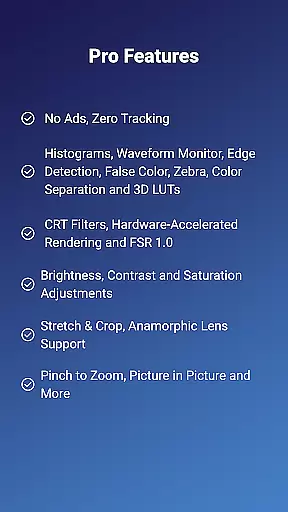
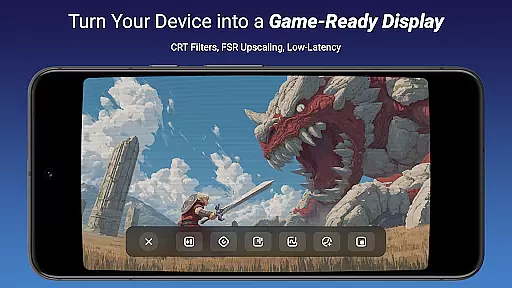
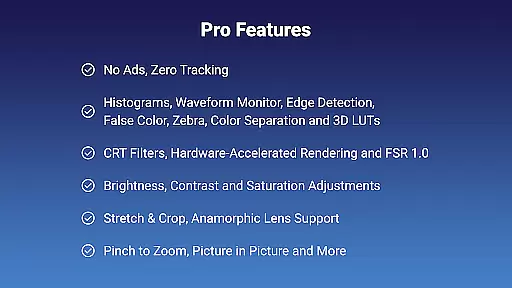
With Noir Pro, you can enjoy advanced functionalities such as 3D LUTs, Waveform Monitor, Histogram, Edge Detection, False Color, Zebra, Color Separation, CRT Filters, FSR 1.0, Pinch to Zoom, Stretch and Crop, Anamorphic Lens Support, Brightness, Contrast, and Saturation Adjustments, App-specific Volume Control, Picture in Picture Mode, and In-app Screenshot. These features make it suitable for various use cases including Camera Monitor, Primary Monitor for Gaming Consoles & PCs, Secondary Monitor for Laptops, and Drone Monitor.
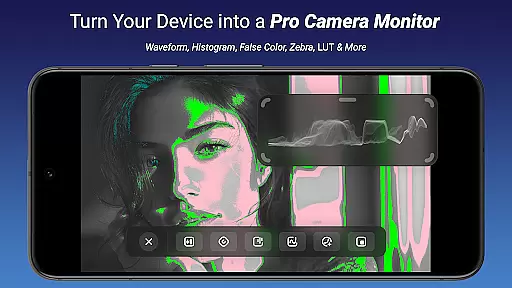
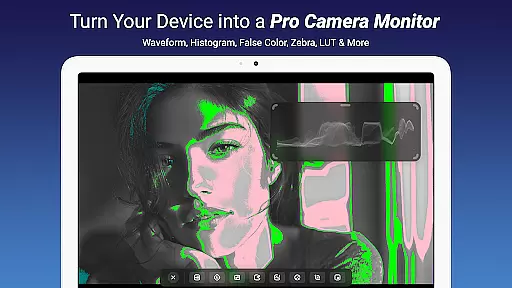
Noir Pro stands out with its comprehensive set of professional features tailored for video enthusiasts and professionals. The app includes advanced tools like 3D LUTs for precise color grading, Waveform Monitor and Histogram for accurate exposure control, Edge Detection and False Color for focus assistance, Zebra patterns for overexposure warnings, and Color Separation for isolating specific colors.
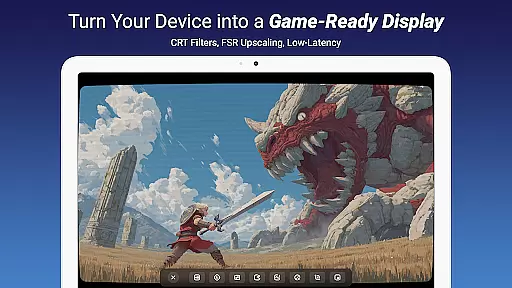
Additional features include CRT Filters for retro effects, FSR 1.0 for upscaling, Pinch to Zoom for detailed inspection, Stretch and Crop for aspect ratio adjustments, Anamorphic Lens Support for wide-screen formats, and Brightness, Contrast, and Saturation Adjustments for fine-tuning visuals. Users also benefit from App-specific Volume Control, Picture in Picture Mode for multitasking, and In-app Screenshot for capturing frames.
These capabilities ensure that Noir Pro is not just a video player but a complete editing suite on your mobile device, providing unparalleled flexibility and control over your video projects.
Video format compatibility is a crucial feature for any video player and editor, ensuring that users can work with a wide range of video files without the need for conversion. Noir Pro supports UVC video streaming and offers users a choice between OpenGL ES and Vulkan for the graphics backend, making it versatile for different devices and use cases.
This app's support for various formats allows users to seamlessly play videos from gaming consoles, laptops, cameras, or any other HDMI-output device when used with a USB-C capture card. This flexibility ensures that whether you're using Noir Pro as a camera monitor, primary display for gaming consoles, or secondary monitor for laptops, you'll experience minimal issues related to format incompatibility.
Moreover, Noir Pro's ability to handle MJPEG streams at up to 1080p30fps on USB 2.0 capture cards and higher frame rates on USB 3.0 means that users can expect smooth playback and previewing. The app-specific volume control and picture-in-picture mode further enhance the user experience by providing additional layers of customization and convenience.
AI-powered editing features are revolutionizing the way users interact with video content, offering smart tools that simplify complex editing tasks. While Noir Pro doesn't explicitly market itself as an AI-centric editor, its advanced functionalities like Waveform Monitor, Histogram, Edge Detection, False Color, Zebra, and Color Separation provide users with professional-grade tools akin to AI enhancements for precise video adjustments.
These features allow content creators to fine-tune their videos with accuracy, ensuring optimal brightness, contrast, and saturation levels. The inclusion of 3D LUTs and CRT filters adds another layer of creative freedom, enabling users to apply sophisticated color grading and retro aesthetics effortlessly.
Noir Pro also includes practical utilities such as pinch-to-zoom, stretch and crop options, and anamorphic lens support, which collectively contribute to a comprehensive editing suite. With these capabilities, users can achieve high-quality results while maintaining creative control over their projects, thus enhancing both productivity and output quality.
Advanced color grading
Precise exposure tools
Comprehensive editing suite
Versatile monitor support
Professional audio streaming
Requires capture card
No free version
Complex for beginners
Limited device compatibility
Premium pricing

Powerful HD video player with support for all formats & subtitles.
 4.2
4.2
Support 1000+ Video Format, Subtitle Download, mp3 & Background Play, Cast On TV
4.60
Turn your phone into a wireless camera!
4.20
IPTV Loader, loads your own Playlist. DOES NOT CONTAIN ANY LIST OR CHANNELS
4.60
Add date and time watermark to photos and videos
4.50
All in one multi protocols stream receiver for AirPlay, Cast and DLNA.
3.60
Web Browser for LG TV to stream webvideos, online movies and livestreams in HD
4.20
AI Video Editor with Music, Filter, Slideshow, Effect, Merge & Trim Video.
4.80
Manage your YouTube channel on the go
4.40
Play ALL formats in 4K & HD. Video downloader, MP3 player, Chromecast & more.
4.80
Pro video editor app for Instagram, edit video with song, AI, effect & slowmo.
4.80
A Simple app to download Video & Music from the Internet.
4.70
Video Downloader, Multiple Resolution Options, Video Player
4.50
Movie maker & video editing app with AI effects and green screen
4.30
Powerful, professional, versatile teleprompter. Developed by an active film crew
4.00
Connect 2 UVC devices for recording and broadcast video/audio stream
3.90
Live TV, anywhere in your home
3.80
Manage your IPTV live channels and VOD playlists (no playlist included)
3.80
Browser for Sony TV to stream web videos, online movies and live tv
3.20



User Reviews