
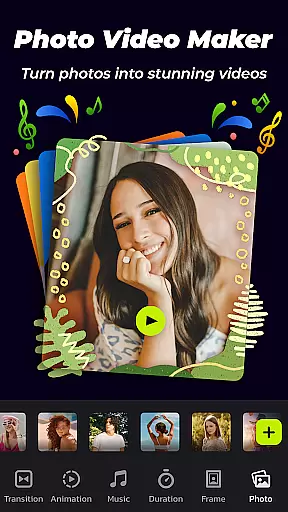
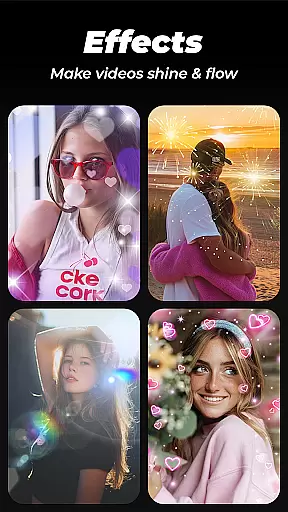
Photo Video Maker with Music - InSlide is a versatile video editing tool designed for both casual users and professionals. This app allows you to create visually stunning slideshows, presentations, and photo videos with ease. Key features include adding music, transitions, animations, frames, and various customization options that enhance your creative projects.
The application stands out with its user-friendly interface and powerful editing capabilities. You can import multiple photos at once, apply professional-grade transitions, and add music tracks from an extensive library or upload your own. With abundant content resources and continuous updates, it ensures you always have fresh materials for your creations. Whether you're making holiday greetings, recording life memories, or preparing quick presentations, Photo Video Maker has got you covered.
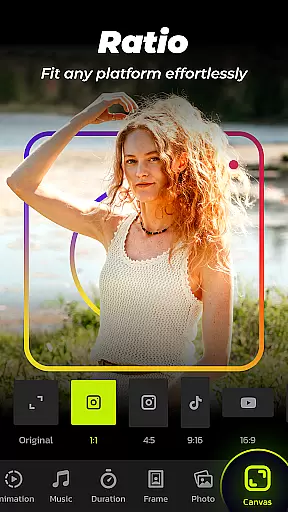
One of the most valuable aspects of this app is its ability to produce high-quality outputs tailored to different platforms. From YouTube to TikTok, Facebook to Instagram, the app supports various aspect ratios and resolutions ranging from 480P to 2K. This flexibility makes it ideal for sharing your precious moments across multiple social media channels effortlessly.
Photo Video Maker offers a comprehensive suite of features that cater to diverse video editing needs. The app provides an intuitive four-step process to create stunning videos: importing photos, applying effects, adding music, and exporting the final product. Each step is designed to be straightforward yet powerful, ensuring even beginners can achieve professional results.
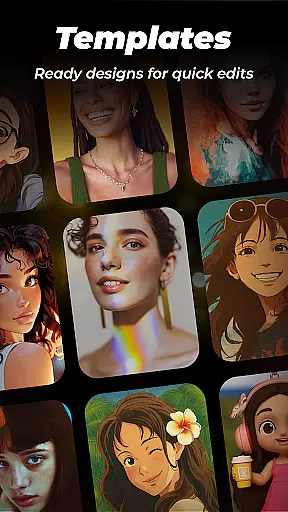
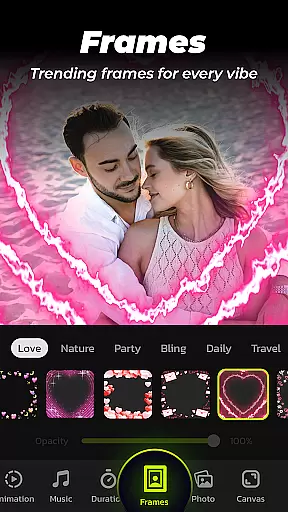
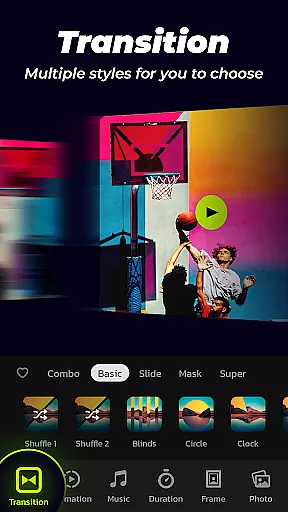
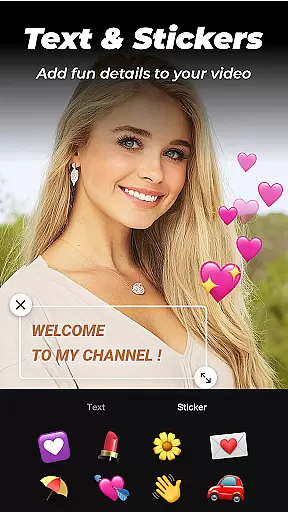
Among its standout features are the wide array of transition effects and customizable durations. Users can choose from numerous pre-set transitions or opt for one-click automatic selections. Additionally, the app includes categorized frames and themes such as family, lovers, and travel, allowing users to personalize their slideshows further. The ability to adjust aspect ratios and resolutions—from 480P to 2K—ensures compatibility with various devices and platforms.
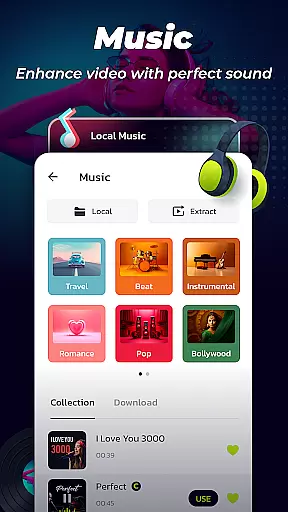
Another significant advantage is the built-in music library offering styles like Pop, Bollywood, Love, and more. Users also have the option to upload personal audio files. The Video Library feature lets you save and manage created videos efficiently, making it easy to revisit and share your projects. These robust functionalities make Photo Video Maker an indispensable tool for anyone looking to elevate their multimedia content.
Photo Video Maker with Music - InSlide stands out for its exceptional video format compatibility, ensuring that users can work with a wide array of file types without any hitches. This feature is crucial for a seamless editing experience, allowing creators to import various formats effortlessly.
The app supports an extensive range of video resolutions from 480P to 2K, providing flexibility in project requirements and platform-specific needs. Whether you're aiming for easy sharing on social media or high-quality presentations, the resolution adaptability ensures your videos maintain visual excellence across different mediums.
Moreover, the ability to adjust the video aspect ratio caters to multiple platforms such as YouTube, TikTok, and Instagram. This means your creations will always fit perfectly, regardless of where you choose to publish them. Such versatility not only enhances user convenience but also broadens the creative possibilities.
By removing technical barriers related to format compatibility, Photo Video Maker empowers users to focus on their creativity and storytelling. The assurance of comprehensive format support makes it an indispensable tool for both amateur enthusiasts and professional content creators alike.
InSlide revolutionizes video editing with its advanced AI-powered editing features, setting a new standard in the realm of mobile video creation tools. These intelligent capabilities allow even novices to produce professional-grade videos with minimal effort, democratizing access to high-quality production resources.
One standout feature is the one-click transition effect, which leverages AI to automatically select and apply visually pleasing transitions between clips. This eliminates the guesswork and manual labor typically associated with choosing appropriate transitions, streamlining the editing process significantly.
Additionally, the app's AI-driven customization options enable precise control over elements like transition duration and music synchronization. Users can fine-tune these aspects without needing deep technical expertise, resulting in polished and cohesive final products that resonate with audiences.
These sophisticated yet user-friendly AI enhancements not only save time but also elevate the overall quality of video projects. By integrating cutting-edge technology with intuitive design, Photo Video Maker positions itself as a leader in accessible, powerful video editing solutions.
User-friendly interface
Extensive music library
Customizable transitions
High-resolution output
Multi-platform support
Limited free features
Occasional bugs
Ads in free version
Paid subscription required
Learning curve for new users

A full editing room to accompany your Insta360 cameras and handheld gimbals.
 3.30
3.30
Your media, on your terms.
4.10
Photo and Music Video Creator into Stunning Videos—Effortlessly
4.40
Video Downloader is an utility that can save videos and music from web sites
4.20
AirMirror is Receiver for Screen Mirroring and Casting from Apple Devices.
3.60
Download videos easily & play them all in one smart, powerful video manager.
3.40
Mix with Virtual DJ directly from your phone or tablet !
3.10
All in one multi protocols stream receiver for AirPlay, Cast and DLNA.
3.60
Browser for Samsung TV to stream webvideos, online movies and livestreams in HD
4.10
GENRAL PRO - General Pro is the best video player that fully supports all formats.
4.70
Snaptubè Video Downloader app allows to download videos and music in Snaptube. .
4.60
Fast, private downloading, video saving, social media
4.50
Fast video downloader & private browser. Save HD clips to watch offline.
4.40
This app was created to edit the metadata of music files.
4.20
IPTV-Smarters Player Pro M3U - Watch Live Stream TV Channels with Chromecast
4.00
All format media Player, no need video converter any more!
4.00
1)AirPlay/DLNA Mirroring/Streaming, up to 4 connections; 2)Samba/NAS/DMS Player.
4.00
Connect 2 UVC devices for recording and broadcast video/audio stream
3.90
Cast to Smart TV, Fire TV. Cast video, photo - Fast & Stable!
3.90



User Reviews