
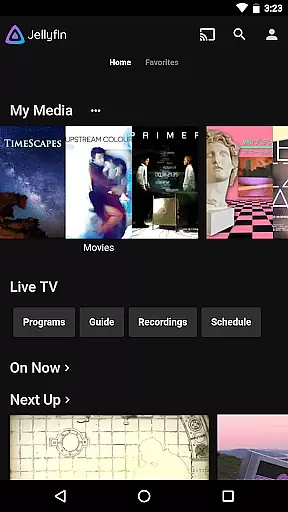
Jellyfin is an open-source media server and player that allows you to manage and stream your personal media collection. This Android app serves as the official companion, enabling users to access their media library from anywhere. With support for live TV, Chromecast streaming, and an intuitive interface, Jellyfin offers a complete solution for enjoying your digital content on mobile devices.
The app's key features include seamless integration with Jellyfin servers, support for various media formats, and offline playback options. Whether you're looking to stream movies during travel or enjoy your music collection at home, Jellyfin provides a flexible and secure way to maintain control over your media assets.
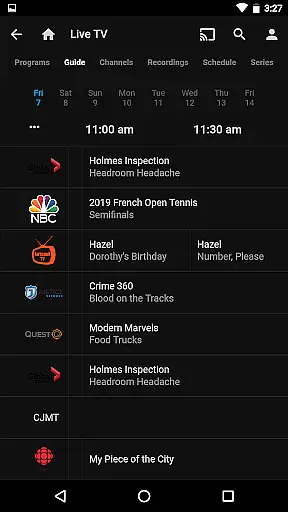
Jellyfin stands out with its robust feature set designed for media enthusiasts. The app supports direct streaming from your personal server, including live TV functionality when paired with compatible hardware. Its adaptive streaming technology ensures smooth playback even under varying network conditions.
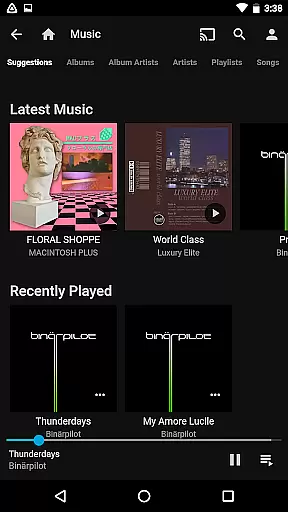
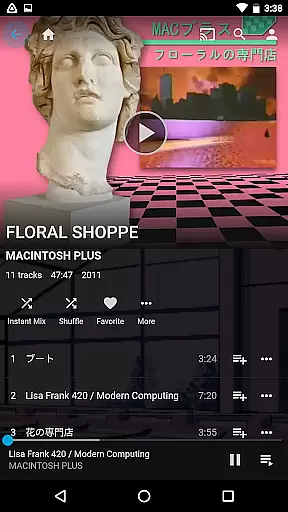
Additional notable features include Chromecast support for big-screen viewing, Android Auto integration for hands-free music playback, and a comprehensive media library management system. Users can organize their collections through customizable views and metadata editing options. The app also maintains privacy by avoiding tracking services and hidden fees, making it an ideal choice for those who value data security.
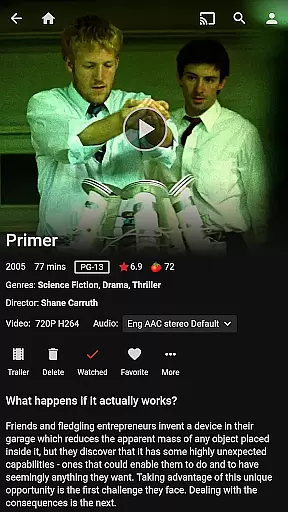
Video format compatibility is a crucial feature for any video player, ensuring that users can enjoy their media without worrying about file type restrictions. Jellyfin excels in this area by supporting a wide range of video formats, from common ones like MP4 and AVI to more specialized codecs such as MKV and OGG.
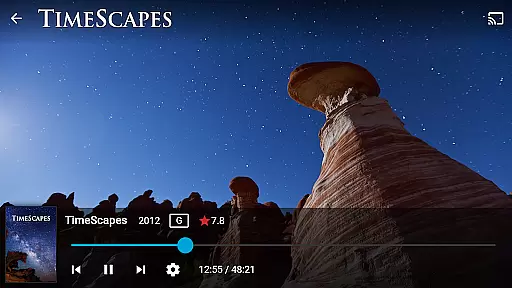
The app's robust decoding capabilities allow seamless playback of videos stored on your Jellyfin server. This means you can stream your favorite movies, TV shows, or personal recordings directly to your Android device without the need for prior conversion or external plugins.
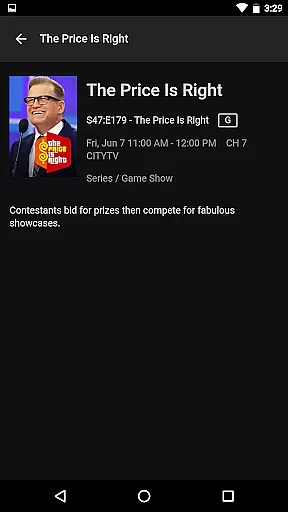
For users with diverse media libraries, this flexibility ensures all your video content is accessible through a single interface. Whether you're watching live TV, recorded shows, or personal videos, Jellyfin's comprehensive format support guarantees an uninterrupted viewing experience tailored to your preferences.
While Jellyfin positions itself primarily as a media server and streaming solution, it incorporates some AI-powered features that enhance the user experience beyond basic playback. Although not a traditional video editor, Jellyfin uses intelligent algorithms to optimize streaming quality based on your network conditions.
The app automatically adjusts video resolution and bitrate in real-time, ensuring smooth playback even under varying internet speeds. This adaptive streaming technology is powered by sophisticated AI that learns your network patterns, preemptively adjusting settings to prevent buffering or quality drops during playback.
Additionally, Jellyfin's smart organizational features help categorize and tag your media library using AI recognition. This makes finding specific content faster and more intuitive. While it may not offer traditional editing tools, these AI-driven enhancements streamline media management and improve overall usability, making Jellyfin a versatile choice for managing and enjoying digital content.
User-friendly interface
Free and open-source
Strong privacy protection
Wide format compatibility
Offline playback support
Requires separate server setup
Limited mobile features
No built-in media library
Occasional bugs reported
Dependent on network quality

Save photos and videos from social apps in one tap.
 3.60
3.60
Photo and Music Video Creator into Stunning Videos—Effortlessly
4.40
Powerful HD video player with support for all formats & subtitles.
4.2
Support 1000+ Video Format, Subtitle Download, mp3 & Background Play, Cast On TV
4.60
Turn your phone into a wireless camera!
4.20
An easy-to-use and all-round screen recorder with audio
4.80
Video Downloader, Multiple Resolution Options, Video Player
4.50
Cast movies, tv shows and live streams to Chromecast, Roku, DLNA, Fire TV & more
4.60
VLC for Android is the best open source video and music player, fast and easy!
4.10
Pro video editor app for Instagram, edit video with song, AI, effect & slowmo.
4.80
HD Video player all format, HD Videos, Cast & Subtitle. No annoying ads.
4.60
Create photo video with music & template. AI video maker for stunning slideshow.
4.60
Fast & easy HD video downloader for all formats, support 4K playback & download.
4.60
Full HD Video mp3 Player, MP4 player play 1080p, File manager, Video Downloader
4.40
AirMirror Receiver - Screen mirroring/cast web videos to Android TV by AirPlay.
4.40
Video Downloader is an utility that can save videos and music from web sites
4.20
1)AirPlay/DLNA Mirroring/Streaming, up to 4 connections; 2)Samba/NAS/DMS Player.
4.00
Connect 2 UVC devices for recording and broadcast video/audio stream
3.90
Video player with powerful streaming playback and various convenient features.
2.10



User Reviews