
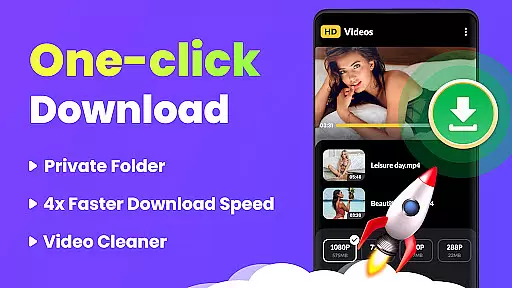
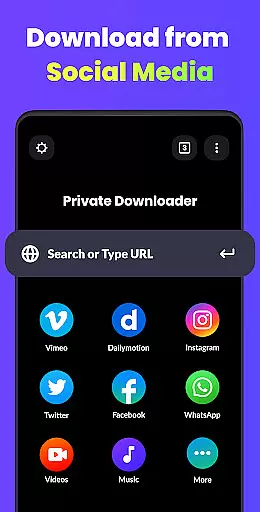
Video Downloader - HD & Easy is a versatile video downloading and playback solution designed for Android users who need to download, manage, and watch videos in various formats. This app stands out with its ability to download videos at lightning speed while supporting multiple formats like MKV, MP4, M4V, MOV, 3GP, FLV, F4V, WEBM, and more.
In addition to its powerful downloading capabilities, the app offers an exceptional video playback experience. It supports HD, UHD, 4K, and 1080P resolutions, ensuring smooth, stutter-free viewing. With features such as multi-thread downloads, background downloads, and private folder protection, Video Downloader provides both convenience and security for your video needs.
Whether you're looking to create a personal media library or enjoy uninterrupted entertainment, this app delivers a complete package for video enthusiasts. Its intuitive gesture controls, sleep timer, and screen lock functionality further enhance user experience, making it ideal for those seeking a seamless blend of performance and privacy.
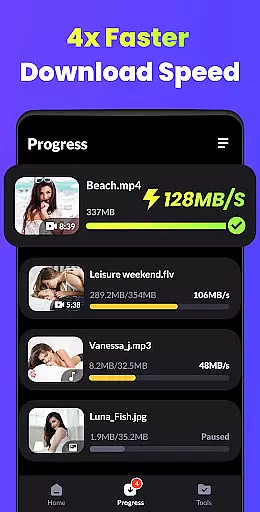
Video Downloader - HD & Easy boasts a rich set of features that cater to diverse user requirements. One standout feature is its support for multi-thread downloads, which significantly accelerates the process by splitting files into smaller parts. This ensures faster completion times even for large video files. Additionally, the app allows background downloads, enabling users to continue using their devices without interrupting ongoing tasks.
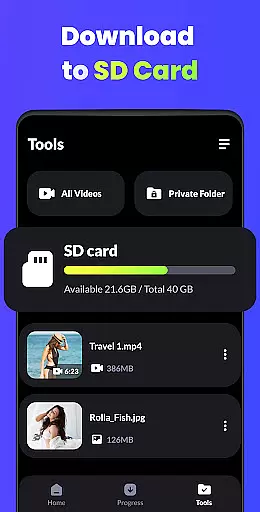
The app also excels in video management and security. Users can store private videos in password-protected folders, ensuring that sensitive content remains hidden from unauthorized access. For playback, the app supports advanced functionalities like A-B repeat, looping mode, and automatic detection of local video files. These tools allow users to customize their viewing experience according to their preferences.
Other notable features include smart gesture controls, a sleep timer for hands-free operation, and screen lock to prevent accidental touches during video playback. Together, these innovations make Video Downloader not just a downloader but a comprehensive tool for managing and enjoying high-quality video content on Android devices.
Video Downloader - HD & Easy stands out for its exceptional video format compatibility, ensuring users can download and play videos in virtually any format they encounter. This includes popular formats such as MKV, MP4, M4V, MOV, 3GP, FLV, F4V, WEBM, and more.
The application's broad format support means that no matter the source of the video, users can expect seamless playback without the need for additional conversion software. This versatility is crucial for users who interact with diverse content across various platforms.
By supporting high-definition formats like HD, UHD, 4K, and 1080P, Video Downloader ensures that users enjoy their videos in the highest possible quality. The smooth playback without stuttering enhances the viewing experience, making it akin to having a personal home cinema.
This extensive compatibility not only simplifies the user experience but also positions Video Downloader as an all-in-one solution for video enthusiasts looking for both variety and quality in their media consumption.
While Video Downloader - HD & Easy primarily focuses on downloading and playback, it incorporates AI-powered features that enhance the overall user experience. These features include smart gesture controls and intuitive interface design, which make navigation and video management effortless.
The downloader's ability to auto-detect and load local video files streamlines the process of organizing and accessing one's video library. Users benefit from time-saving features that maintain an orderly and accessible collection of videos.
Additionally, the inclusion of advanced functionalities such as A-B repeat & looping mode, screen lock to prevent accidental touches, and a sleep timer showcase the app's dedication to providing a comprehensive and user-centric experience.
These AI-driven enhancements ensure that users not only download and watch videos but do so within an intelligent ecosystem that prioritizes convenience, security, and customization according to personal preferences.
User-friendly interface
Fast download speeds
Supports multiple formats
Private folder protection
Smooth HD playback
Limited iOS compatibility
Ads may appear
Occasional bugs
No cloud integration
Basic editing tools

Auto video maker with music & exclusive filters. Video editing made simple.
 4.50
4.50
A full editing room to accompany your Insta360 cameras and handheld gimbals.
3.30
Photo and Music Video Creator into Stunning Videos—Effortlessly
4.40
Powerful HD video player with support for all formats & subtitles.
4.3
An easy-to-use and all-round screen recorder with audio
4.80
Mix with Virtual DJ directly from your phone or tablet !
3.10
Watch IPTV on your Android device
4.60
Powerful video player with advanced hardware acceleration and subtitle supports
4.20
Create, Publish & Maximize
4.70
Screen recorder with audio to take live videos & Screenshot in high quality!
4.70
Browser + Remote for Roku to stream webvideos, online movies and livestreams
4.60
Snaptubè Video Downloader app allows to download videos and music in Snaptube. .
4.60
Fast, private downloading, video saving, social media
4.50
Cast to Chromecast, Xbox, Fire Stick, Roku, DLNA, Smart TV & No Feature Limited!
4.50
Movie maker & video editing app with AI effects and green screen
4.30
AirMirror is Receiver for Screen Mirroring and Casting from Apple Devices.
3.60
All in one multi protocols stream receiver for AirPlay, Cast and DLNA.
3.60
Connect EasyCap or UVC devices for recording and broadcast video/audio stream
3.60
Download videos easily & play them all in one smart, powerful video manager.
3.40




User Reviews