
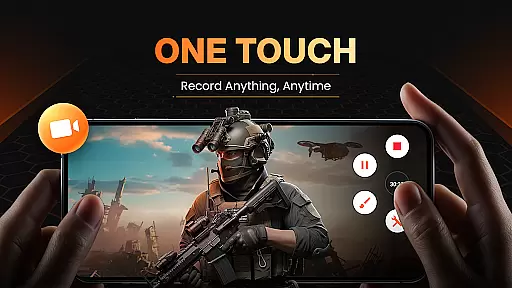
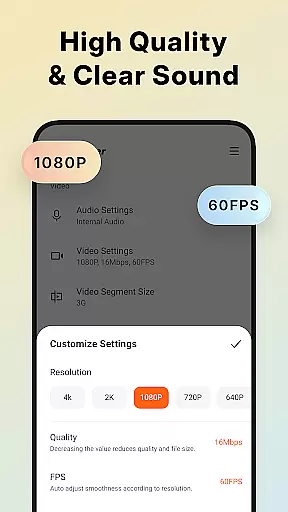
XRecorder is a versatile screen recording app designed for capturing smooth and clear screen videos, screenshots, and live game shows without any watermarks. It supports HD video recording with customizable settings, including resolution from 240p to 1080p, FPS up to 60, and bitrate up to 12Mbps.
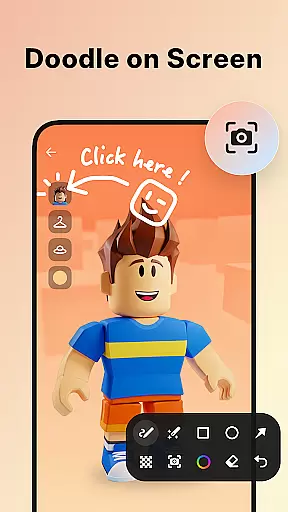
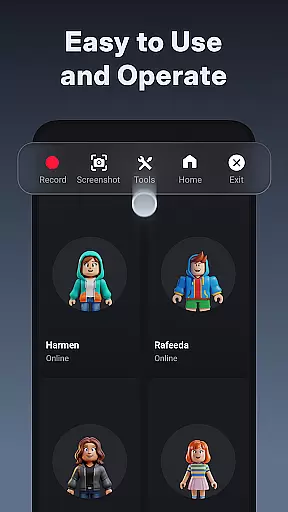
With its advanced features like internal audio recording (Android 10+), YouTube & RTMP live streaming, facecam, brush tools, and video editing capabilities, XRecorder caters to gamers, content creators, and educators alike. The intuitive floating ball interface allows easy control over recording functions, making it accessible for users of all levels.
Whether you're creating tutorials, recording gameplay, or capturing moments that can't be downloaded, XRecorder provides a seamless experience across various use cases, ensuring you never miss an important moment again.
XRecorder stands out with its comprehensive feature set tailored for both casual and professional users. The app offers top-notch screen recording capabilities, including the ability to capture gameplay, record internal audio without noise, and stream directly to platforms like YouTube using RTMP technology.
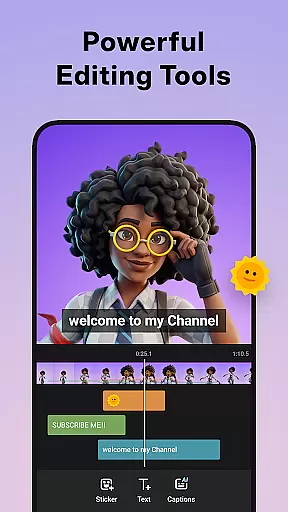
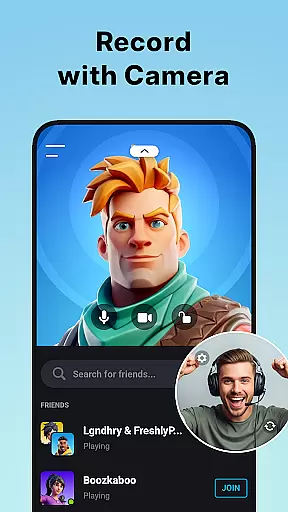
One of the standout features is the Facecam functionality, allowing users to overlay their webcam feed onto the screen recording, which is perfect for reaction videos or tutorials. Additionally, the built-in video editor lets you trim, cut, split, crop, rotate, adjust speed, add music, and apply stylish filters to personalize your recordings.
The app also includes practical tools such as a countdown timer, trash bin for recovering deleted files, and customizable floating window options. With support for full HD recording at 120 FPS, XRecorder ensures high-quality output suitable for all platforms, while the no-watermark policy guarantees clean and professional-looking results.
Video format compatibility is a crucial feature for any video player and editor, ensuring that users can work with a wide range of video files without the need for conversion. Screen Recorder - XRecorder excels in this area by supporting various resolutions and frame rates, from 240p to 1080p Full HD and 15FPS to 60FPS. This flexibility allows content creators to record and edit videos tailored to different platforms and audience preferences.
The application's ability to export videos in custom settings, including bitrate up to 12Mbps, ensures high-quality output suitable for professional use. Whether you're recording gameplay or creating video tutorials, XRecorder provides the necessary tools to produce clear and smooth videos. The inclusion of internal audio recording on Android 10 or above further enhances the user experience by capturing sound without external noise interference.
Moreover, XRecorder stands out with its adaptability to user needs through features like alternative storage locations, allowing recordings to be saved on either internal storage or an SD card. This versatility not only caters to devices with limited space but also offers convenience when transferring files. With such comprehensive video format support, Screen Recorder - XRecorder empowers users to unleash their creativity without technical limitations.
AI-powered editing features represent the cutting edge of video editing technology, enabling users to enhance their creations with minimal effort. Screen Recorder - XRecorder incorporates these advanced capabilities, offering tools that simplify complex editing tasks. For instance, the video trimmer allows users to cut, trim, and split videos effortlessly, transforming raw footage into polished content ready for sharing.
In addition to basic trimming, XRecorder provides creative options such as adding music, applying stylish filters, and incorporating fun stickers and text overlays. These elements enable personalization, making each video unique and engaging. The speed control feature lets creators adjust the pace of their videos, whether they want to speed up action sequences or slow down moments for dramatic effect. Such functionalities are particularly beneficial for those looking to stand out on social media platforms.
Furthermore, the facecam functionality integrated into XRecorder demonstrates its commitment to modern video production trends. By recording the user's reactions in a customizable overlay window, it adds a personal touch to gameplay videos or tutorials. This feature, combined with AI-driven enhancements, positions Screen Recorder - XRecorder as a versatile tool for both amateur and experienced content creators seeking to elevate their projects with intelligent editing solutions.
User-friendly interface
High-quality recording
No watermark on videos
Advanced editing tools
Live streaming support
Internal audio limited to Android 10+
Some features may require premium version
Occasional bugs reported
Storage management could be improved
Learning curve for beginners

Client application for NextPVR software
 3.00
3.00
Create photo video with music & template. AI video maker for stunning slideshow.
4.60
Live TV, anywhere in your home
3.80
Pro video editor app for Instagram, edit video with song, AI, effect & slowmo.
4.80
Explore the largest library of free GIFs, Stickers & Memes - or create your own!
3.90
All in one HD video downloader & player for multiple formats with full privacy
4.70
Find, download, and play torrents with the official BitTorrent® Pro app
4.70
AI Video Editor with Music, Filter, Slideshow, Effect, Merge & Trim Video.
4.80
Viddo: Generate Action Figure, AI Anime, AI kiss, AI hug Video from image & text
4.40
Flud is a simple and beautiful BitTorrent client for Android.
4.80
Watch a large amount of high-definition short drama content
4.60
Snaptubè Video Downloader app allows to download videos and music in Snaptube. .
4.60
Cast movies, tv shows and live streams to Chromecast, Roku, DLNA, Fire TV & more
4.60
Add date and time watermark to photos and videos
4.50
LumaFusion: The Ultimate Storytelling Experience for Video Editing
4.10
Make your own Animations, Video and Photo Edits, Visual Effects, and more!
4.00
Cast to Smart TV, Fire TV. Cast video, photo - Fast & Stable!
3.90
AirMirror is Receiver for Screen Mirroring and Casting from Apple Devices.
3.60
Video player with powerful streaming playback and various convenient features.
2.10




User Reviews