
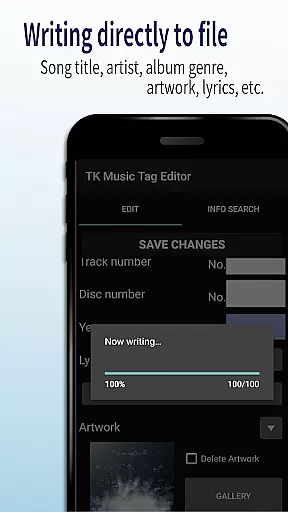
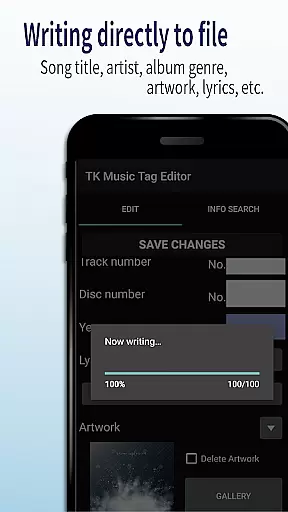
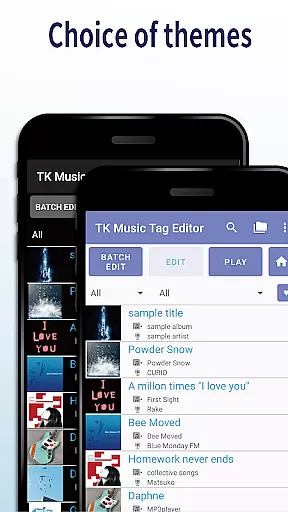
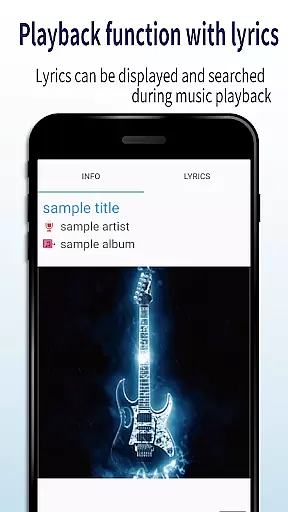
TK Music Tag Editor -Complete- is a comprehensive metadata editing tool designed for music enthusiasts who need precise control over their audio files. This application allows users to directly modify essential metadata fields such as artist, album, cover art, and lyrics within mp3, m4a, flac, and wma files. The changes are written directly into the music files, ensuring cross-device compatibility and permanence of data.
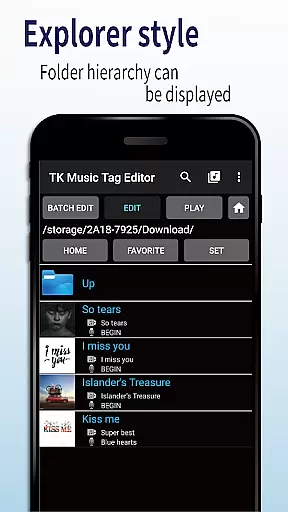
In addition to basic tag editing, the app offers advanced features like simultaneous filename editing, playlist creation, and support for multiple file formats. Whether you're organizing a large music library or preparing tracks for professional use, TK Music Tag Editor provides the necessary tools to manage your audio files efficiently. Its intuitive interface and robust functionality make it an indispensable tool for anyone serious about their music collection.
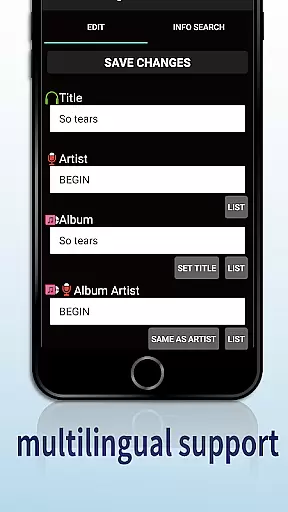
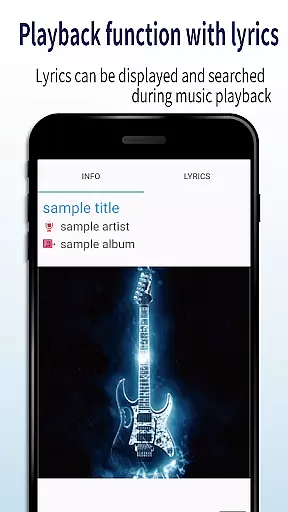
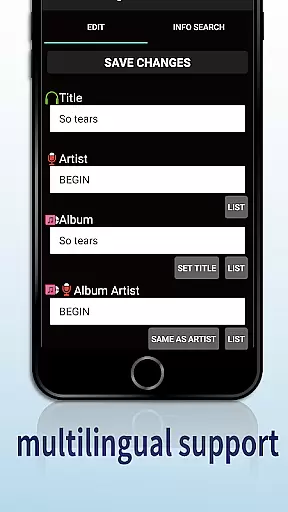
One of the standout features of TK Music Tag Editor is its ability to write tags directly into music files. This ensures that metadata remains intact regardless of the device or platform used to access the files. Users can edit a wide range of tags including title, artist, album, cover art, and lyrics, providing complete control over how music files are organized and displayed.
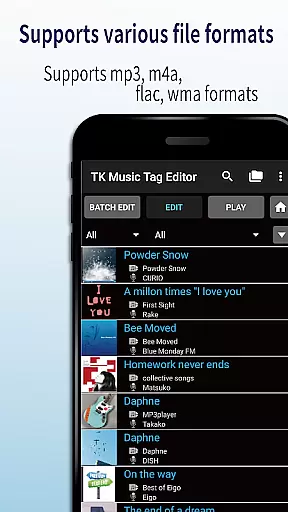
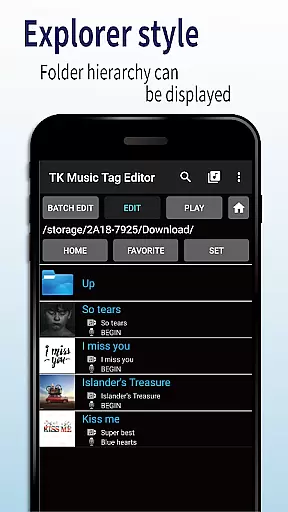
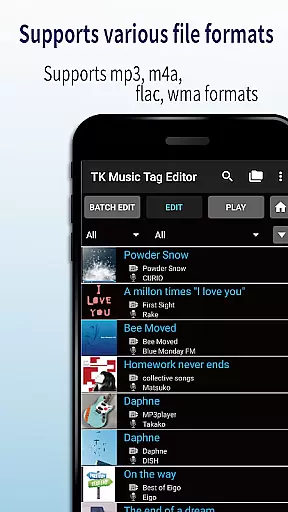
The app also supports simultaneous editing of music filenames, allowing users to standardize naming conventions across their library. Additionally, it includes a playlist creation tool that simplifies the process of curating custom playlists. With support for various file formats such as mp3, m4a, flac, and wma, TK Music Tag Editor caters to a broad spectrum of audio file types, making it a versatile choice for all your music editing needs.
Video format compatibility is crucial for any video player or editor, and TK Music Tag Editor -Complete- excels in this area. The app supports a wide range of audio file formats including mp3, m4a, flac, and wma. This ensures that users can manage metadata for virtually all their music files without worrying about format restrictions.
The application's ability to detect mp3 files with m4a formats and convert them to the correct .m4a extension showcases its sophisticated format handling capabilities. This feature guarantees that files maintain their integrity across different devices and platforms, providing users with consistent access to their metadata regardless of where they are playing their music.
By offering comprehensive support for various file types, TK Music Tag Editor -Complete- empowers users to organize and edit their entire music library seamlessly. Whether you're managing a vast collection of albums or simply looking to update individual tracks, the app's versatile format compatibility ensures that your metadata remains intact and accessible.
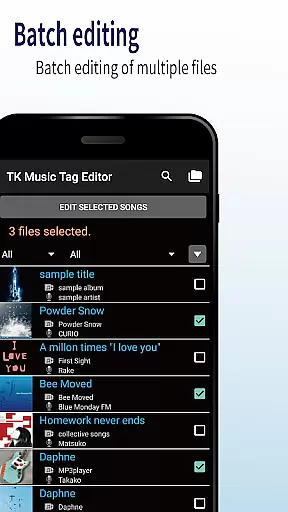
TK Music Tag Editor -Complete- incorporates AI-powered editing features that significantly enhance the user experience when managing music metadata. One standout feature is the simultaneous editing of both music filenames and tags. This functionality allows users to modify song titles, artist names, and other relevant information while also updating the corresponding filenames automatically.
In addition to basic tag editing, the app provides advanced options such as creating and managing playlists. Users can easily compile lists of their favorite songs, making it convenient to organize music libraries according to personal preferences or specific occasions. The intuitive interface simplifies these tasks, ensuring that even those new to metadata editing can navigate the app with ease.
Looking ahead, the developers plan to introduce additional editable metadata fields, further expanding the app's capabilities. With continuous updates and improvements, TK Music Tag Editor -Complete- demonstrates a commitment to leveraging AI technology to streamline and enhance music management processes for users worldwide.
User-friendly interface
Comprehensive tag editing
Cross-device compatibility
Playlist creation tool
Multiple file format support
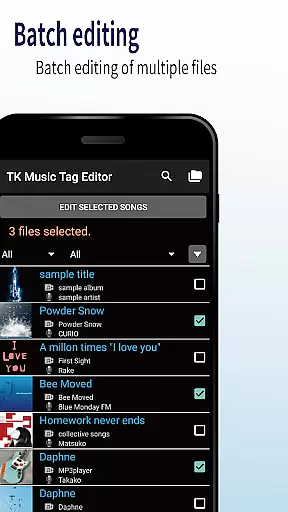
No batch editing
Limited advanced features
Occasional bugs
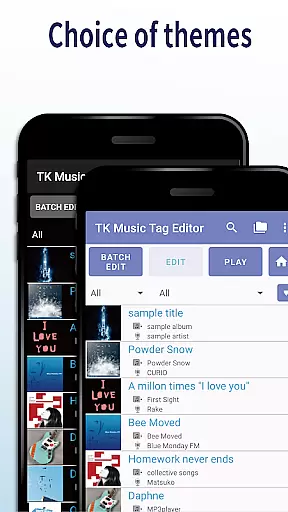
Basic UI design
No cloud integration

HD video & music player - All format support with floating & PIP mode!
 3.80
3.80
Cast Videos from Web Browser, IPTV to Roku, Chromecast, DLNA, Smart TV +more
4.60
Video Downloader is an utility that can save videos and music from web sites
4.20
Create & edit videos with AI
4.30
Support 1000+ Video Format, Subtitle Download, mp3 & Background Play, Cast On TV
4.60
AirMirror is Receiver for Screen Mirroring and Casting from Apple Devices.
3.60
KMPlayer Plus (Divx Codec) officially support Divx codec.
4.30
All in one multi protocols stream receiver for AirPlay, Cast and DLNA.
3.60
Fast private browser with secure, seamless access & supported video downloads!
4.00
Find, download, and play torrents with the official BitTorrent® Pro app
4.70
Cast movies, tv shows and live streams to Chromecast, Roku, DLNA, Fire TV & more
4.60
Download website videos fast&privacy
4.40
Fast & Private Video Downloader App. Save all videos easily from the Internet.
4.40
IPTV-Smarters Player Pro M3U - Watch Live Stream TV Channels with Chromecast
4.00
Make your own Animations, Video and Photo Edits, Visual Effects, and more!
4.00
Save photos and videos from social apps in one tap.
3.60
The essential companion to your Blue Iris PC software
2.50
The smartest M3U IPTV Player your playlists have ever seen.
4.0
Stream high quality video from your camera over NDI protocol
4.5



User Reviews