
XPlay Browser is a cutting-edge mobile application designed for users seeking a fast, private, and video-focused browsing experience. This app combines speed, privacy protection, and seamless video tools to deliver an exceptional web experience. With its lightweight design, XPlay Browser ensures smooth performance even on older devices while offering features like Private Browsing Mode, easy video downloads, and smart file management.
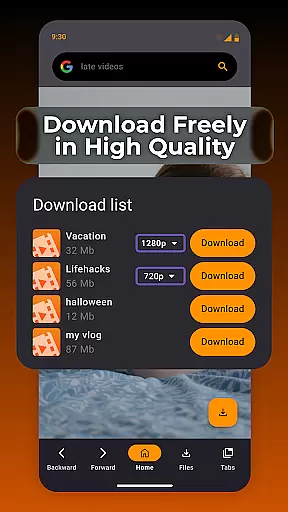
One of the standout features of XPlay Browser is its ability to save videos from supported websites directly to your device, allowing offline access without requiring additional apps. Its modern interface and efficient resource management make it ideal for users who value both functionality and battery efficiency. Whether you're streaming content or managing files, XPlay Browser provides a reliable solution tailored to enhance productivity and entertainment.
XPlay Browser stands out with its comprehensive set of features that cater to various user needs. First, the app offers lightning-fast browsing speeds, ensuring pages load quickly and navigation remains smooth. The minimalist UI enhances usability, making it accessible even for those unfamiliar with advanced browsers. Additionally, the Private Browsing Mode ensures complete anonymity by not storing any history or cookies after sessions end.
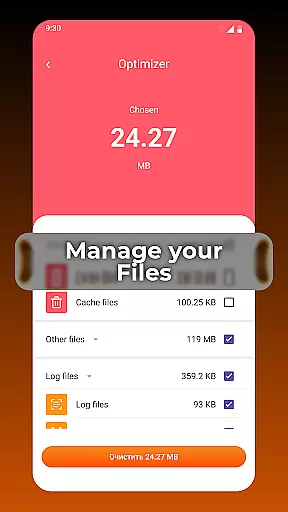
Another key feature is the built-in video download capability, which allows users to save videos from supported platforms directly onto their devices. This eliminates the need for third-party tools and simplifies offline viewing. Furthermore, the app includes smart file management functionalities that help users organize their storage efficiently. By highlighting unnecessary files, XPlay Browser keeps devices clutter-free, promoting optimal performance over time.
Video format compatibility is a crucial feature for any video player, ensuring that users can enjoy content in various formats without technical hindrances. XPlay Browser excels in this area by supporting an extensive range of video formats, making it versatile and user-friendly.
The app's advanced decoding capabilities allow seamless playback of both common and less-known video formats. Whether you're streaming online or playing local files, XPlay Browser ensures smooth performance across different media types.
For users, this means freedom and flexibility in consuming multimedia content. You won't need to worry about converting files or finding compatible players, as XPlay Browser handles everything efficiently.
This comprehensive format support enhances the overall browsing experience, letting users focus on their content rather than technical limitations. With XPlay Browser, every video plays as intended, maintaining quality and integrity.
AI-powered editing features represent the cutting-edge integration of artificial intelligence into video processing, offering users unprecedented convenience and efficiency. XPlay Browser incorporates these smart tools to enhance video management and modification tasks.
The browser utilizes AI algorithms to automatically optimize video settings, detect objects, and suggest edits based on content analysis. This technology simplifies complex editing processes, enabling even novice users to achieve professional results effortlessly.
Users benefit from time-saving features like automatic tagging, scene detection, and intelligent cropping. These functions not only streamline workflow but also improve output quality through precise adjustments tailored to each video's unique characteristics.
By integrating AI-powered editing features, XPlay Browser sets a new standard for web-based video manipulation tools. The combination of speed, accuracy, and ease-of-use makes video editing more accessible than ever before.
Fast browsing speeds
Private browsing mode
Easy video downloads
Smart file management
Battery-efficient design
Limited video site support
No desktop syncing
Few customization options
Occasional bugs
Ads in free version

Client application for NextPVR software
 3.00
3.00
Powerful, professional, versatile teleprompter. Developed by an active film crew
4.00
Video Player - Unlimited features, 30 days money back guarantee.
4.60
Video Trimmer, Video to MP3 Converter. Extract music from video, Easy & Fast.
4.80
Full HD Video mp3 Player, MP4 player play 1080p, File manager, Video Downloader
4.40
Capture images & record videos for USB Camera, Webcam, Microscopes, Endoscopes
3.80
An easy-to-use and all-round screen recorder with audio
4.80
Browser for Sony TV to stream web videos, online movies and live tv
3.20
Photo editor & video maker with music and slideshows.
4.10
Pro video editor app for Instagram, edit video with song, AI, effect & slowmo.
4.80
Create photo video with music & template. AI video maker for stunning slideshow.
4.60
Video Downloader, Multiple Resolution Options, Video Player
4.50
Add date and time watermark to photos and videos
4.50
Photo and Music Video Creator into Stunning Videos—Effortlessly
4.40
AirMirror Receiver - Screen mirroring/cast web videos to Android TV by AirPlay.
4.40
Web Browser for LG TV to stream webvideos, online movies and livestreams in HD
4.20
1)AirPlay/DLNA Mirroring/Streaming, up to 4 connections; 2)Samba/NAS/DMS Player.
4.00
Cast to Smart TV, Fire TV. Cast video, photo - Fast & Stable!
3.90
Livestream, news, & gaming content. Watch, chat, and upload. Join Rumble today!
3.80







User Reviews