
IPTV Smart Player Pro is a premium video player app designed for seamless streaming and playback of user-added content. This ad-free version offers an enhanced entertainment experience by supporting a wide range of video formats including SD, HD, 4K, and resolutions up to 1080p. The app acts as a powerful tool for users who want to organize their personal media libraries and enjoy high-quality playback on their terms.
With its intuitive interface and advanced compatibility features, the app supports various file extensions such as MP4, AVI, MKV, and even live IPTV streams. Whether you're at home or traveling, IPTV Smart Player Pro ensures your favorite shows and playlists are always accessible. It's the perfect solution for those seeking flexibility and quality in their video playback experience.
The IPTV Smart Player Pro stands out with its extensive format support, covering everything from common video files like MP4 and AVI to niche formats such as FLAC, M4R, and VTT. This versatility makes it one of the most comprehensive video players available. Additionally, the app provides smooth 4K streaming capabilities, ensuring crystal-clear visuals for all compatible devices.
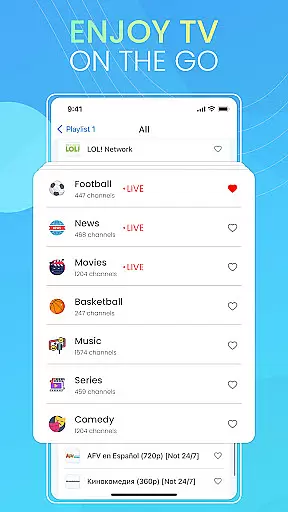
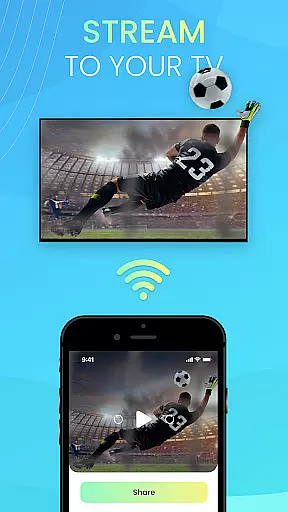
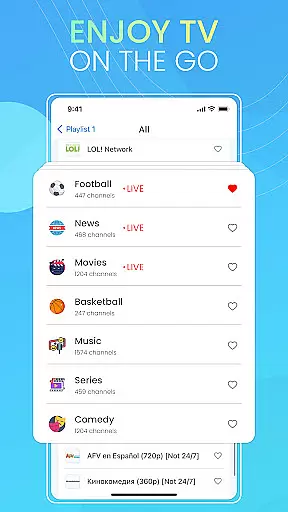
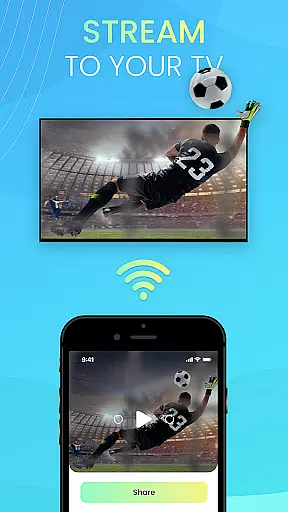
User experience is at the core of this app's design. Its smart filtering options allow quick navigation through personal media libraries, while customizable playlists enable tailored viewing sessions. The app also emphasizes portability—users can stream their content anywhere, anytime. With no ads and complete control over content management, IPTV Smart Player Pro delivers both convenience and performance.
Video format compatibility is a crucial feature for any video player application, ensuring users can enjoy content in various formats without technical barriers. IPTV Smart Player Pro excels in this area by supporting an extensive range of video formats.
This app supports popular formats such as MP4, AVI, and MOV, as well as less common ones like MQV, PLS, and AIFC. This wide compatibility ensures that no matter what type of video file you have, the app can handle it seamlessly.
Users benefit from this comprehensive format support by having the freedom to play videos from different sources without worrying about compatibility issues. Whether it's high-definition movies or simple home recordings, IPTV Smart Player Pro delivers a smooth playback experience.
The inclusion of advanced formats like 4K and live stream IPTV further enhances the app's value, making it a versatile tool for both casual viewers and tech-savvy users who demand high-quality streaming capabilities.
AI-powered editing features represent the cutting edge of video editing technology, allowing users to enhance their videos with minimal effort. While IPTV Smart Player Pro focuses primarily on playback, its intelligent features offer some editing capabilities that improve the viewing experience.
The app includes automatic video quality adjustment based on available bandwidth, ensuring optimal streaming performance. This smart feature analyzes network conditions in real-time and adjusts video resolution accordingly, maintaining smooth playback without manual intervention.
Additionally, the app's intuitive interface incorporates AI-driven organization tools that help users manage their video library efficiently. These tools automatically categorize content and create personalized playlists based on viewing habits.
Although not a full-fledged editing suite, these AI-powered features significantly enhance user experience by streamlining content management and optimizing video playback quality, making IPTV Smart Player Pro a valuable tool for modern digital entertainment needs.
Ad-free experience
Wide format support
High-quality playback
User-friendly interface
Portable streaming
No built-in content
Paid version only
Requires manual setup
Limited beginner guidance
Advanced features may overwhelm new users

Auto video maker with music & exclusive filters. Video editing made simple.
 4.50
4.50
Watch full episodes of your favorite Cartoon Network and Cartoonito shows!
3.50
Snaptubè Video Downloader app allows to download videos and music in Snaptube. .
4.60
Create & edit videos with AI
4.30
Fast video downloader & private browser. Save HD clips to watch offline.
4.40
VLC Remote lets you control your VLC Media Player on Mac, PC or Linux.
4.60
Movie maker & video editing app with AI effects and green screen
4.30
Play and download HD videos from all sources — fast, simple, and all-in-one.
4.1
AI Video Editor:AI Music, Text to Video,Text to Speech,Auto Caption,Video Effect
4.00
Seamlessly connect and control your smart devices, anytime, anywhere with ease.
4.60
?100% FREE! Download & save videos? safely in this app. All formats supported.
4.60
Cast movies, tv shows and live streams to Chromecast, Roku, DLNA, Fire TV & more
4.60
Fast, private downloading, video saving, social media
4.50
This app was created to edit the metadata of music files.
4.20
Stream Web Videos to Chromecast, Samsung, LG, Sony, Roku, Fire TV, DLNA + more
4.00
Connect 2 UVC devices for recording and broadcast video/audio stream
3.90
Capture images & record videos for USB Camera, Webcam, Microscopes, Endoscopes
3.80
Live TV, anywhere in your home
3.80
Download videos easily & play them all in one smart, powerful video manager.
3.40



User Reviews