
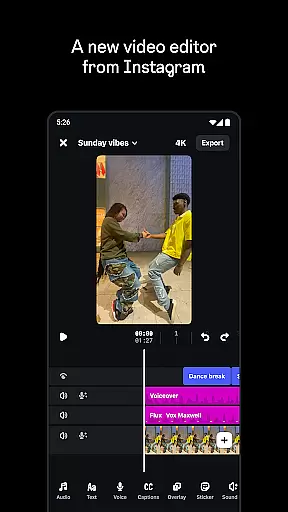
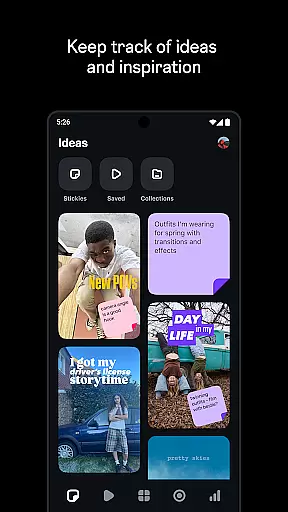
Edits is a powerful mobile video editor designed specifically for content creators who want to produce high-quality videos directly on their smartphones. This app simplifies the creative process by offering an all-in-one platform where users can capture, edit, and export 4K videos without watermarks. It also provides comprehensive tools for managing drafts and finished videos, making it easy to keep track of your projects.
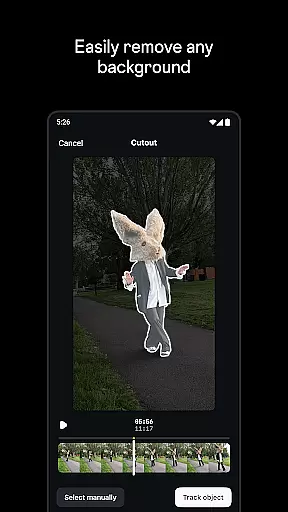
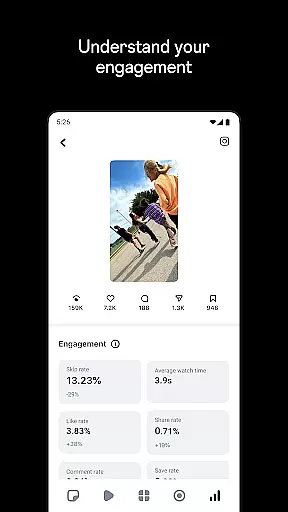
The app stands out with its advanced editing features such as single-frame precision editing, AI animation, green screen effects, and automatic caption generation. These capabilities allow creators to bring their ideas to life with professional-grade results. Additionally, Edits offers a live insights dashboard that helps users understand how their content performs, informing future creative decisions. Whether you're a beginner or an experienced creator, Edits provides everything needed to streamline your video production workflow.
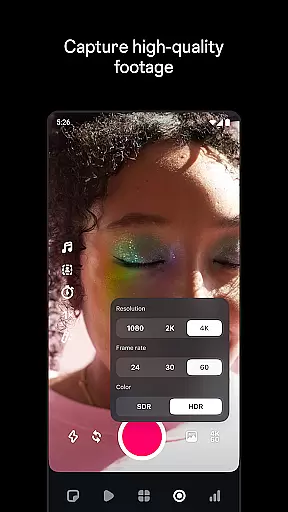
Edits boasts a wide array of features tailored to enhance the video creation process. One of its standout capabilities is the ability to edit videos with single-frame precision, giving creators unparalleled control over their edits. The app also includes advanced camera settings that allow users to adjust resolution, frame rate, and dynamic range, ensuring the best possible quality for every shot. Upgraded flash and zoom controls further refine the filming experience.
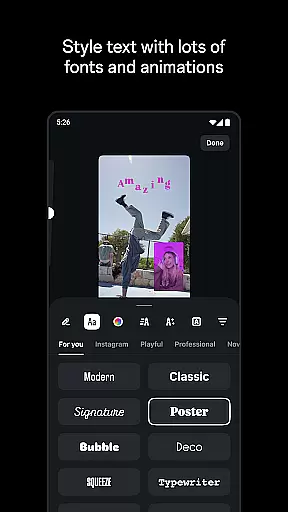
In addition to its robust editing tools, Edits offers creative options like AI animation, green screen effects, and video overlays. Users can choose from a variety of fonts, sound effects, video filters, stickers, and more to personalize their content. The app also features automatic caption generation and audio enhancement tools that make voices clearer while removing background noise. With these features, Edits empowers creators to produce engaging and polished videos that stand out on any platform.
Video format compatibility is crucial for any video editor, and Edits, an Instagram App, excels in this area. The app supports a wide range of video formats, allowing creators to import and export videos without worrying about compatibility issues.
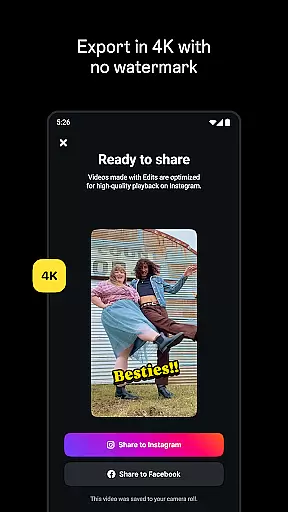
With the capability to export videos in 4K resolution without watermarks, Edits ensures that your creations retain the highest quality possible. This feature is particularly beneficial for creators who wish to share their content across various platforms, maintaining professional-grade quality.
Moreover, Edits simplifies the creative process by enabling users to capture high-quality clips directly within the app, supporting lengths of up to 10 minutes. This seamless integration of capturing and editing features ensures that creators can focus on their content without being hindered by technical limitations.
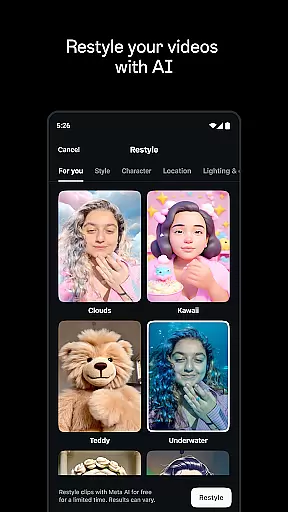
Edits offers powerful AI-powered editing features that significantly enhance the video creation process. One standout feature is the ability to bring images to life through AI animation, providing creators with innovative ways to tell their stories.
In addition to AI animation, Edits includes advanced audio enhancement tools. These tools help make voices clearer and remove unwanted background noise, ensuring that the final video product is polished and professional-sounding.
The app also provides automatic caption generation, which not only saves time but also allows for customization in how captions appear in videos. This feature is invaluable for increasing accessibility and viewer engagement, making Edits a comprehensive tool for modern video creators.
User-friendly interface
Advanced editing tools
High-quality export options
Comprehensive creative features
Live performance insights
Limited to mobile devices
Requires learning curve
Some features may need subscription
Occasional bugs reported
Internet connection required

Video player, file manager for all formats, 4K/HD media player supports subtitle
 4.30
4.30
Auto video maker with music & exclusive filters. Video editing made simple.
4.50
IPTV-Smarters Player Pro M3U - Watch Live Stream TV Channels with Chromecast
4.00
Video Downloader is an utility that can save videos and music from web sites
4.20
Tik & Story Saver-Download ALL social media videos, photos & reels no watermark.
4.80
Create & edit videos with AI
4.30
AirMirror is Receiver for Screen Mirroring and Casting from Apple Devices.
3.60
Video player with 4K & 1080P support, popup play, background play and subtitle.
4.20
convenient, safe and fast at Video Downloader & Player
4.60
An easy-to-use and all-round screen recorder with audio
4.80
Watch a large amount of high-definition short drama content
4.60
Search & download videos from net with all video downloader, auto-detect & safe.
4.60
Support 1000+ Video Format, Subtitle Download, mp3 & Background Play, Cast On TV
4.60
Watch IPTV on your Android device
4.60
Powerful, professional, versatile teleprompter. Developed by an active film crew
4.00
Online Videos Player
3.90
Connect EasyCap or UVC devices for recording and broadcast video/audio stream
3.60
You can play SWF format file!
2.50
The essential companion to your Blue Iris PC software
2.50




User Reviews