
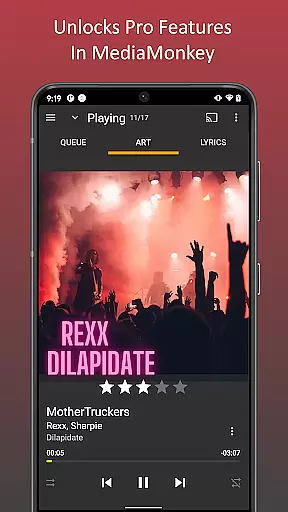
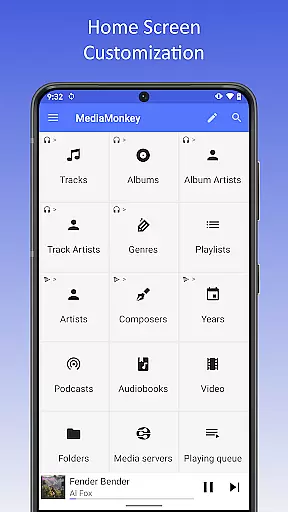
MediaMonkey Pro is a premium music management application designed for serious music collectors who require advanced features and seamless synchronization capabilities. This app serves as an unlock key for the free version of MediaMonkey, enabling users to access exclusive functionalities such as Wi-Fi Sync, UPnP/DLNA support, folder browsing, and a customizable home screen.
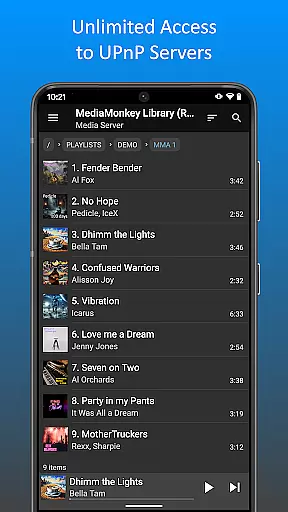
The app's standout feature is its ability to wirelessly sync your device's music library with a Windows PC, including metadata like ratings and play history. Additionally, it allows users to stream or download content from UPnP/DLNA servers, making it ideal for audiophiles who demand flexibility and control over their music collections. Whether you're managing extensive libraries or simply seeking a more personalized music experience, MediaMonkey Pro delivers exceptional value.
MediaMonkey Pro offers a robust set of features tailored for advanced music management. One of its core functionalities is Wi-Fi Sync, which enables users to synchronize their music library, including metadata such as ratings, play counts, and volume levels, between their mobile device and a Windows PC without the need for cables.
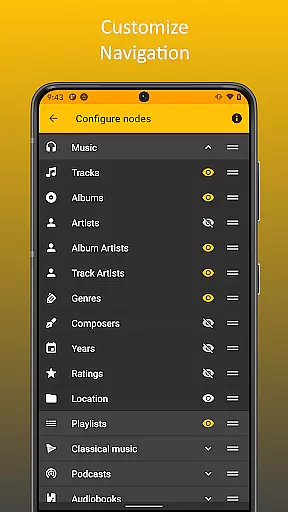
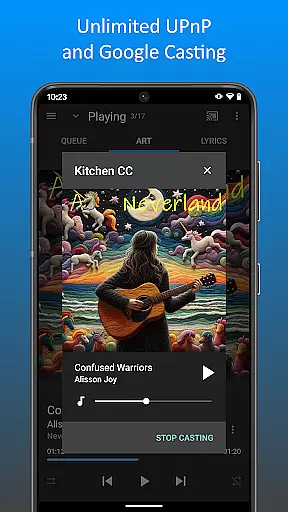
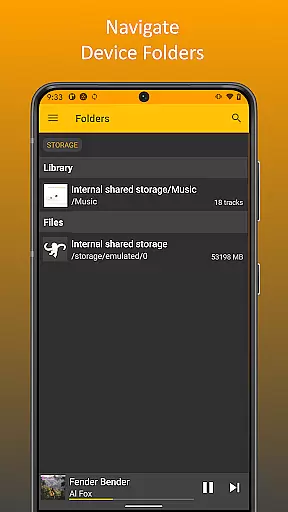
In addition to synchronization, the app supports UPnP/DLNA, allowing users to stream or download multimedia content from compatible servers on their local network. Folder browsing provides another layer of control by letting users navigate their library using the physical file structure. The configurable home screen enhances accessibility by enabling users to customize what content appears upon launching the app. These features collectively make MediaMonkey Pro an indispensable tool for organizing and enjoying large music libraries.
MediaMonkey Pro offers an extensive music library that caters to serious music collectors who require a comprehensive management system. The application allows users to unlock features such as Wi-Fi Sync and UPnP/DLNA, which facilitate the wireless synchronization of your device's library with a Windows PC and enable the playing or downloading of content from UPnP/DLNA servers respectively.
The app ensures copyright authenticity by providing users with the ability to manage their legally acquired music collections effectively. It supports advanced library management features including folder browsing, which lets users navigate their library using the device's physical file hierarchy, ensuring that all files are organized and accounted for.
With MediaMonkey Pro acting as a license to unlock these features in the free MediaMonkey app, users can trust in the integrity of their music collection. This level of detail and organization empowers users to maintain a library that respects copyright laws while offering the tools needed for high-level music curation.
Audio quality is paramount for audiophiles and serious music collectors, and MediaMonkey Pro delivers enhanced audio quality options that meet these high standards. By integrating with the free version of MediaMonkey, the Pro version unlocks features like configurable home screen settings, allowing users to tailor their interface to display high-quality audio formats and other preferred content on the home screen.
In addition to supporting high-quality audio formats, MediaMonkey Pro also provides volume leveling capabilities to ensure a consistent listening experience across different tracks and albums. This feature is crucial for maintaining audio fidelity and preventing jarring volume changes during playback.
By choosing MediaMonkey Pro, users support ongoing development while enjoying a sophisticated suite of tools designed to enhance every aspect of digital music management. These include advanced playback options and superior audio handling, making it an indispensable app for those who demand the best in audio quality.
Advanced sync options
UPnP/DLNA support
Customizable interface
Seamless PC integration
Ideal for large libraries
Requires free version
No standalone use
Windows-only sync
Paid upgrade
Complex for beginners

Offline and always ad-free - stream in the highest quality available.
 4.10
4.10
Listen to live FM radio stations, sports, music and news on global radios online
4.70
Advanced 10-Band Audio Graphic Equalizer Sound Booster Pro
4.30
Bass Booster & Volume Equalizer Pro improves your music and video sound quality
4.60
24,000 free audio books and no ads!
4.90
AI Music Maker: Generate And Compose AI Tunes & AI Songs & AI Music & AI Melody!
4.60
A sleek, no-frills player designed for true music lovers.
4.20
Sing, record, and create music together — enhanced by smart voice tools.
4.00
Customize Your Favorite Songs and Videos with booster.
4.70
Most Advanced AI Song Generator and Music Creator. Rap, Pop, Rock, Gospel & more
4.70
Ultimate Sonos Controller
4.70
Reverse your voice & songs instantly! Fun singing challenge with cool effects.
4.60
Fun & Easy Voice Changer – Record, Edit & Add Hilarious Effects!
4.50
Network/Cloud Streaming, Visualization, Graphic Equalizer and Sound Effects.
4.20
The only true audiophile music player with Hi-Fi audio rendering and DSP engine
3.90
USB audio recording and playback finally possible on Android 3.1 or higher!
3.90
The iconic iOS metronome app is now on Android.
3.70
The Minimalistic Premium Music Player. Handmade with passion for music
2.20
Music Streaming suite for Ampache, Nextcloud Music and compatible backends.
4.2



User Reviews