
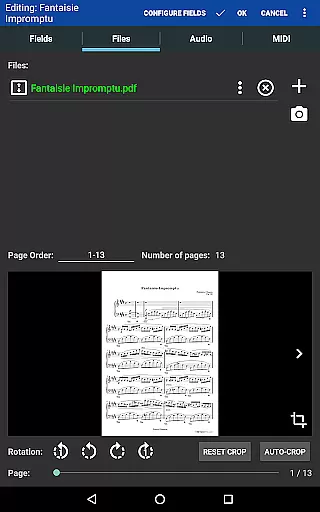
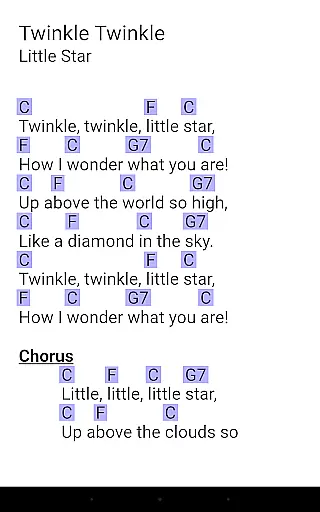
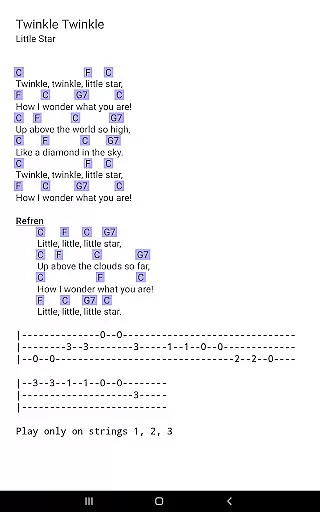
MobileSheets is a premier sheet music viewer designed specifically for Android tablets, offering musicians an efficient and versatile solution for managing their music library. The application eliminates the need to carry bulky books and binders by providing instant access to any score within its library. With support for multiple file types including PDFs, images, text files, and chord pro files, MobileSheets ensures compatibility with a wide range of musical scores.
Beyond basic viewing, MobileSheets boasts a suite of advanced features tailored to enhance the musician's experience. These include hands-free page turning via Bluetooth or USB devices, automatic scrolling, and even face gestures. Additionally, users can annotate their music with freeform drawing tools, shapes, text, and stamps. A custom audio player with A-B looping, bookmarks, link points, and smart buttons further augment the utility of this powerful application.
Designed for 7" and larger tablets, MobileSheets offers a comprehensive library management system with extensive metadata fields, enabling meticulous organization and easy retrieval of musical pieces. Its companion PC application simplifies the creation and editing of songs, while setlists and collections allow for efficient grouping of songs for performances. Whether practicing at home or performing on stage, MobileSheets provides musicians with the freedom and flexibility to focus on their art without being encumbered by physical sheet music.
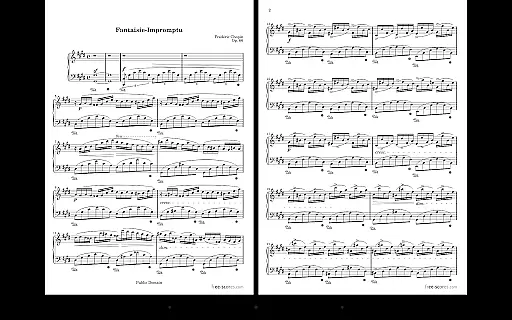
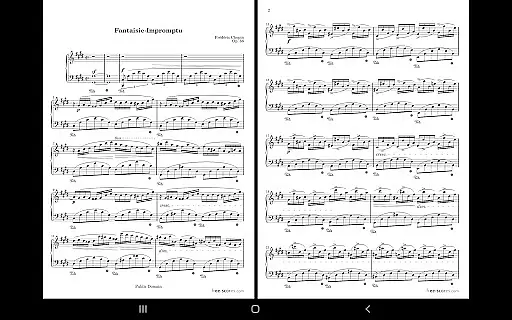
MobileSheets distinguishes itself through a rich array of features that cater to the diverse needs of musicians. One standout feature is the multiple modes of operation, which include two-page side-by-side viewing, half-page turns, and vertically scrolling pages. This flexibility allows users to customize their reading experience according to their preferences and performance requirements. Furthermore, the application supports hands-free page turns using various external devices, automatic scrolling, and innovative face gesture controls such as smiling or opening the mouth, ensuring uninterrupted play during performances.
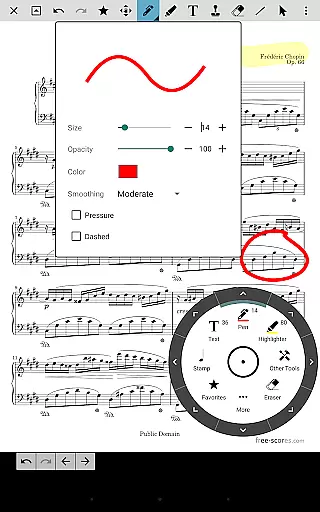
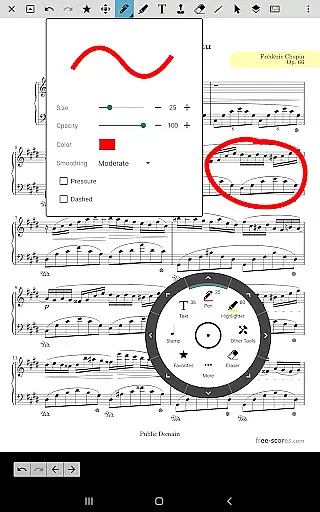
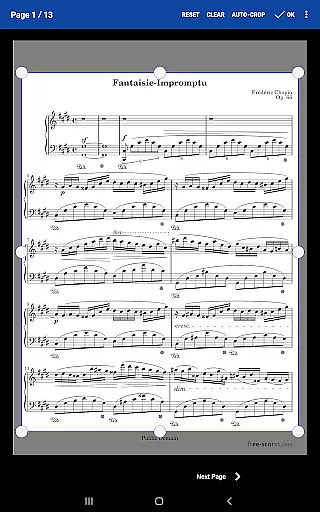
The annotation capabilities of MobileSheets are particularly robust, providing users with tools for freeform drawing, adding basic shapes, inserting text, and applying stamps to their scores. This functionality enables musicians to personalize their sheet music with notes, highlights, and other markings that aid in practice and performance. Another notable feature is the custom audio player, which supports A-B looping and multiple sizes, allowing users to synchronize audio tracks with their scores seamlessly.
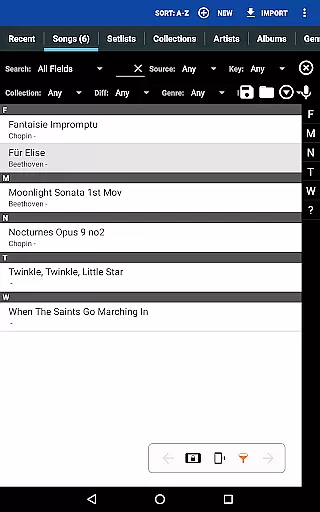
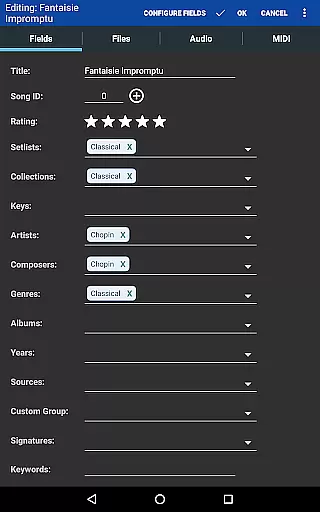
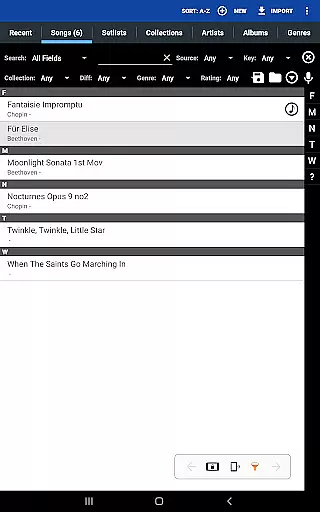
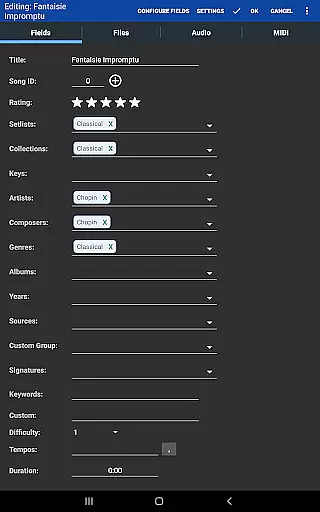
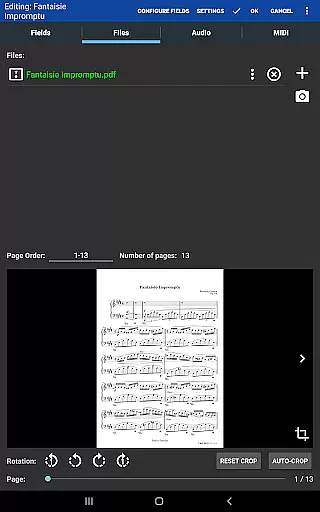
Library management in MobileSheets is both powerful and intuitive, thanks to its extensive list of supported metadata fields. Users can organize their music library with precision, tagging files with relevant information for quick and easy access. The application also facilitates the creation of setlists and collections, making it simple to group songs for specific performances or practice sessions. Moreover, the ability to communicate with MIDI devices over USB adds another layer of versatility, enabling users to load songs or trigger actions directly from their instruments. Overall, these features combine to create a comprehensive and user-friendly environment for musicians to manage and interact with their sheet music.
MobileSheets offers an extensive music library management system that supports a wide range of file types including PDFs, images, text files, and chord pro files. This versatility allows musicians to digitize their entire music collection, making it accessible from a single platform.
The application ensures copyright authenticity by allowing users to import only legally acquired sheet music. It provides tools for organizing these files with metadata fields, ensuring proper cataloging and easy retrieval. Users can create detailed indexes using CSV files, which is particularly useful for managing large songbooks or collections.
With its powerful library management features, MobileSheets gives musicians complete control over their digital music repository. The ability to sort and categorize scores not only enhances productivity but also respects the intellectual property rights of composers and publishers.
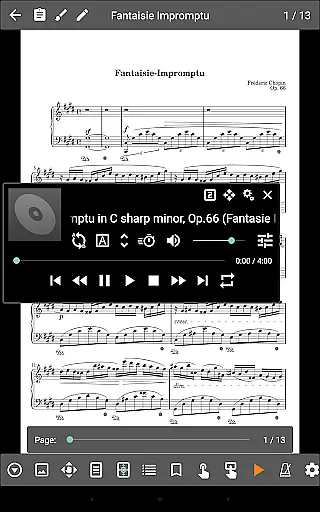
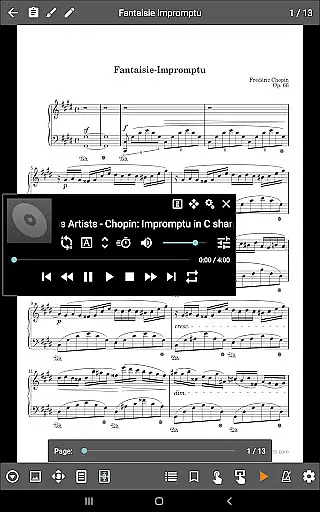
While MobileSheets primarily focuses on sheet music management, it also includes a custom audio player designed specifically for musicians. This feature supports high-quality audio playback with A-B looping functionality, enabling precise practice sessions and performance preparation.
The application offers multiple audio player sizes, allowing users to adjust the interface according to their needs. This flexibility ensures that musicians can maintain focus on their sheet music while still having access to essential audio controls. The player supports various audio formats, providing compatibility with different types of audio files commonly used in musical practice.
Although MobileSheets doesn't generate audio from PDFs or images, its integration of audio playback with sheet music viewing creates a comprehensive practice environment. This combination of visual and auditory elements helps musicians develop better timing and interpretation skills.
User-friendly interface
Extensive file compatibility
Advanced annotation tools
Hands-free page turning options
Powerful library management
No built-in playback for PDFs
Limited to Android tablets
Companion app not included
Requires manual setup for existing files
Some features need external devices

Your HD audio recorder on the go for music, meetings, ambience, animal sounds…
 4.30
4.30
DJ Music Mixer Pro is a real DJ controllers and DJ Music Studio to remix DJ.
4.40
Powerful beat maker & DJ mixer to remix tracks, make music, & perform DJ mix
3.70
Enhance the sound quality of your devices, listen to what you want
4.50
Network/Cloud Streaming, Visualization, Graphic Equalizer and Sound Effects.
4.20
Next generation modular control surface
4.10
Help you quickly get started with Shokz headphones
4.40
Offline Music Player & MP3 Player.Powerful equalizer, Lyrics, Themes, Tag Editor
4.80
Manage your Sonos system directly from your home-screen!
4.40
Your song collections with lyrics and chords on Android smartphones and tablets.
4.80
Performance-Synthesizer & Multi-Track-Sequencer, polyphonic + multi timbral!
4.70
Record, Mix & Master with all n-Track effects, 64-bit audio and Stem Separation.
4.70
Unleash your creativity! Turn simple prompts into full fledged songs.
4.70
Reverse your voice & songs instantly! Fun singing challenge with cool effects.
4.60
A synth that really lets you shape your sounds!
4.50
Offline and always ad-free - stream in the highest quality available.
4.10
VB-AUDIO Software / VBAN-Receptor allows listening to any VBAN Streams
4.10
Background pads for your band
3.80
Learn to play the piano using falling notes!
3.80



User Reviews