
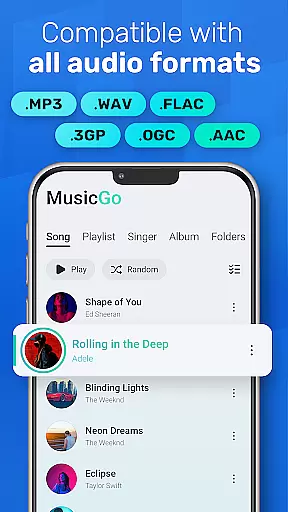
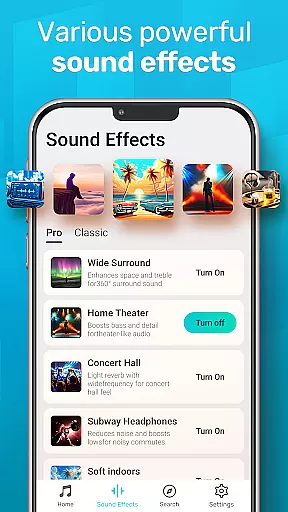
MusicGo is a versatile offline music player app designed for audiophiles who demand both quality and functionality. Supporting all major audio formats including MP3, FLAC, WAV, and AAC, it ensures optimal sound delivery across devices. The app stands out with its 20+ built-in equalizer presets tailored for various music genres, enhancing the listening experience with customizable bass boosts and reverb effects.
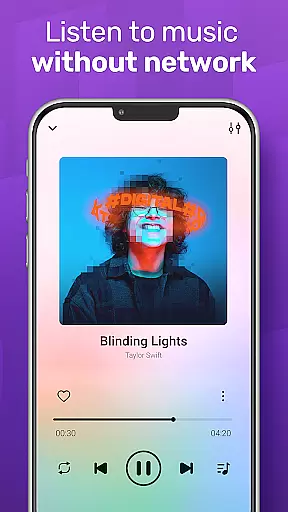
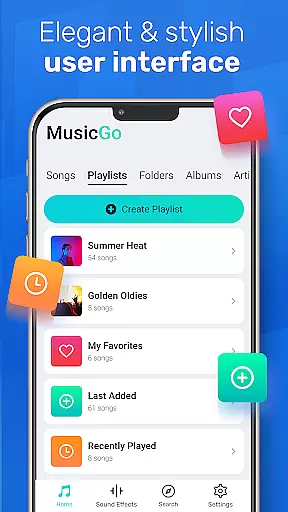
Beyond its powerful audio capabilities, MusicGo offers an elegant user interface that combines aesthetics with usability. Users can personalize their experience through color themes and player designs, making it adaptable to individual preferences. Whether you're commuting or relaxing at home, MusicGo provides seamless playback even in offline mode, ensuring your favorite tunes are always within reach.
MusicGo distinguishes itself through a robust set of features designed to elevate the music listening experience. One standout feature is its comprehensive format support, accommodating popular audio types such as MP3, FLAC, WAV, MIDI, AAC, and APE. This compatibility ensures users can enjoy high-quality playback regardless of file type, eliminating the frustration of unsupported formats.
The app also includes advanced equalizer settings with over 20 presets, catering to diverse musical tastes. From classical compositions to energetic rock tracks, these presets allow users to fine-tune audio output according to genre-specific requirements. Additionally, smart auto-playlists like 'Most Played' and 'Recently Played' simplify music management while offering dynamic ways to rediscover favorite tracks. With background playback support and Bluetooth connectivity, MusicGo guarantees uninterrupted enjoyment in any setting.
MusicGo offers an extensive music library that supports all major audio formats including MP3, FLAC, WAV, MIDI, AAC, and APE. This ensures users have access to a wide variety of music options without worrying about format compatibility.
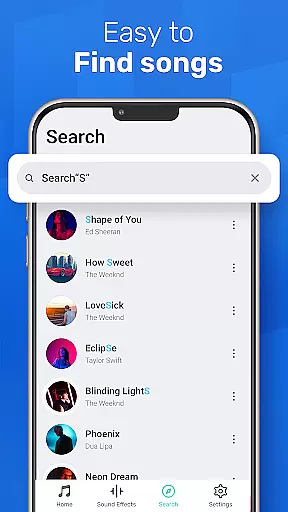
The application's deep scanning feature automatically refreshes the music library, allowing users to manage their files efficiently while ensuring that every song is accounted for and available for playback.
While MusicGo does not directly address copyright authenticity, its comprehensive format support and ability to organize music by playlists, albums, and artists ensure that users can enjoy their legally acquired music collection seamlessly.
With over 20 built-in equalizer presets, MusicGo provides exceptional sound quality tailored to various music genres such as classical, dance, folk, and rock. Users can enhance their listening experience with bass boosts and reverb effects, customizing the audio output to match their personal preferences.
The app's cutting-edge audio technology elevates the overall listening experience, making it a top choice for audiophiles who demand high-quality sound reproduction from their mobile devices.
In addition to its powerful equalizer, MusicGo supports high-definition audio formats, ensuring that every track delivers optimal quality. Whether using Bluetooth or wired headphones, listeners can enjoy crystal-clear playback with minimal distortion.
User-friendly interface
Extensive format support
Powerful equalizer options
Offline playback capability
Customizable themes
Limited social sharing
No cloud integration
Occasional bugs
Ads in free version
Heavy on storage

Simply convert wav to mp3. Clear. Reliable. Safe.
 4.1
4.1
Time Guru will strengthen your internal sense of musical time via random muting.
4.30
Time Trainer: accurate metronome w tools to help you develop your internal time!
4.20
VB-AUDIO Software / VBAN-Receptor allows listening to any VBAN Streams
4.10
The ultimate media player for Android devices
3.90
AI Music Maker: Generate And Compose AI Tunes & AI Songs & AI Music & AI Melody!
4.60
Make songs with AI! Any genre, custom lyric, song generator for music creation!
4.80
The Minimalistic Premium Music Player. Handmade with passion for music
2.20
Reverse your voice & songs instantly! Fun singing challenge with cool effects.
4.60
24,000 free audio books and no ads!
4.90
Performance-Synthesizer & Multi-Track-Sequencer, polyphonic + multi timbral!
4.70
Over 100 million tracks available for high quality streaming and download
4.60
Pay Once, no monthly payment
4.60
Enhance the sound quality of your devices, listen to what you want
4.50
Visualize the guitar fretboard, master scales & play through changes like a pro!
4.50
Advanced 10-Band Audio Graphic Equalizer Sound Booster Pro
4.30
Smart piano keyboard, Classical to Pop, Real-time multiplayer connection!
4.20
Learn to play the piano using falling notes!
3.80
Simple mp3 and mp4 player with advanced features.
3.40



User Reviews