
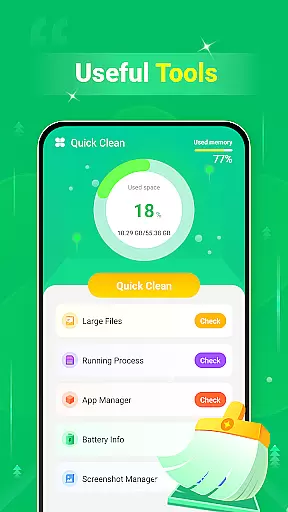
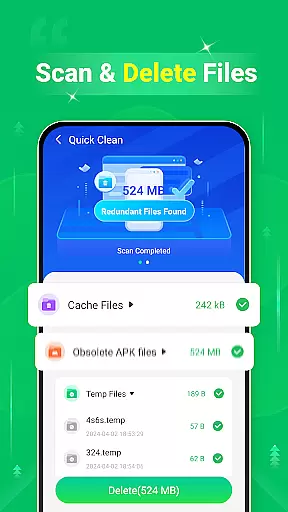
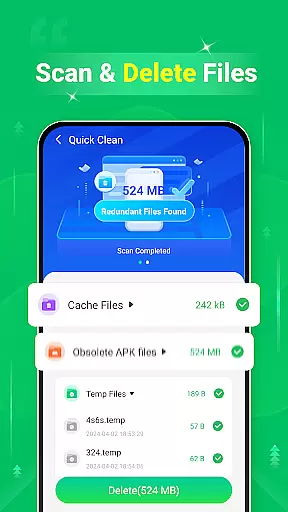
Quick Clean - Space Cleaner is a powerful tool designed to optimize device storage and enhance performance. This application specializes in scanning and removing unnecessary files that accumulate over time, including cache, log, and temporary files. With its intuitive interface, users can easily identify and delete redundant data, freeing up valuable space on their devices.
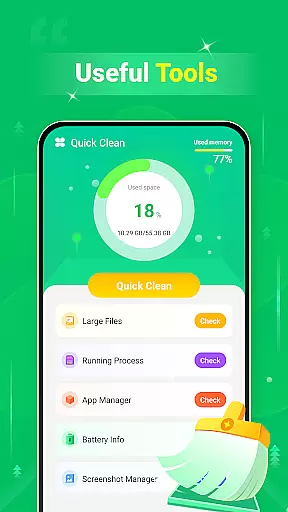
In addition to file cleanup, the app offers functionality for managing large files and screenshots. Users can conveniently locate and remove sizable files that consume significant storage space. The screenshot management feature allows for easy review and deletion of unwanted captures. Furthermore, the app provides essential battery information, helping users monitor their device's power status while maintaining optimal performance.
This tool proves especially beneficial for individuals seeking to maximize their device's storage capacity and maintain efficient operation. Whether you're a casual user or someone who frequently downloads media and apps, Quick Clean - Space Cleaner delivers practical solutions for keeping your device clutter-free and running smoothly.
Quick Clean - Space Cleaner stands out with its comprehensive set of features tailored for device optimization. One of its primary capabilities is the ability to scan and delete various types of redundant files. These include cache files generated by applications, log files created during system operations, and temporary files used for short-term processes. By removing these unnecessary files, users can reclaim substantial amounts of storage space.
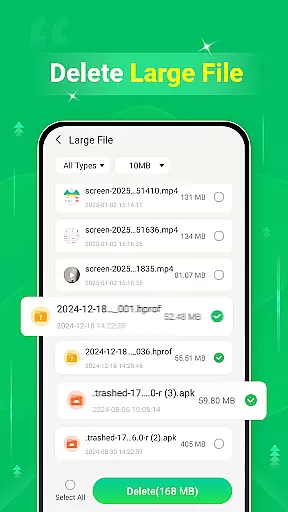
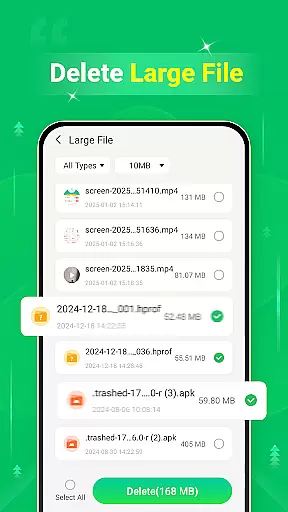
The application also excels in managing large files and screenshots. Its dedicated scanner identifies sizable files that may be forgotten or overlooked, enabling users to make informed decisions about their removal. Additionally, the screenshot management tool simplifies the process of reviewing and deleting captured images, particularly useful for those who frequently capture screen content. Another notable feature is the battery information display, which presents key details about the device's power status.
These features collectively contribute to a more organized and efficient device experience. By providing tools for comprehensive file management and system monitoring, Quick Clean - Space Cleaner empowers users to maintain optimal device performance while ensuring they have adequate storage space for their digital needs.
Quick Clean - Space Cleaner is designed to provide users with accurate and effective tools for managing their device's storage space. The app meticulously scans various types of redundant files, including cache, log, and temp files, ensuring that no unnecessary data takes up valuable space on your device.
The functionality extends to identifying and removing large files that are often overlooked by users. This feature not only helps in freeing up space but also aids in organizing the device's storage more efficiently. By providing detailed insights into what types of files are occupying space, Quick Clean empowers users to make informed decisions about which files to keep or delete.
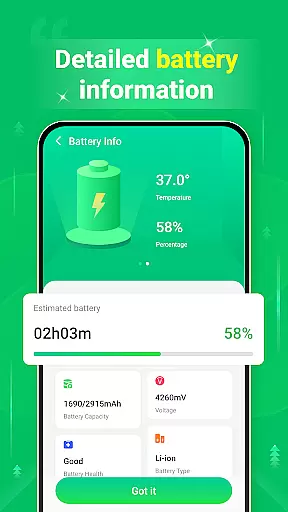
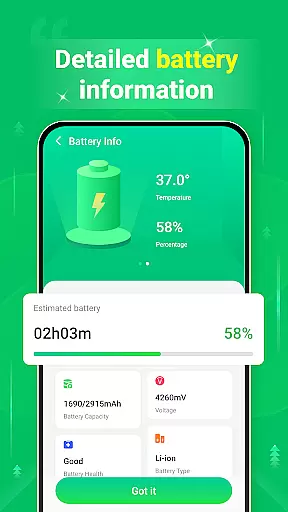
In addition to file management, the app offers battery information features, displaying essential details about your device's battery status. This allows users to understand how different apps and processes impact battery life, enabling them to optimize their device usage accordingly.
Overall, Quick Clean - Space Cleaner stands out through its comprehensive approach to device optimization, combining multiple functions that collectively enhance the user experience by maintaining both storage and battery health.
A standout aspect of Quick Clean - Space Cleaner is its commitment to interface simplicity and intuitiveness. The app ensures that even users who aren't tech-savvy can navigate and utilize its features without any hassle. With a clean layout and straightforward controls, it simplifies the process of scanning and deleting unwanted files.
The design prioritizes ease of use, offering clear options for each type of file you might want to remove. Whether it's cache, log, temp files, or large files, each category is easily accessible from the main screen, allowing users to quickly identify and manage their storage needs.
Moreover, the inclusion of a dedicated section for battery information adds another layer of convenience. Users can check their battery status at a glance, making it easier to adjust settings or close apps that may be draining power too quickly.
By focusing on an intuitive interface, Quick Clean - Space Cleaner ensures that all users, regardless of technical expertise, can maintain optimal device performance effortlessly.
User-friendly interface
Comprehensive file scanning
Effective storage optimization
Convenient screenshot management
Helpful battery monitoring
Limited advanced features
No cloud backup option
Basic UI design
Occasional scanning delays
Ads in free version

A powerful, easy-to-use flight computer on your phone or tablet!
 3.80
3.80
Clean the junk files on your device
3.40
App that Recover your pictures, videos or files after you delete them.
4.20
MS-DOS in your pocket. Play old DOS games anywhere you are ;)
4.10
Mirror your screen to Chromecast and Android TV - Super fast and simple
4.60
Planner and Tracker for Stardew Valley
4.60
Connect wirelessly to your computer to watch movies, browse the web, play games
5.00
Introducing Smart Printer, your ultimate destination for printing solutions!
4.00
Mobile Security with Scam Protection | Malware & Virus Cleaner | Safe Browser
4.70
Excellent scientific calculator with symbolic algebra, integrals, derivatives
4.80
Bedrock Together: Join any bedrock server on Xbox/PS
4.80
Optimize your WiFi network, turn your phone into Wifi Analyzer
4.70
The Ultimate Bluetooth Keyboard & Mouse. Securely control your PC, Mac, and more
4.50
Forza Tuning Calculator App for Forza Horizon 5, Motorsport and Earlier Titles
4.40
Mirror your screen to Fire TV - Super fast and simple
4.40
Clean up large files and similar photos, fast and easy to use
4.40
Screen Mirroring with sound for Samsung TV, LG TV, Sony TV, Smart TV and Browser
4.20
View detailed information about your Nissan Leaf the dealer never shows you.
4.10
Safely recover deleted photos, videos, and files with a single easy tap.
3.70



User Reviews