
Shoom is an innovative AI music maker and lyric writer that empowers users to create music anytime, anywhere. This Music & Audio app incorporates advanced AI technology capable of understanding diverse music genres, instruments, and vocals, transforming creative ideas into fully-fledged songs. Whether you're a beginner or a seasoned musician, Shoom offers personalized music generation tailored to your preferences.
The app's standout feature is its ability to generate AI rap, pop, rock, or ambient sounds by simply describing the vibe and genre. It also includes an easy-to-use storage and sharing system, allowing users to organize their creations and share them with others. Shoom serves as a source of inspiration, helping users overcome creative barriers and broaden their musical horizons.
With its user-friendly interface and cutting-edge tools like the AI lyric generator, Shoom makes music production accessible to everyone. The app is perfect for those looking to experiment with new sounds or aspiring to advance their music production skills. By subscribing to Shoom Premium, users can unlock advanced features and generate additional AI music and songs.
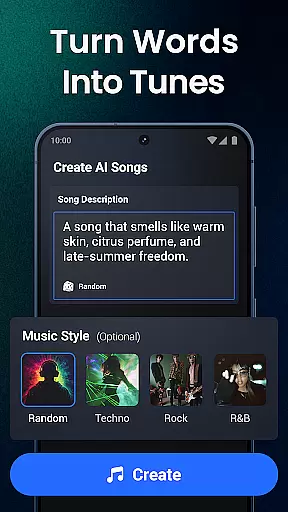
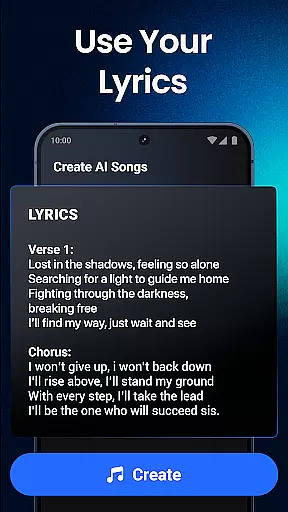
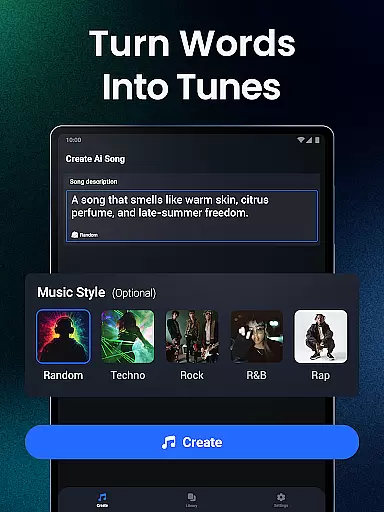
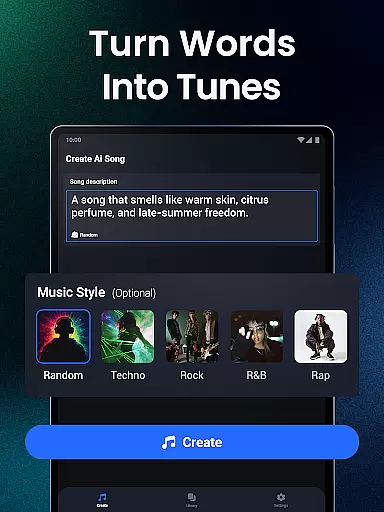
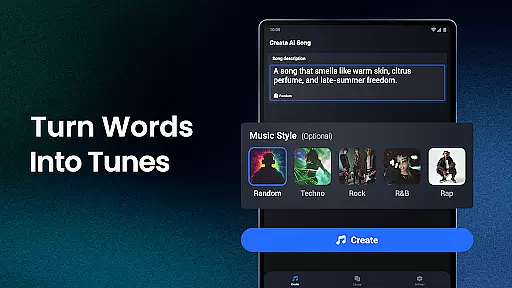
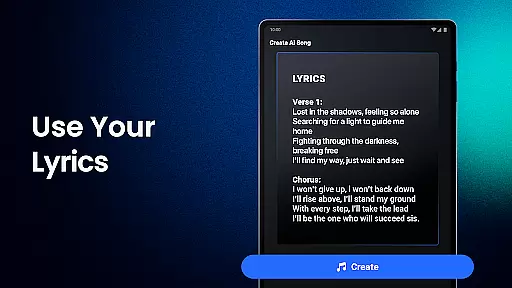
Shoom stands out in the Music & Audio category through its innovative use of AI technology. The app's AI music generator understands various music genres, instruments, and vocals, enabling it to transform simple inputs into complete tracks. Users can describe their desired mood and style, input lyrics manually, or generate them using the built-in lyric generator.
One of the key features is the personalized AI music generation, which tailors tracks to individual preferences. Whether creating from scratch or refining existing ideas, Shoom uses advanced music AI technology to match the user's style seamlessly. The app supports multiple genres including AI rap, pop, rock, and classical pieces.
Shoom also provides practical features such as easy storage and sharing capabilities. Users can organize their music creations within the app and share them with others effortlessly. Additionally, the app helps overcome creative barriers by offering inspirational content and broadening musical horizons. These comprehensive features make Shoom an essential tool for both amateur and professional musicians.
Shoom offers an extensive music library that caters to a wide range of genres and styles, ensuring users have access to diverse musical content. This vast library is not just about quantity; it's also about quality and legality. Every track in Shoom's collection is verified for copyright authenticity, providing peace of mind for creators who wish to use these tracks in their projects.
The app leverages advanced AI technology to generate music across various genres including pop, rock, classical, and even niche categories like AI rap. This ensures that whether you're crafting serene melodies or dynamic anthems, Shoom has the right sound for you. The AI song generator can seamlessly create music that matches your style and mood, making it an invaluable tool for both amateur and professional musicians.
For users, this means they can experiment with different sounds and styles without worrying about infringing on copyrights. The assurance of copyright authenticity allows artists to focus on their creativity and innovation, pushing the boundaries of music production. With Shoom, musicians can confidently share their creations, knowing they are built on a foundation of legally sound and high-quality audio content.
Audio quality is paramount when producing music, and Shoom excels in offering top-notch audio quality options. The app supports various audio formats and provides multiple quality settings, allowing users to choose the best option for their specific needs. Whether you require high-fidelity sound for professional projects or smaller file sizes for quick sharing, Shoom has you covered.
Shoom's AI-powered features ensure that regardless of the chosen format or quality setting, the output remains crisp and clear. Advanced algorithms work behind the scenes to maintain the integrity of the sound, preserving nuances that might otherwise be lost in compression. This attention to detail makes Shoom an essential tool for anyone serious about music production.
Moreover, the ability to adjust audio quality settings empowers users to optimize their workflow. Musicians can quickly toggle between different levels of fidelity during the creative process, ensuring that their final product meets the highest standards. By prioritizing audio quality, Shoom enables artists to deliver exceptional listening experiences, enhancing their reputation and reach within the music community.
User-friendly interface
Advanced AI technology
Multiple genre support
Easy sharing options
Inspirational content
Premium subscription required
Limited free features
Occasional bugs
Internet connection needed
Learning curve for beginners

 4.70
4.70
Gorgeous UI, Powerful music Search and Equalizer, the great choice for you!
4.70
More downloads than any other metronome. Includes drum machine & tempo trainer.
4.80
Brian Eno and Peter Chilvers’ acclaimed music app Bloom, radically reinvented.
4.80
Offline Music Player & MP3 Player.Powerful equalizer, Lyrics, Themes, Tag Editor
4.80
The Minimalistic Premium Music Player. Handmade with passion for music
2.20
Offline Tunes, Unlimited Vibes
3.90
Reverse your voice & songs instantly! Fun singing challenge with cool effects.
4.60
Turn Every Moment into Music
3.60
Full-featured, High-Quality Groovebox Workstation, perfect for Live Performance!
4.80
Simple & Intuitive Metronome
4.70
Taal player that lets you sing any Indian & Western song with Tabla & Tanpura
4.60
Ringtone Maker is free app create ringtone from music files or your recording.
4.40
Time Guru will strengthen your internal sense of musical time via random muting.
4.30
Versatile MP3 recorder with auto-backup to Dropbox and Google Drive
4.10
Background pads for your band
3.80
The Cubase remote control app
3.60
The Skullcandy App Experience
3.20
Make music anywhere. Turn your device into an instrument.
4.3






















User Reviews