
BuzzKill Notification Manager is a powerful notification management tool designed specifically for Android users. This app allows you to take complete control of your notifications by filtering out unnecessary alerts while ensuring you receive the important ones at the right time. With its innovative features, BuzzKill transforms how you interact with your device's notifications.
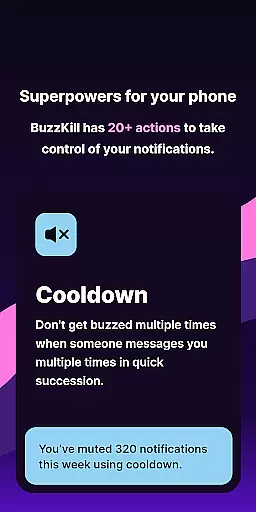
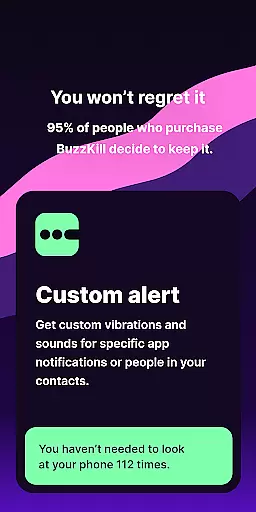
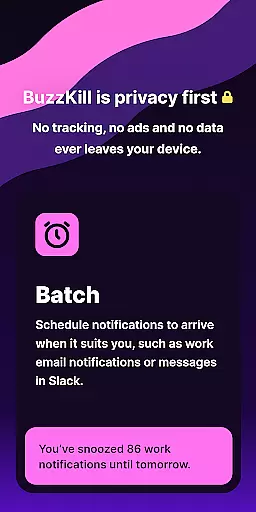
Key functionalities include Cooldown to prevent repeated buzzes from the same sender, Custom Alerts for personalized sounds or vibration patterns, and Dismiss options to automatically clear unwanted notifications. Additionally, it offers unique capabilities like Snooze for batched notifications, Secret to hide sensitive content, and Alarm for urgent alerts. BuzzKill also integrates seamlessly with Wear OS devices, extending its utility to smartwatches.
The app is particularly useful in professional environments where managing distractions is crucial. By allowing users to customize their notification experience without compromising privacy, BuzzKill ensures that your data never leaves your device, making it a secure choice for notification management.
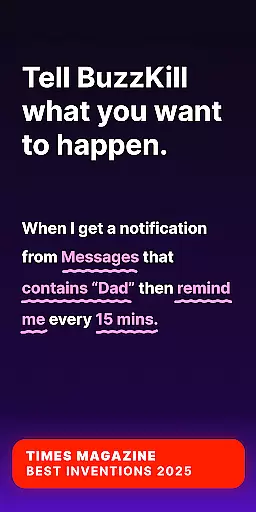
BuzzKill stands out with its comprehensive suite of notification management features tailored for both smartphones and Wear OS devices. One of its core strengths is the ability to create highly customized notification rules. For instance, users can set up cooldown periods to avoid multiple alerts from the same sender, or establish custom alert patterns for specific contacts or keywords.
The app also includes automation features powered by an optional Accessibility Service API. This allows BuzzKill to perform actions like automatically dismissing notifications or tapping buttons within them. Another notable feature is the Remind Me function, which continues to notify users until they acknowledge important alerts. The companion Wear OS app extends these capabilities to smartwatches, enabling synchronized notification actions across devices.
What sets BuzzKill apart is its commitment to privacy and security. Unlike most apps, it operates entirely offline, ensuring that no user data is ever transmitted or stored externally. This makes it an ideal solution for users who prioritize data protection while seeking advanced notification management capabilities.
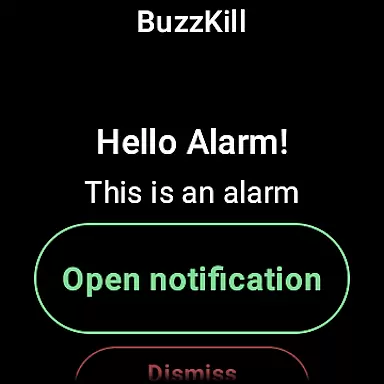
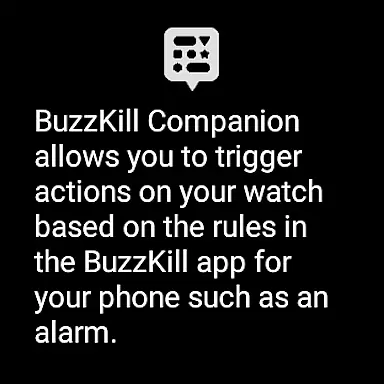
BuzzKill's companion app integration is a standout feature for users who want seamless connectivity between their mobile devices and Wear OS smartwatches. This integration allows specific actions to be triggered on the watch based on rules set up on the phone, ensuring that important notifications are never missed.
The system works by syncing notification rules from the BuzzKill app on your phone to the companion app on your Wear OS device. For instance, if you create an alarm rule for security notifications on your phone, the same alert can appear on your smartwatch, providing real-time updates no matter where you are.
This functionality enhances user convenience by centralizing notification management across multiple devices. Whether you're at work or on the go, having these alerts on your wrist ensures you stay informed without needing to constantly check your phone.
Moreover, this integration maintains BuzzKill's commitment to privacy and security. No data leaves your devices, and all processing happens locally, giving users peace of mind while enjoying the benefits of cross-device functionality.
BuzzKill offers extensive compatibility with Wear OS devices, making it a versatile tool for managing notifications on both your phone and smartwatch. The app supports a wide range of Wear OS devices, ensuring that most users can take advantage of its powerful features without worrying about device limitations.
One of the key aspects of BuzzKill's compatibility is its ability to function independently on Wear OS. While it works best when paired with the phone app, the companion app can still offer basic functionalities, allowing users to manage notifications directly from their smartwatch.
In addition to supporting various devices, BuzzKill also integrates smoothly with different versions of Wear OS. This ensures that whether you have the latest model or an older version, you can rely on BuzzKill to deliver consistent performance and reliability.
Overall, BuzzKill's commitment to broad device compatibility underscores its dedication to providing a comprehensive and user-friendly notification management solution for all Wear OS users.
Highly customizable
Privacy-focused design
Wear OS integration
Offline functionality
Comprehensive rule options
No free trial available
Limited call customization
Requires manual setup
Premium price point
Complex for beginners

Animated Watch Face and Customizable with 24 Backgrounds. Perfect for Christmas!
 3.90
3.90
Christmas is near, let's count together the days left until Santa comes
4.5
MyNISSAN® lets you remotely control your car from your phone.*
4.50
Simple Analog-Digital Watchface For Wear OS 3.0 and Up Smartwatches
4.4
A modern premium sporty hybrid watch face for Wear OS by Ballozi
4.70
Sleek, highly customizable watch face inspired by Galaxy Watch Circle Dashboard.
4.5
The most customizable hybrid watch face. For Wear OS 5.0, API 34+ and later
4.70
Simple, helpful messaging by Google
4.60
Control your Samsung Smart TVs, appliances, and SmartThings-compatible devices
4.60
Be an elegant and classy secret agent, with this carefully detailed watch face
4.70
Stylish, Energizing and Modern Watch Face crafted by Dominus Mathias.
4.50
Bold weather Digital watchface with forecast & optional animated background
4.40
Christmas watch face. For Wear OS devices.
4.30
Calming & relaxing sounds for sleeping and stress relief. Stay focused all day!
4.20
Daily Weather forecast with 15 weather images for Day & Night plus Big Bold time
4.10
Structured watch face with seven complications and modular UI elements
3.90
Professional weather radar and more
3.90
Authentic military-tactical design with ZULU time! Realistic and functional!
3.80
Stunning modern digital watch face with 7 complications and strong contrast
4.1



User Reviews