
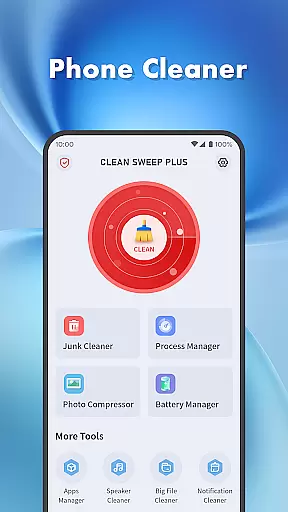
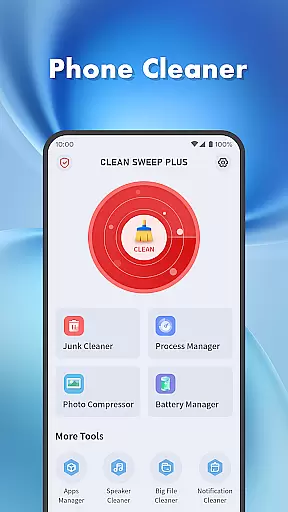
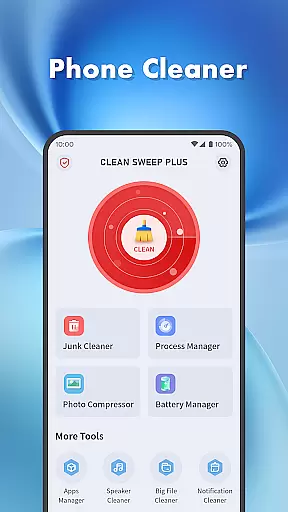
Clean Sweep Plus is a comprehensive mobile device management tool designed to optimize your phone's performance. The app focuses on four key areas: basic device management, app and process management, battery status monitoring, and additional utility tools.
For daily maintenance, it offers junk file cleaning, large file management, photo compression, and notification clearing. It also provides robust features for app uninstallation and background process monitoring. The battery management center gives users detailed insights into their device's power consumption. Additional tools like the speaker cleaner add extra convenience.
This application is particularly useful for users who want to maintain optimal device performance while managing storage space efficiently. Its intuitive interface and practical features make it an essential tool for both casual and power users.
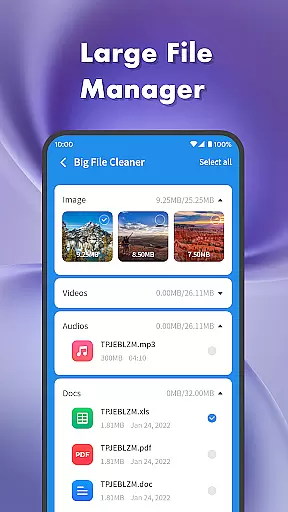
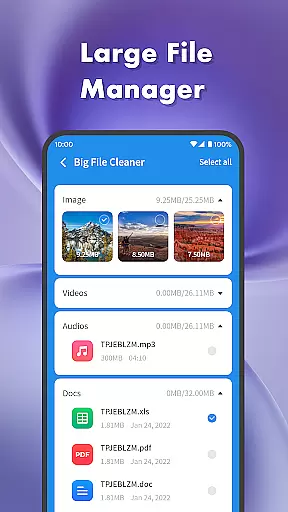
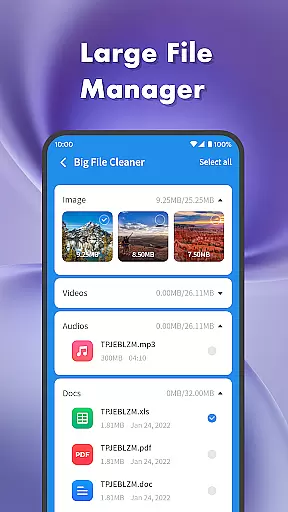
Clean Sweep Plus stands out with its diverse feature set tailored for efficient phone management. The app's junk cleaner and large file manager help users reclaim valuable storage space by identifying and removing unnecessary files.
The app manager simplifies the process of uninstalling infrequently used applications, while the process manager allows users to monitor and control background processes. These features contribute to better device performance and responsiveness.
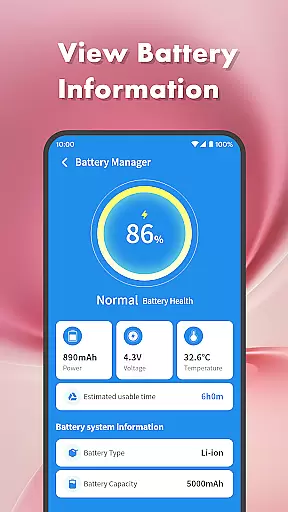
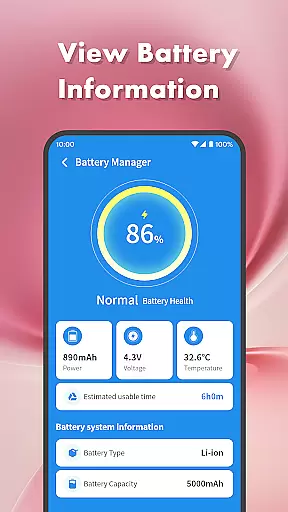
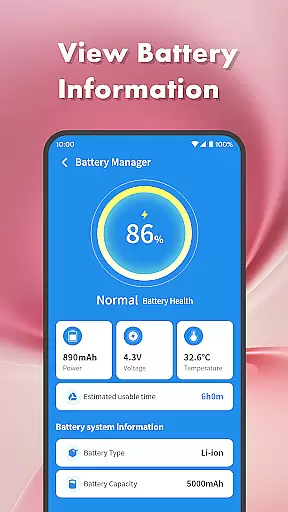
One of the app's unique aspects is its comprehensive battery management center, which provides detailed information about battery health and usage patterns. The inclusion of practical tools like photo compression and speaker cleaner demonstrates the developer's attention to covering various aspects of device maintenance.
When it comes to mobile device management tools, the accuracy and effectiveness of core functions are paramount. Clean Sweep Plus excels in this area by offering a comprehensive suite of features designed to optimize your phone's performance.
The app's Junk Cleaner precisely identifies unnecessary files, while the Large File Manager helps you locate space-consuming media. Its App Manager provides clear information about installed applications, making it easy to remove those you no longer need. The Battery Management Center delivers accurate readings of your battery's status, including remaining capacity and estimated usage time.
What sets Clean Sweep Plus apart is how these tools work together seamlessly. Each feature has been carefully developed to ensure maximum efficiency without compromising your device's stability or speed. This means you can trust that when you use Clean Sweep Plus to manage your phone, every action will yield the intended result.
For users seeking a reliable toolset for maintaining their Android device, Clean Sweep Plus offers peace of mind through its proven track record of delivering precise and effective solutions for common phone management challenges.
In the realm of mobile utility applications, having an interface that is both simple and intuitive can significantly enhance user experience. Clean Sweep Plus achieves this by providing a clean layout where each tool is easily accessible and straightforward to use.
Upon opening the app, users are greeted with a well-organized dashboard that categorizes different management tools into distinct sections. Whether you're looking to clean junk files, manage apps, or check battery status, each function is just a tap away. The design philosophy behind Clean Sweep Plus emphasizes clarity; every button and menu option serves a clear purpose without overwhelming the user with unnecessary complexity.
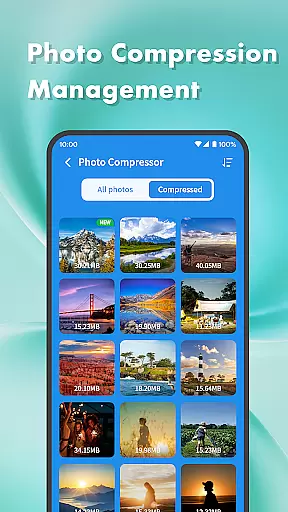
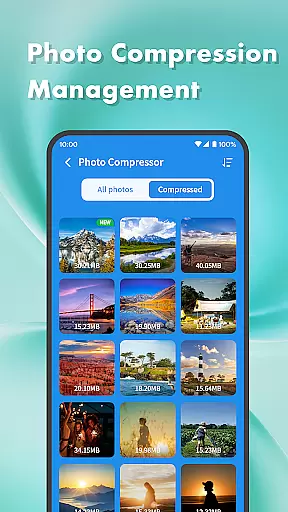
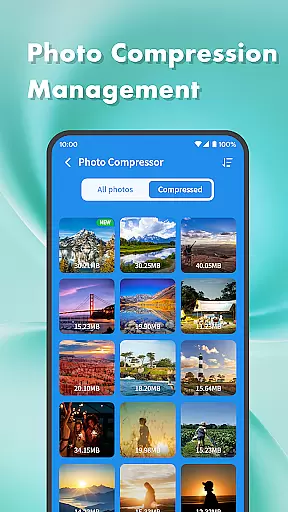
This thoughtful arrangement extends to individual features as well. For instance, when using the Photo Compression tool or Notification Cleaner, settings are presented in a manner that makes customization effortless. Even those who may not be tech-savvy will find themselves navigating through Clean Sweep Plus with ease.
Ultimately, Clean Sweep Plus demonstrates that powerful functionality does not have to come at the expense of usability. By prioritizing interface simplicity and intuitive navigation paths, it ensures that all users can take full advantage of its capabilities regardless of their technical background.
User-friendly interface
Comprehensive cleaning tools
Effective battery monitoring
Intuitive app management
Practical utility features
Limited advanced features
No cloud backup option
Basic design aesthetics
Occasional performance lag
Ads in free version

Quickly switch to an encrypted DNS server on Android TV
 4.50
4.50
Quickly & easily calculate the spacing of handrail balusters
4.20
An open-source APK explorer for Android!
4.10
MS-DOS in your pocket. Play old DOS games anywhere you are ;)
4.10
Unleash gamepad precision for ultimate mobile gaming dominance.
3.90
View detailed information about your Nissan Leaf the dealer never shows you.
4.10
Planner and Tracker for Stardew Valley
4.60
Quickly check the frequency of the Earth
4.30
Screen Mirroring for Roku Sticks, Roku TCL TV and Roku Hisense TV
4.50
Support Fossify apps with a warm thank you!
5.00
Change your GPS location instantly. Simulate routes anywhere in the world.
4.90
Navigate with Ease and Style
4.90
Remote for Roku, Fire TV, Samsung TV, LG TV, Android TV, Chromecast and VIZIO TV
4.20
App that Recover your pictures, videos or files after you delete them.
4.20
Screen Mirroring with sound for Samsung TV, LG TV, Sony TV, Smart TV and Browser
4.20
Family Locator, Share location, StayConnect with your family in real time
3.90
A powerful, easy-to-use flight computer on your phone or tablet!
3.80
Safely recover deleted photos, videos, and files with a single easy tap.
3.70
Transfer Files, APK from Phone to Watch & Install.
4.0



User Reviews