
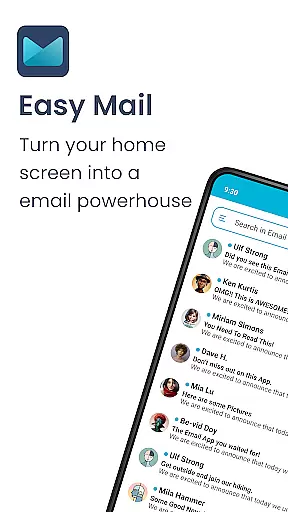
Easy Mail is a personalized email launcher designed to simplify and streamline your daily email management. The app brings your email directly to your homescreen, offering an intuitive interface that reduces clutter and enhances productivity. With features like AI-powered email assistance and unified inbox support, it allows users to manage multiple email accounts effortlessly.
The app goes beyond basic email functionality by integrating essential productivity tools. It includes an organized homescreen, quick access to apps, and a content feed for news and entertainment. Easy Mail ensures privacy by keeping all email data local, making it an ideal solution for those who value both convenience and security in personalizing their digital experience.
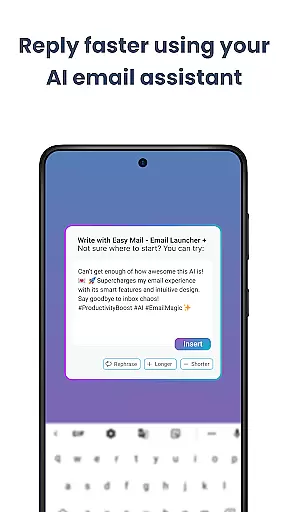
Easy Mail offers a comprehensive suite of features tailored for efficient email management. Its standout feature is the AI Email Assistance, which helps users rephrase, shorten, or polish emails while retaining their natural tone. This makes drafting professional emails faster and easier.
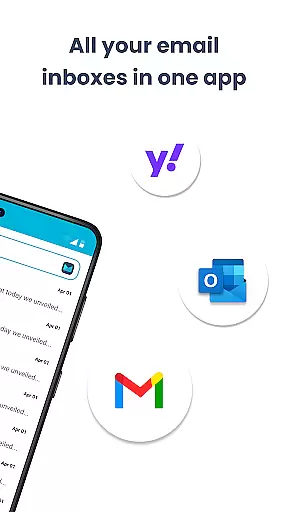
In addition to its AI capabilities, the app supports unlimited email accounts across providers like Gmail, Outlook, and Yahoo. Users can choose between a unified inbox or separate views for different accounts. The clean homescreen design, combined with essential launcher features such as app drawers and widget support, ensures a seamless user experience focused on productivity and personalization.
Customization is at the heart of Easy Mail, offering users a versatile way to tailor their email experience. With a clean homescreen built around productivity, it allows you to manage your emails without any clutter, ensuring that your focus remains on what's important.
The app supports unlimited email accounts from various providers like Gmail, Outlook, and Yahoo, which can be viewed in a unified inbox or separated with a simple tap. This flexibility ensures that both personal and professional emails can be handled with ease, adapting to different user preferences and needs.
Easy Mail also includes AI Email Assistance, which helps in composing emails by rephrasing, shortening, or polishing text while maintaining your natural tone. This feature adds another layer of customization, catering to users who wish to refine their communication style effortlessly.
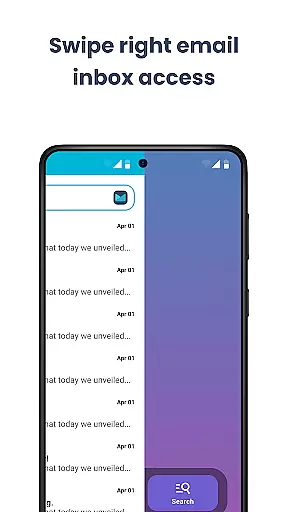
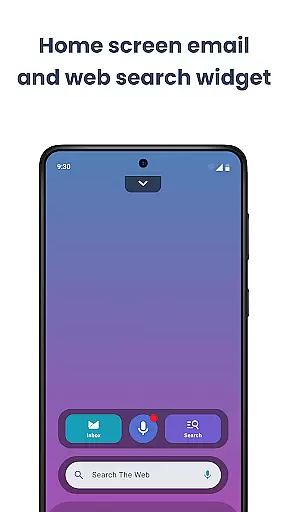
Moreover, the launcher provides essentials such as an organized homescreen, quick access to the email inbox, app drawer, widget support, and even trending content. These elements come together to create a personalized environment where managing emails becomes not just simpler but also more intuitive for every user.
Theme compatibility in Easy Mail ensures that users can enjoy a visually consistent experience across their devices. The application offers a clean homescreen interface designed with productivity in mind, allowing seamless integration with various themes to match individual aesthetics.
Users have the freedom to customize their workspace by choosing themes that resonate with their style while maintaining optimal functionality. Whether you prefer a minimalist design or something more vibrant, Easy Mail adapts to provide a cohesive look and feel throughout your email management process.
In addition to visual theming, Easy Mail supports features like AI Email Assistance and easy web search powered by Yahoo Search. These tools are integrated into the overall theme framework, ensuring they blend seamlessly into the useru2019s chosen environment without disrupting workflow efficiency.
By prioritizing both form and function, Easy Mail delivers an email solution that respects user preferences for appearance while delivering powerful capabilities for handling all aspects of modern communication effectively.
User-friendly interface
Unified inbox support
AI-powered assistance
Privacy-focused design
Integrated content feed
Limited customization options
Occasional sync delays
No advanced filters
Basic widget support
Few third-party integrations

Classic analogue watch face. For wear os devices.
 4.60
4.60
Vertically oriented rectangular icons
4.70 4.50
4.50
One 8 icons glass color version
4.80
200+ Material Inspired Widgets
4.50
Transform your device in a game console
4.40
350+ widgets with a premium glass-style finish, perfect for home & lock screens.
4.70
Customize phone with anime themes, 3D icons, aesthetic widgets & wallpapers
4.80
Cool custom fonts & keyboard themes! Symbols & font changer for Instagram
4.50
Wallpaper HD 4K Live - Thousands of high-quality Anime backgrounds for you.
4.80
Enjoy a variety of amazing live wallpapers and colorful EDGE lighting borders!
4.80
Shimeji adds cute animated characters to your screen, lively and fun.
4.70
Bring adorable pets to life on your screen. Playful, interactive and full of fun
4.60
300+ Beautifully crafted widgets inspired by OneUI.
4.60 4.50
4.50 4.50
4.50
Unleash Your Creativity and Connect with Loved Ones with Lockscreen Drawing!
4.20
Customizable flower power digital watch face for Wear OS watches.
4.00
Capture moments that pass like a storm, second by second.
4.4



User Reviews