
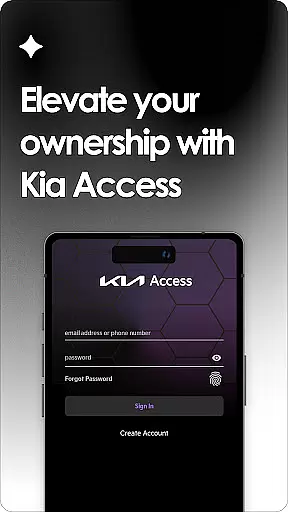
Kia Access is the official owner's app from Kia America, Inc., designed to provide seamless access to vehicle information and services. The app combines the benefits of the Kia Owner’s Portal with convenient features of Kia Connect (formerly UVO link), making it easier than ever to manage your vehicle directly from your smartphone or Wear OS device.
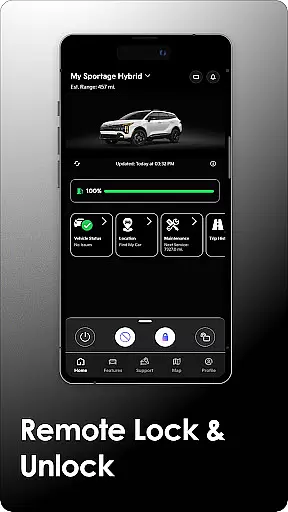
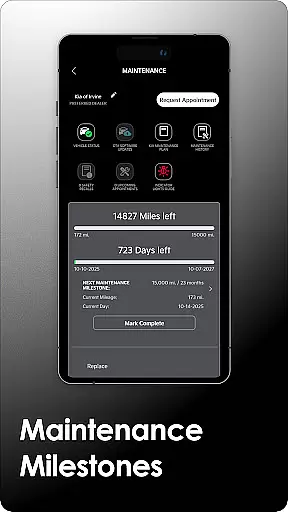
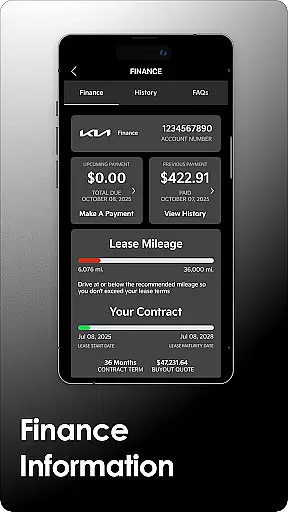
With Kia Access, users can access their vehicle's manual, warranty details, maintenance milestones, and payment information if financed through Kia Motors Finance. For vehicles equipped with Kia Connect, additional remote features include locking/unlocking doors, locating the car, setting cabin temperature, and checking vehicle health reports. Plug-in hybrid and electric vehicles gain access to battery status, driving range estimates, and charging station locators.
This app is ideal for Kia owners who want to streamline vehicle management and access connected car features conveniently. Whether you need essential vehicle data or advanced remote controls, Kia Access delivers a comprehensive solution right in the palm of your hand.
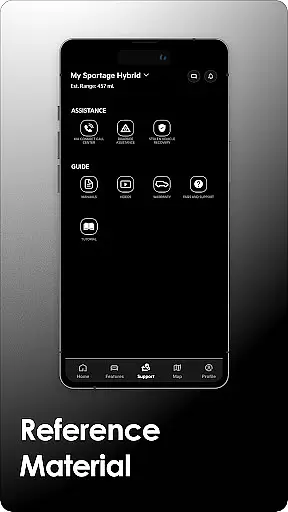
Kia Access offers an extensive range of features tailored to enhance vehicle ownership. One of its core functionalities is providing easy access to essential documents like the Owner’s Manual, quick guides, videos, and warranty information. Additionally, users financing through Kia Motors Finance can view their vehicle payment details directly within the app.
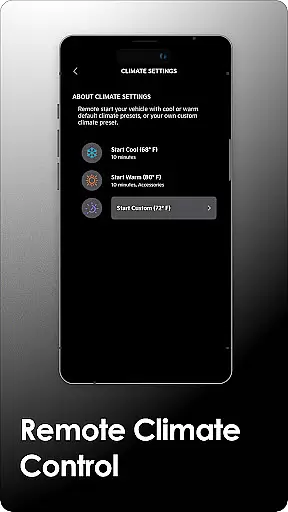
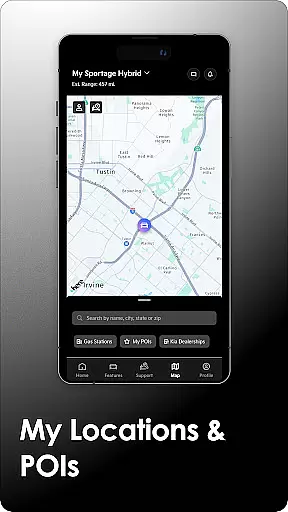
For vehicles equipped with Kia Connect, the app provides advanced remote capabilities such as sending locations to the car's navigation system, remotely locking/unlocking doors, initiating horn and light commands, finding the vehicle, and setting cabin temperatures. Vehicle health reports ensure that owners stay informed about their car's condition without visiting a service center.
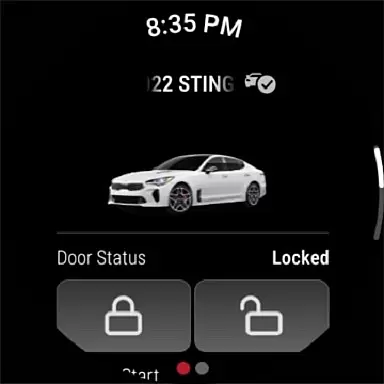
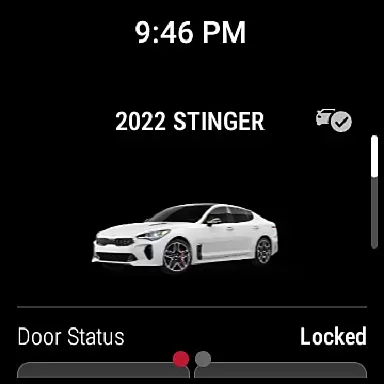
Plug-in hybrid and electric vehicle owners benefit from specialized features including battery status checks, estimated driving range, and charging station locators. These tools help optimize energy usage and plan trips more effectively. With support for Wear OS, Kia Access ensures that critical vehicle controls are always accessible, even on the go.
Companion app integration is essential for users who want seamless connectivity between their smart devices and vehicles. Kia Access excels in this area by offering a comprehensive suite of features that sync with your vehicle's systems, ensuring you have all necessary information at your fingertips.
The app provides access to crucial vehicle data such as health reports, navigation, and remote control functions like locking/unlocking doors and climate control. This level of integration allows drivers to maintain their vehicle's optimal performance while enjoying the convenience of managing these features from their Wear OS device.
For plug-in hybrid and electric vehicles, Kia Access goes a step further by enabling users to check battery status, locate charging stations, and schedule charging times remotely. These specialized features enhance the ownership experience by making it easier to manage energy consumption efficiently.
By consolidating all these functionalities into one easy-to-use platform, Kia Access ensures that owners can enjoy a streamlined and efficient management system for their vehicles, enhancing both usability and peace of mind.
Wear OS/device compatibility is a critical feature for modern applications aiming to provide versatile user experiences across different devices. Kia Access supports this by ensuring its full range of features is accessible on Wear OS devices, providing users with the flexibility to interact with their vehicle systems from their smartwatches.
This compatibility extends the appu2019s utility beyond smartphones, allowing users to receive real-time updates and notifications directly on their wrists. Whether it's receiving alerts about vehicle health or quickly locating your car in a busy parking lot, having this information readily available enhances convenience and safety.
Kia Access also maintains high standards of performance and reliability across various devices, ensuring consistent functionality regardless of whether you're using a phone or a smartwatch. This cross-device support underscores Kiau2019s commitment to delivering a cohesive ecosystem where all devices work harmoniously together.
Ultimately, the robust compatibility with Wear OS devices ensures that Kia owners can enjoy an uninterrupted and enriched experience, leveraging technology to make vehicle management more intuitive and accessible than ever before.
User-friendly interface
Comprehensive vehicle info
Remote control features
Supports Wear OS
Special EV functions
Limited to Kia models
Subscription required
Not available in all regions
Dependent on cellular coverage
Varied feature availability

"PER27 Galaxy Digital" is a digital Wear OS watch face designed by PERSONA
 4.10
4.10
Highly customizable hybrid watch face for Wear OS, perfect for everyday use.
4.60
Stunning modern digital watch face with 7 complications and strong contrast
4.3
Artistic Digital Watchface
4.1
Digital watch face with big numbers and many customization for Wear OS devices
4.40
Fitness interactive virtual pet super fighter boy watch face
4.0
Real-time weather radar with temperatures, warnings, hurricanes, and widgets
4.80
Bold weather Digital watchface with forecast & optional animated background
4.40
Your music, your playlists, and more—offline and unlimited.
4.20
Hyperlocal rain alerts by MyRadar using patent-pending technology, radar & more
4.80
Nutrition, Macro tracker: Food, fitness & healthy diet tracking for weight loss
4.60
Stylish, Energizing and Modern Watch Face crafted by Dominus Mathias.
4.50
A white realistic classic analog watch face with many customization options.
4.40
Christmas watch face. For Wear OS devices.
4.30
Find EV charging stations
4.30
Wear Os Watch Face - Animated Snow Effect & Magic Spark - 6 Scenes
4.10
Daily Weather forecast with 15 weather images for Day & Night plus Big Bold time
4.10
The #1 source of faces for your smartwatch!
4.00
Funny animated watch face for Thanksgiving
4.0




User Reviews