
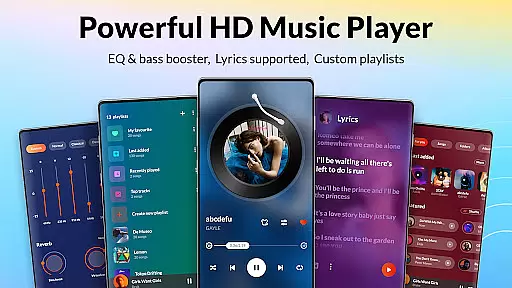
DDMusic is a feature-rich offline music player designed for Android users who value both functionality and aesthetics. This powerful audio player supports all major formats including MP3, WAV, FLAC, AAC, and more, ensuring seamless playback on any device. The built-in equalizer with multiple presets like classical, jazz, and rock enhances your listening experience, while the bass boost and reverb effects cater to personal preferences.
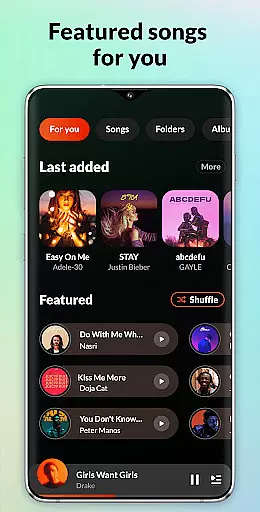
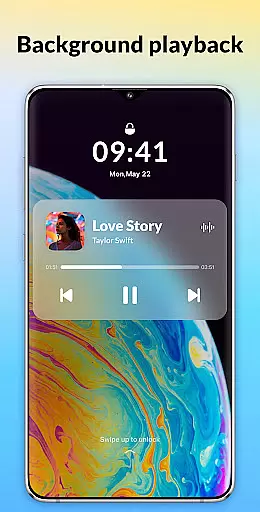
The app's standout feature is its personalized music library that intelligently tracks your listening habits. It organizes your music into smart playlists such as Recently Played, Most Played, and Featured, making music management effortless. With additional features like tag editing, lock screen controls, and background play, DDMusic provides a complete audio solution for music enthusiasts.
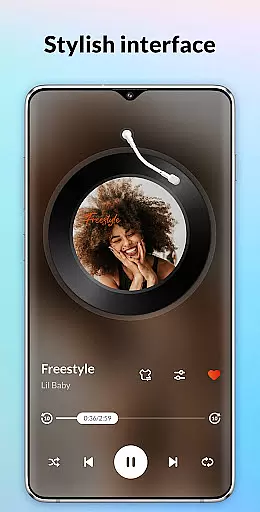
Whether you're commuting or relaxing at home, DDMusic's stylish design and practical features create an immersive audio-visual experience. Its clean interface and customizable options make it suitable for both casual listeners and audiophiles alike.
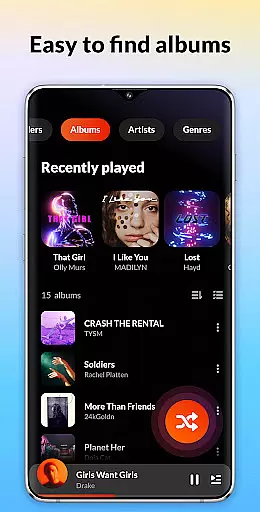
DDMusic distinguishes itself through its comprehensive feature set tailored for music aficionados. The deep scan and auto-refresh capabilities ensure your music library stays up-to-date, while the duration and size filters help you manage large collections efficiently. You can browse and play music through various organizational methods including playlists, folders, albums, artists, and genres.
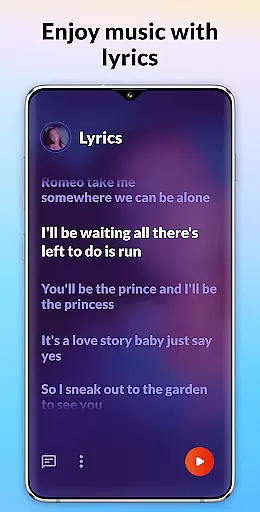
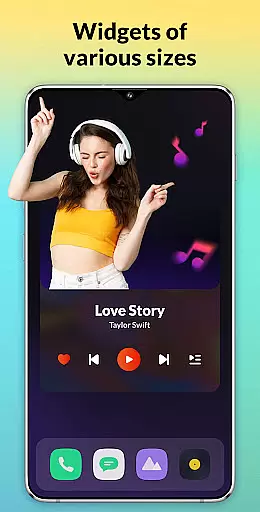
Advanced playback controls are another highlight of this music player. The smart sleep timer allows customized playback durations, while the home screen widgets and notification center controls provide convenient access to playback functions. The app also supports lyrics display and ringtone setting, adding to its versatility.
For those who value customization, DDMusic offers a tag editor to modify song details and album covers. The lock screen interface and background play functionality ensure uninterrupted music enjoyment, even when using other apps. These features, combined with Bluetooth and wired headphone compatibility, make DDMusic a top choice for Android users seeking a premium music experience.
When it comes to music players, the size and variety of the library are crucial for an enriched user experience. DDMusic offers a vast array of tracks covering multiple genres, ensuring that users from all walks of life can find their preferred tunes effortlessly. The extensive music library is regularly updated, providing fresh content to keep up with the latest trends in the music industry.
Copyright authenticity is another cornerstone of DDMusic's offering. Each track available within the app is verified to ensure compliance with copyright laws, giving users peace of mind while enjoying their favorite songs. This dedication to legal integrity not only protects the artists' rights but also enhances the credibility of the platform among its users.
Moreover, DDMusic goes beyond just amassing a large collection of music; it categorizes them efficiently, making navigation intuitive and hassle-free. Users can browse through albums, artists, genres, and playlists, accessing their desired music with just a few taps. This meticulous organization underscores the app's commitment to delivering a seamless and enjoyable music discovery journey.
Audio quality is paramount when immersing oneself in a musical experience, and DDMusic excels in providing top-notch sound fidelity. With support for various high-quality audio formats such as MP3, WAV, FLAC, AAC, 3GP, and OGC, the app ensures that every note and beat is delivered with precision and clarity. This versatility in format compatibility caters to audiophiles who demand nothing less than the best sound reproduction.
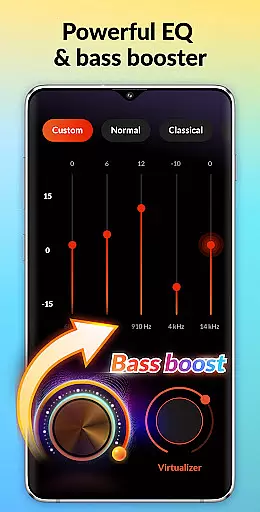
Beyond supporting multiple formats, DDMusic incorporates a powerful built-in equalizer. This feature allows users to fine-tune their listening experience with presets like classical, folk, jazz, and rock, or customize settings to suit individual preferences. Whether it's boosting the bass for an electronic track or adding reverb for a live concert feel, the equalizer puts the power of sound customization into the hands of the listener.
In addition to superior audio formats and equalizer capabilities, DDMusic provides options for enhancing playback quality. Features such as bass boost and virtualizer effects further elevate the auditory sensation, transforming a simple listen into a profound sonic adventure. These enhancements ensure that whether you're using standard earbuds or high-end headphones, the audio output remains consistently impressive and true to the original recording.
User-friendly interface
Wide format support
Powerful equalizer
Smart playlists
Customizable options
No cloud integration
Limited social features
Occasional bugs
Ads in free version
Large app size

Most Advanced AI Song Generator and Music Creator. Rap, Pop, Rock, Gospel & more
 4.70
4.70
Brian Eno and Peter Chilvers’ acclaimed music app Bloom, radically reinvented.
4.80
Ultimate Sonos Controller
4.70
Learn and play 2M+ music tabs & chords on guitar, ukulele, bass, and more
4.30
Offline Music Player&MP3 Player with themes, equalizer, lyrics, music play mode
4.60
Let your Android device with the sound effects you want
4.50
Slow music down without changing pitch.
3.70
The iconic iOS metronome app is now on Android.
3.70
One-tap booster for max volume - enjoy powerful sound with this audio booster
4.50
Full-featured, High-Quality Groovebox Workstation, perfect for Live Performance!
4.80
JBL PartyBox APP works with 110/310/710/120/320/520/Encore/Encore 2/Encore Ess 2
4.80
SqueezePlayer turns your Android phone or tablet into a SqueezeBox on its own!
4.60
AI Music Maker: Generate And Compose AI Tunes & AI Songs & AI Music & AI Melody!
4.60
Enhance the sound quality of your devices, listen to what you want
4.50
Ringtone Maker is free app create ringtone from music files or your recording.
4.40
Time Guru will strengthen your internal sense of musical time via random muting.
4.30
Versatile MP3 recorder with auto-backup to Dropbox and Google Drive
4.10
The Cubase remote control app
3.60
Simply convert wav to mp3. Clear. Reliable. Safe.
4.0



User Reviews