
Photo Recovery Plus is a comprehensive data recovery tool designed specifically for Android users, offering solutions to recover lost photos, videos, audio files, documents, and entire folders. The app's core functionality revolves around its powerful scanning technology that searches the device's storage for deleted or lost content, enabling users to restore precious memories and important files with ease.
Beyond basic recovery features, Photo Recovery Plus also provides practical tools such as file backup to prevent future data loss. Whether it's due to accidental deletion, device malfunction, or other unforeseen circumstances, this app ensures your critical data remains safe and accessible. Its intuitive interface makes it suitable for both tech-savvy users and those with minimal technical expertise.
Ideal for individuals who store valuable digital content on their phones, Photo Recovery Plus serves as an essential safety net. From recovering cherished family photos to restoring crucial work documents, the app delivers peace of mind by safeguarding your digital life.
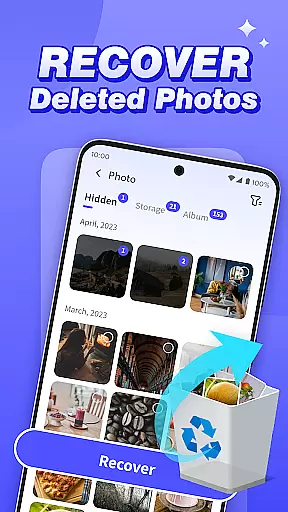
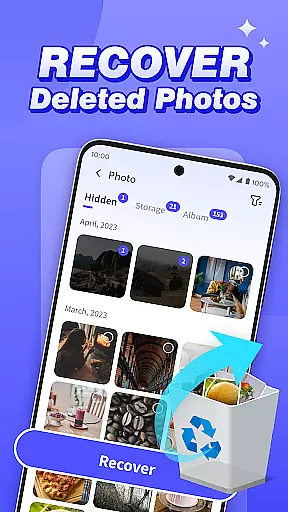
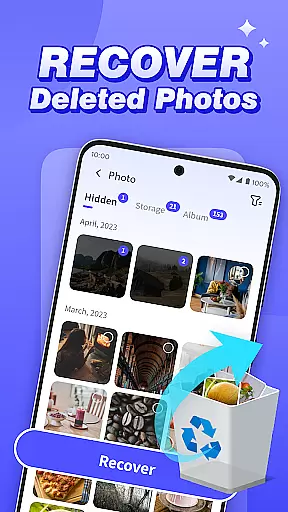
Photo Recovery Plus stands out with its diverse range of recovery capabilities tailored to meet various user needs. One of its key features is photo recovery, which allows users to retrieve accidentally deleted images without requiring any technical knowledge. This feature is particularly beneficial for preserving personal memories and important visual content.
In addition to photo recovery, the app offers advanced functions like video, audio, and document recovery. These features perform thorough scans of the device’s storage, identifying and restoring multiple file types with precision. Another notable capability is folder recovery, which helps users locate and filter deleted folders by file type, streamlining the restoration process.
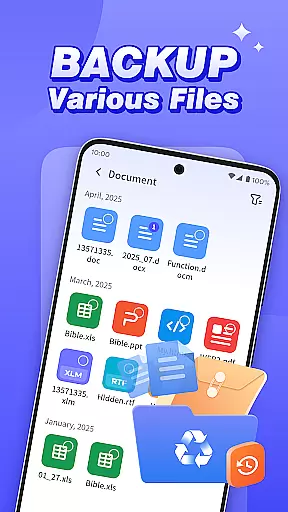
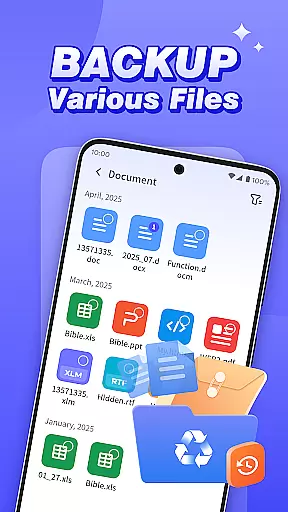
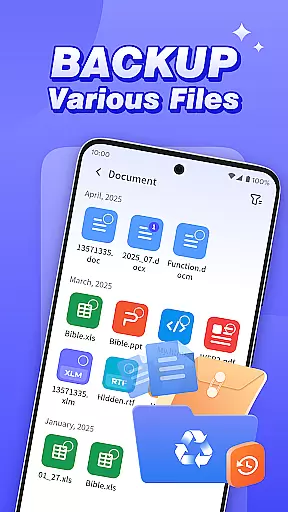
The app also includes a reliable file backup feature, ensuring users can create secure copies of their data to prevent future loss. With all operations performed locally on the device, Photo Recovery Plus guarantees privacy and security, making it a trustworthy choice for managing sensitive information.
Photo Recovery Plus stands out in the Tools category by offering precise and effective core functionalities that cater to various data recovery needs. The app's primary feature is its ability to recover deleted photos, videos, audio files, and documents with remarkable accuracy. This is achieved through a comprehensive scanning process that searches for files matching specific paths on the device's storage.
The effectiveness of Photo Recovery Plus is evident in its user-friendly approach, which requires no technical expertise. Users can easily restore lost memories or important images with simple steps. Additionally, the app provides folder recovery options, allowing users to search for deleted folders and filter recoverable content by file type, ensuring an intuitive and efficient recovery experience.
While recovery results may vary depending on factors such as the device model and storage status, Photo Recovery Plus ensures reliable performance. It attempts to recover images, videos, and other content locally on the device, guaranteeing that no personal data is uploaded or disclosed. This commitment to privacy and accuracy makes Photo Recovery Plus a trustworthy tool for safeguarding your digital memories.
A standout feature of Photo Recovery Plus is its interface simplicity and intuitiveness, making it accessible even to those who are not tech-savvy. The app offers straightforward navigation, guiding users through each step of the recovery process without overwhelming them with complex options or settings. This ease of use ensures that anyone can quickly learn how to operate the app and recover their lost data efficiently.
The design prioritizes clarity and functionality, presenting users with clear instructions and visual cues that enhance the overall user experience. For instance, when recovering photos, users follow simple steps that bring their precious memories back without any hassle. Similarly, the backup files feature is designed to prevent data loss due to sudden device failure or accidental deletion, providing peace of mind with minimal effort.
Overall, Photo Recovery Plus combines powerful recovery capabilities with an intuitive interface, ensuring that users can focus on what matters mostu2014restoring their valuable data. By maintaining a balance between advanced functionality and user-friendly design, the app delivers a seamless experience that meets the diverse needs of Android users.
User-friendly interface
Comprehensive file recovery
Local data processing
Backup functionality
Multi-format support
Recovery not guaranteed
Limited after reset
Device compatibility
Storage-dependent
Premium features

Easily install aab(Android App Bundle) files on your Android device with our app
 4.80
4.80
Quickly switch to an encrypted DNS server on Android TV
4.50
Connect instantly to a fast, encrypted VPN with one tap
4.60
Clean the junk files on your device
3.40
App to pay for FUTO Keyboard
4.60
Forza Tuning Calculator App for Forza Horizon 5, Motorsport and Earlier Titles
4.40
Smart and comfortable browsing experience.
3.80
Unleash gamepad precision for ultimate mobile gaming dominance.
3.90
Screen recorder with audio to record high-quality videos and take screenshots.
4.40
Best leveling tool for your Android device. Hang paintings like a pro.
4.90
Monitor car performance in real time and troubleshoot malfunctions.
4.80
With videos, electrical calculators, and built-in ebook, Ugly’s has your answer.
4.50
The Ultimate Bluetooth Keyboard & Mouse. Securely control your PC, Mac, and more
4.50
An easy-to-use calculator designed to save time calculating and bending conduit
4.30
Detect hidden spy camera with advanced scanning {{ Premium version }}
4.00
Create your own custom widget with endless possibilities
3.90
A non-root local ADB shell client. READ BELOW!
3.40
PDF Reader - Document Viewer: Read, Manage & Organize Your Documents
3.10
Unlock your Essential Key. Create custom shortcuts to your favorite apps!
4.0












User Reviews