
Samsung Smart Switch Mobile is a powerful migration tool designed to simplify the process of switching to a new Galaxy device. The application enables seamless transfer of essential data including contacts, messages, photos, music, and even device settings from your old Android or iOS device to your new Samsung Galaxy smartphone or tablet.
One of the standout features of Smart Switch is its cross-platform compatibility. Whether you're moving from another Android device or an iPhone, this app provides multiple transfer options tailored to different needs. Android users can wirelessly transfer their data from devices running Android 5.0 or newer, while iPhone users have the flexibility to choose between wired transfer using their device cable, importing data from iCloud, or transferring via iTunes on PC/Mac.
Beyond basic data migration, Smart Switch also helps users rediscover their favorite apps on Google Play Store and suggests alternatives when necessary. This makes the transition to a new device not just convenient but also personalized to maintain your digital lifestyle. With support for recent Galaxy devices and many other Android brands, it's an essential tool for anyone upgrading their mobile device.
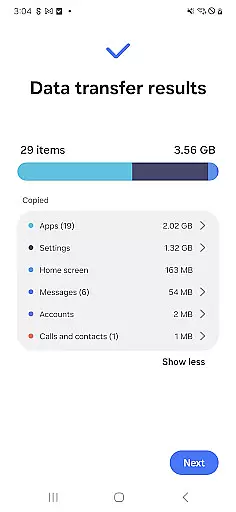
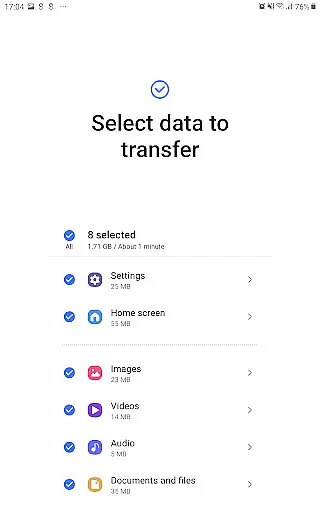
Smart Switch Mobile offers an impressive array of features that make device migration straightforward and comprehensive. The app supports transfer of various data types including contacts, calendar entries, text messages, photos, DRM-free music and videos, call logs, memos, alarms, Wi-Fi settings, wallpapers, documents, and even app data for Galaxy-to-Galaxy transfers.
The application stands out with its flexible transfer methods. For Android users, it provides wireless transfer capabilities, while iOS users can choose between three distinct methods: direct wired connection using their lightning or 30-pin cable, importing from iCloud backup, or transferring through iTunes on a computer. The app intelligently handles these different scenarios while maintaining data integrity and security throughout the process.
Additional notable features include QR code scanning for easy device pairing, automatic detection of nearby devices using Wi-Fi or Bluetooth, and real-time notifications about transfer progress. Moreover, Smart Switch requires minimal storage space (just 500MB free space) and includes advanced troubleshooting options for common connectivity issues. These features collectively ensure a smooth and reliable migration experience across different platforms and device types.
Smart Switch Mobile is designed to ensure the highest level of accuracy and effectiveness in its core functions, making device transfers seamless and reliable. The app meticulously handles data such as contacts, messages, photos, and even app layouts for Galaxy users, ensuring that all transferred content retains its original quality and structure.
The effectiveness of Smart Switch lies in its compatibility with a wide range of devices, including Android and iOS platforms. By supporting both wired and wireless transfer methods, it offers flexibility while maintaining data integrity. For instance, when transferring from an iOS device, users can choose between iCloud or a wired connection, ensuring optimal performance regardless of the method selected.
What sets Smart Switch apart is its ability to handle DRM-free content and provide additional options like restoring app data and home screen layouts on newer Galaxy devices. This functionality not only enhances user convenience but also ensures that the transition to a new device feels natural and hassle-free.
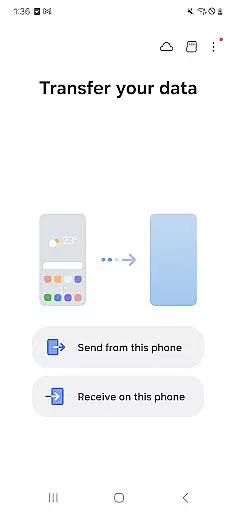
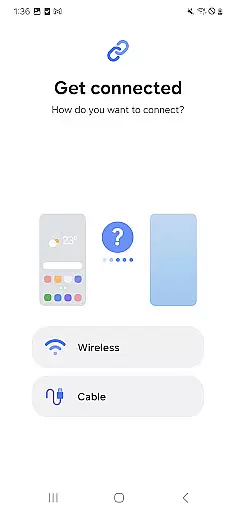
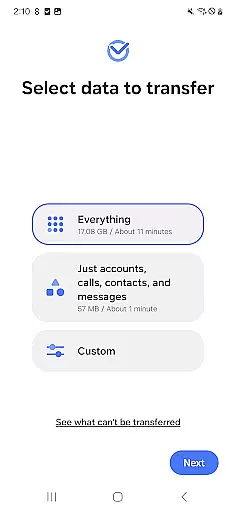
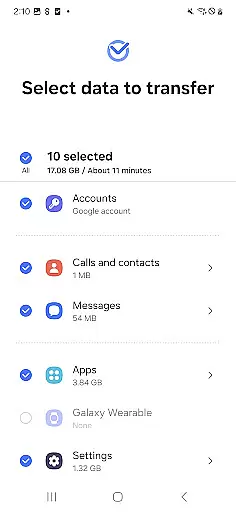
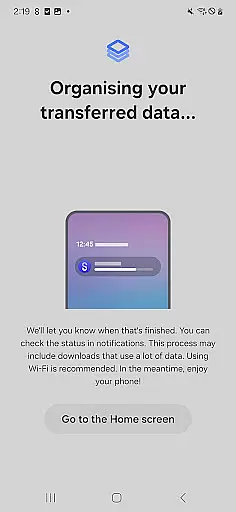
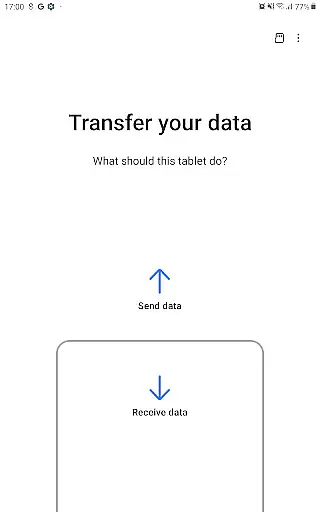
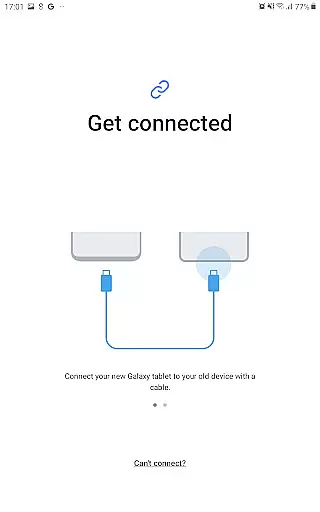
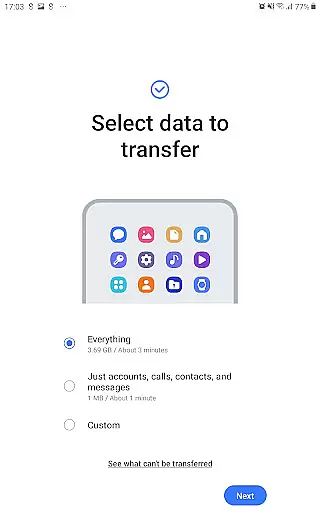
A standout feature of Smart Switch Mobile is its simple and intuitive interface, which makes the process of switching devices accessible even to non-technical users. Upon launching the app, users are greeted with clear instructions and visual aids that guide them through each step of the data transfer process, eliminating confusion and potential errors.
The app minimizes complexity by breaking down the migration process into manageable steps. Whether you're transferring from an Android or iOS device, Smart Switch provides tailored options that suit your specific needs. For example, iOS users can choose between iCloud or wired transfer, while Android users are offered direct Wi-Fi or cable-based solutions, all presented in an easy-to-follow format.
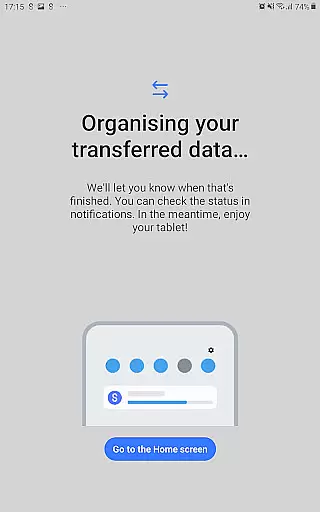
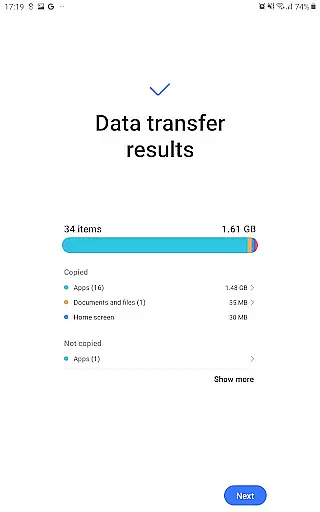
Additionally, the app's design emphasizes clarity by providing explicit permission requests and transparent progress indicators. Users always know what data is being transferred and can track the process in real time. This thoughtful design reduces the learning curve and ensures a smooth, stress-free experience for individuals upgrading their devices.
User-friendly interface
Wide device compatibility
Comprehensive data transfer
Multiple transfer options
App suggestion feature
iOS limitations exist
DRM content excluded
Storage requirements high
Occasional connection issues
Android version dependent

 4.10
4.10
An open-source APK explorer for Android!
4.10
Signal Strength, Mobile, Wifi, Speed Test, Bad Signals, Cellular, 5G, LTE, 4G
4.20
Making emulation easy for everyone!
4.30
Download any file easily and quickly with Downloader
4.2
Game Booster, GFX Tool is now compatible with newer game update
4.50
Clean up your phone, find files, play media, and share files offline
4.50
Enjoy a smooth mobile reading experience!
3.60
Enhance your Beats
3.70
Change your GPS location instantly. Simulate routes anywhere in the world.
4.90
WiFi Signal Strength Meter help you detect WiFi Signal Strength in real time.
4.80
Screen Mirroring for Roku Sticks, Roku TCL TV and Roku Hisense TV
4.50
Complete kernel toolbox with features to manage and tweak your rooted device
4.30
Remote for Roku, Fire TV, Samsung TV, LG TV, Android TV, Chromecast and VIZIO TV
4.20
A simple app to back up and restore SMS & MMS messages and call logs.
4.10
Automate everything from settings to photos, SMS to speech. ADC2 prize winner.
4.10
Family Locator, Share location, StayConnect with your family in real time
3.90
A powerful, easy-to-use flight computer on your phone or tablet!
3.80
Safely recover deleted photos, videos, and files with a single easy tap.
3.70




User Reviews