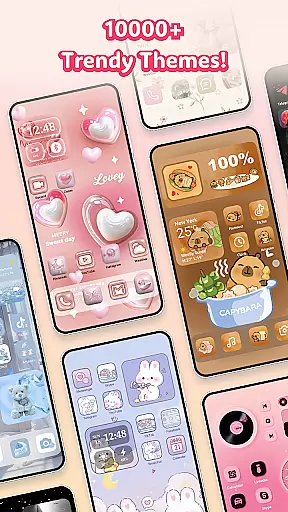
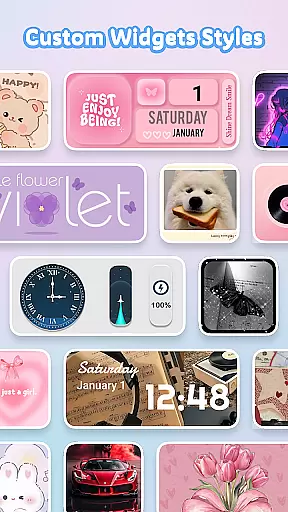
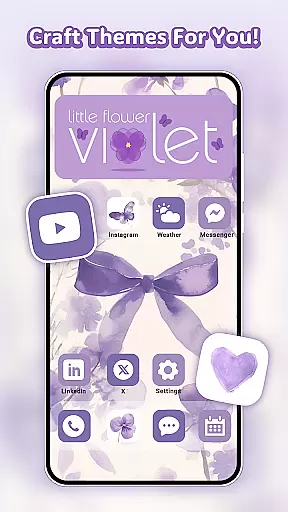
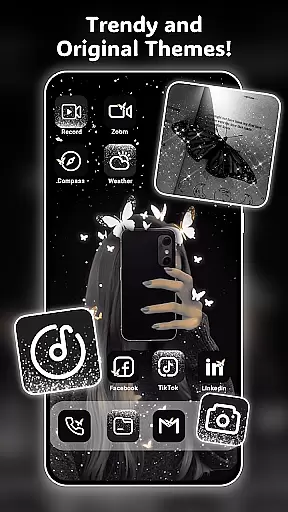
Themely - Icons & Widgets is a premier Android customization app that offers an extensive suite of personalization options. With over 10,000 live 3D themes, HD wallpapers, and DIY widgets, it caters to diverse styles such as cute, neon, sports, anime, and K-pop, allowing users to express their individuality. The app provides more than 1,000 custom widgets including battery indicators, dynamic image effects, calendars, clocks, and weather updates, all designed to enhance your device's home screen and lock screen aesthetics.
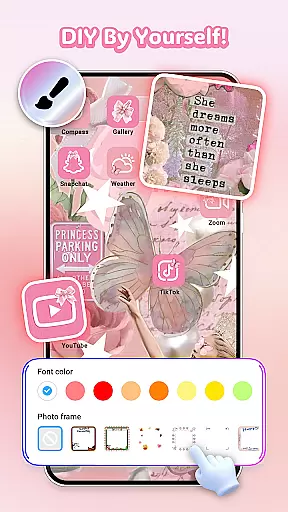
Beyond widgets, Themely allows for creative freedom with DIY icon packs that can be tailored to match your style with various fonts, colors, and transparency levels. It also features visually stunning backgrounds and wallpapers in trendy designs like neon, love, and seasonal themes. Whether you're looking to revamp your entire screen or simply update your icons, Themely delivers both functionality and flair with one-click simplicity.
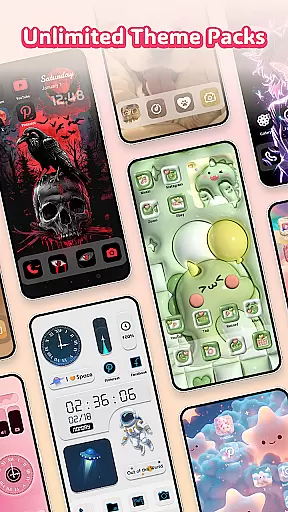
Themely stands out with its rich feature set tailored for personalization enthusiasts. The app includes live 3D themes and thousands of aesthetic HD wallpapers that cater to a wide array of interests from puffy and cute to sports and anime. Its collection of over 1,000 custom widgets not only serves practical purposes like displaying battery life, weather, and calendar events but also adds a touch of fun with live dynamic effects and GIF support.
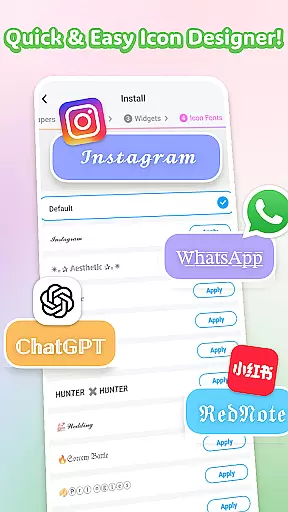
One of the key highlights is the ability to create DIY icons and widgets using personal images, offering unmatched customization. Users can choose from different icon styles, fonts, colors, and transparency settings to design unique app icons. Additionally, the app provides themed stickers and easy one-click replacement options, ensuring a seamless user experience while maintaining fast update speeds for fresh content regularly.
Themely - Icons & Widgets offers an extensive range of customization options that cater to diverse user preferences. With over 10,000 live 3D themes, HD wallpapers, and unique stickers, the app allows users to personalize their Android devices in countless ways.
The app includes more than 1,000 custom widgets, such as live battery indicators, dynamic image effects, and functional widgets for calendars, clocks, and weather. Users can even incorporate personal images from their gallery, making each widget a reflection of their individual style.
For those who love to fine-tune every detail, Themely provides creative DIY icons. Users can choose from various icon styles, fonts, colors, and transparency levels to create distinctive app icons that resonate with their aesthetic.
This vast array of customization choices ensures that users can craft a device interface that is truly their own, whether they prefer cute, neon, sports, anime, or K-pop themes.
Theme compatibility is a crucial aspect of any personalization app, and Themely - Icons & Widgets excels in this area. The app supports a wide variety of themes, ensuring that users can find options that work seamlessly across different Android devices and screen sizes.
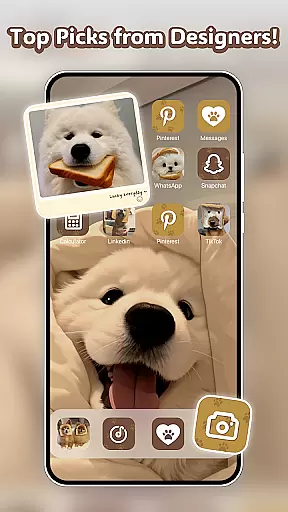
Users can select from pre-designed themes that include aesthetic backgrounds, neon effects, and popular culture elements like K-pop and anime. These themes are crafted by top designers and optimized for visual consistency, providing a cohesive look and feel.
Additionally, Themely's one-click replacement feature makes it easy to apply themes without technical hassle. This ensures that users can quickly refresh their home screens with new styles while maintaining optimal performance and appearance.
With regular updates and a commitment to quality, Themely guarantees that its themes remain compatible with the latest Android versions, offering users peace of mind when personalizing their devices.
User-friendly interface
Extensive customization options
Regular updates with new content
Vibrant live 3D themes
DIY widget creation
Requires accessibility permissions
Some features may need premium access
Designs might overwhelm new users
Occasional performance lags
Limited iOS compatibility

Sparkle your screen with Glitter Wallpapers For Girls and Cute Backgrounds!
 4.80
4.80
Adult video chat, dating, making friends, random matching
4.20
Try creating your own keyboard with "Keyboard theme for android" app now!
4.50
Run multiple accounts of the same app on a single device
4.10
Organize and manage your photos and videos effortlessly with Photo Gallery
4.20
Custom edge gestures for volume control, brightness, apps, and shortcuts.
4.5
Design your screen with unique, vibrant clocks
3.80
Transform your phone with stunning video wallpapers and a unique, personal touch
3.80
set a new experience for the Android mobile phone
4.20
Only for Wear OS devices!
4.90
Gun Chase - Let the chase begin.
4.80
100+ Stylish Fonts, Emojis, Symbols keyboard for Instagram & TikTok!
4.80
Enjoy a variety of amazing live wallpapers and colorful EDGE lighting borders!
4.80
Shimeji adds cute animated characters to your screen, lively and fun.
4.70
300+ Stunning and well-designed widgets inspired by NOTHING.
4.70 4.50
4.50
Romantic Kiss Stickers App. Start romantic messaging now!
4.30
Crystal-clear, square icon provides a sleek and sophisticated visual upgrade
4.00
Capture moments that pass like a storm, second by second.
4.5



User Reviews