
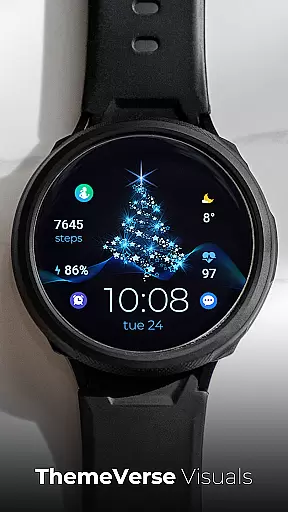
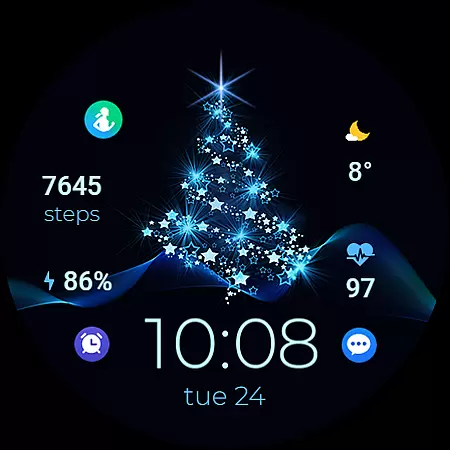
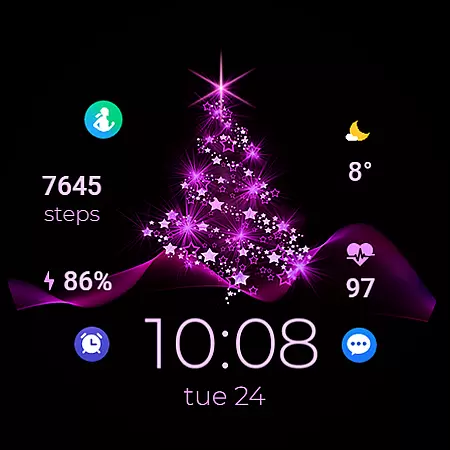
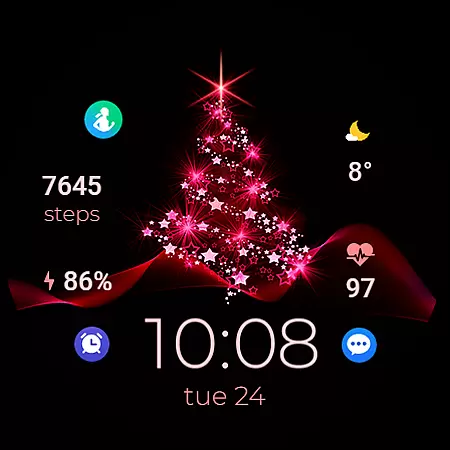
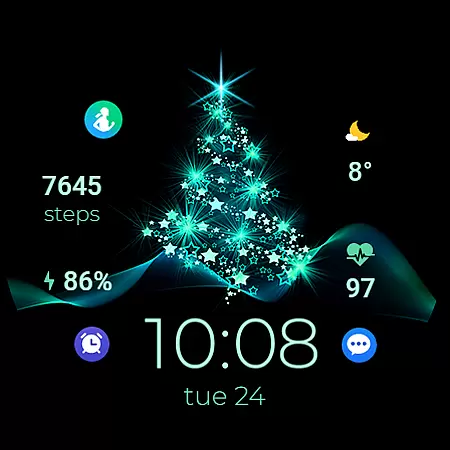
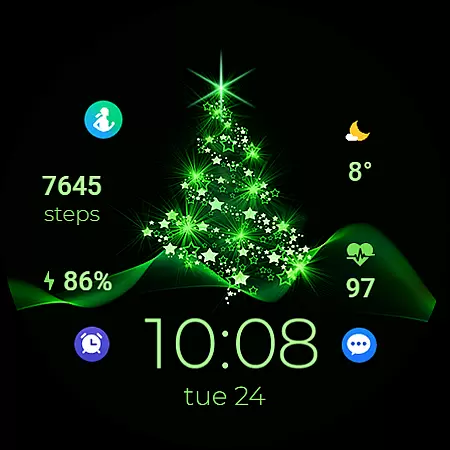
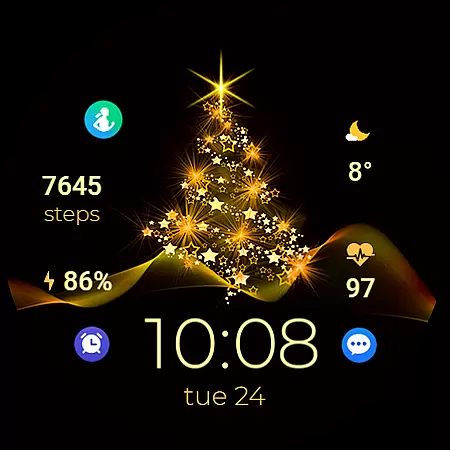
TVV Christmas 2 Watch Face is a festive-themed digital watch face designed specifically for WEAR OS devices running API LEVEL 33 and above. This application transforms your smartwatch into a Christmas celebration canvas, featuring a customizable display with digital clock, date, battery percentage, heart rate monitor, step counter, and various interactive elements.
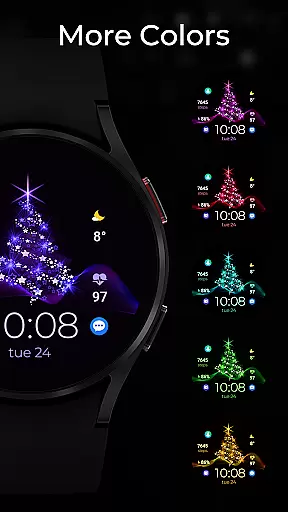
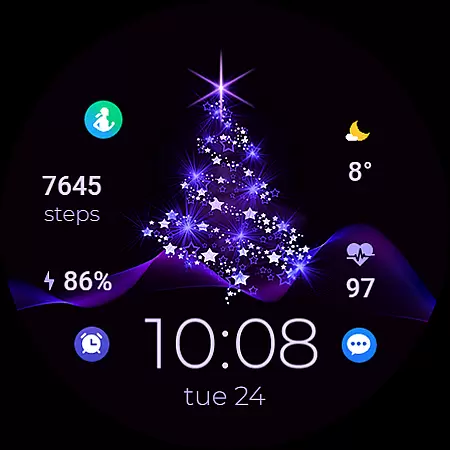
The watch face offers users the ability to personalize their experience through adjustable colors and complications. With support for two changeable complications and four customizable shortcuts, wearers can tailor their watch face to suit individual preferences. The inclusion of three preset app shortcuts - Battery, Calendar, and Heart Rate - provides quick access to essential functions. Additionally, the Always on Display (AOD) feature comes with two distinctive styles, ensuring visibility and style are maintained even when the watch is not active.
This application is particularly useful during the holiday season or for those who enjoy a touch of festivity year-round on their smartwatch. By integrating practical features with seasonal cheer, TVV Christmas 2 Watch Face enhances both the functionality and personal expression of WEAR OS devices.
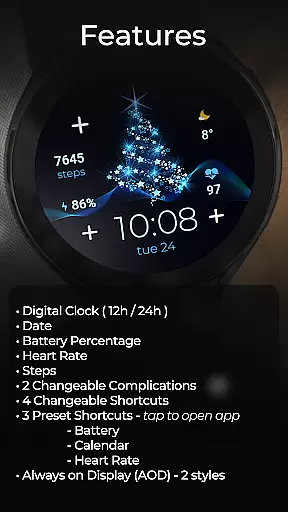
TVV Christmas 2 Watch Face stands out with its comprehensive set of features tailored for WEAR OS users. At its core, the application provides a digital clock that automatically adjusts to the 12-hour or 24-hour format based on phone settings, alongside essential data points such as date, battery percentage, heart rate, and step count. These elements ensure that users have immediate access to critical information at a glance.
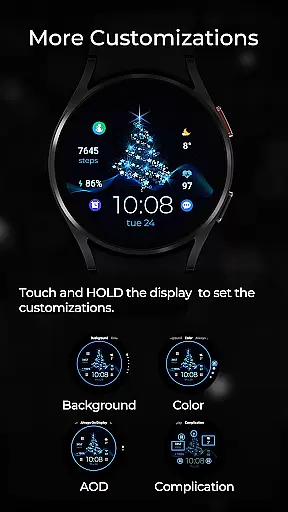
Customization is a key aspect of this watch face, allowing users to modify colors and complications effortlessly. By simply touching and holding the display, then tapping the customize option, users can adjust the appearance to match their personal style. The inclusion of two changeable complications and four changeable shortcuts empowers users to create a truly personalized interface. Notably, the three preset shortcuts for Battery, Calendar, and Heart Rate apps offer seamless interaction with frequently used functions.
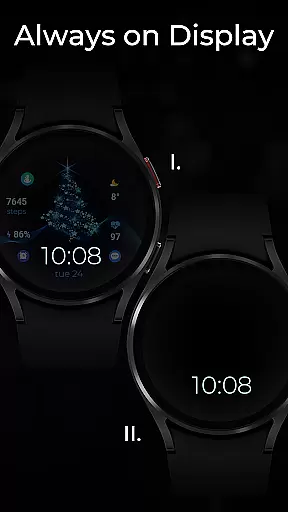
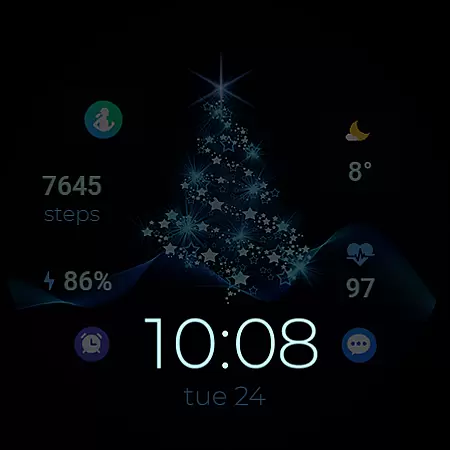
A significant innovation is the Always on Display (AOD) feature, which supports two distinct styles. While AOD styles aren't previewed in real-time like other customizations, they can be modified using the same straightforward process. This thoughtful design ensures that even when the watch is idle, it remains both functional and visually appealing. Such attention to detail highlights the application's commitment to enhancing user experience through thoughtful design and practical features.
Companion app integration is crucial for wearable devices as it ensures seamless synchronization between the watch face and the paired smartphone. TVV Christmas 2 Watch Face excels in this aspect by offering real-time updates of essential information such as heart rate, steps, and battery percentage directly from the connected device.
The customization process is intuitive, allowing users to personalize their watch face with just a few taps. By touching and holding the display, then tapping on the customize option, users can easily modify colors and complications according to their preferences. This streamlined process enhances user experience by providing both aesthetic appeal and functional utility.
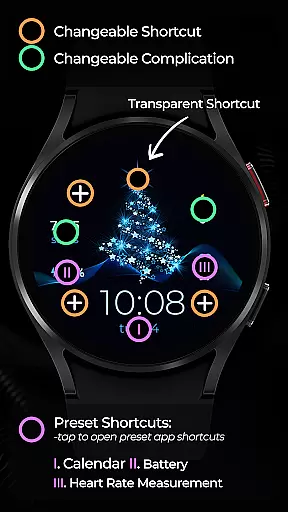
This application supports up to two changeable complications and four changeable shortcuts, including preset options like Battery, Calendar, and Heart Rate. These features ensure that users have quick access to frequently used apps and vital statistics without needing to reach for their phones, thus maximizing convenience and efficiency.
Ensuring broad compatibility across various Wear OS devices is fundamental for any watch face application. TVV Christmas 2 Watch Face is designed to work seamlessly with devices running API LEVEL 33+, guaranteeing optimal performance on the latest technology platforms while maintaining backward compatibility where feasible.
The digital clock feature automatically adjusts to the phone's time settings, supporting both 12-hour and 24-hour formats. Additionally, the inclusion of an Always on Display (AOD) function with two distinct styles provides users with continuous access to critical information at a glance, even when the screen is not fully active.
While certain advanced features like 'Open App' actions may not be supported on all devices due to hardware limitations, TVV Christmas 2 strives to deliver a consistent experience across different models. This commitment to compatibility ensures that users can enjoy a festive and functional watch face regardless of their specific Wear OS device.
Highly Customizable
Festive Design
Useful Health Metrics
Easy Navigation
Always on Display
Limited Device Compatibility
No Real-Time AOD Preview
Heart Rate App Dependency
Complex Setup Process
Premium Features Locked

Calming & relaxing sounds for sleeping and stress relief. Stay focused all day!
 4.20
4.20
Wear Os Watch Face - Animated Snow Effect & Christmas Lights
4.1
Deck out your Wear OS Watch face with a beautifully decorated pine wreath!
4.50
Watch face for Wear OS.
4.20
Reliable phone calls with spam protection, caller ID and more helpful features
4.40
Fast and smart typing with Emojis, GIFs, and more
4.50
Your local weather forecast, storm tracker, radar maps & live weather news
3.40
Toyota app currently supports 2010 or newer vehicles (2018 or newer for Hawaii).
4.50
Download full tracks, listen to music offline, make unlimited playlists.
4.80
Christmas Theme Watch Face for Wear Os
5.00
The most customizable hybrid watch face. For Wear OS 5.0, API 34+ and later
4.70
Ideal for surviving in the wasteland left after nuclear fallout
4.50
Christmas watch face. For Wear OS devices.
4.30
Get helpful reminders, take progress photos and find answers to your questions.
3.90
A full-featured Amazon Alexa voice assistant that can show you things.
3.70
Want to take charge of your health? Let Google Fit help you reach your goals.
3.50
Watch face designed for Thanksgiving Day. 7 Background Styles included.
3.20
Wear Os Watch Face - Animated Snow - Sesonal for Christmas & Winter
4.4
Fitness interactive virtual pet super fighter boy watch face
4.1



User Reviews