Duo Mobile is a robust two-factor authentication app designed to enhance login security for both individual and enterprise users. By generating time-based passcodes and enabling push notifications, the app ensures secure access to accounts while simplifying the authentication process. It also supports third-party services, making it a versatile tool for managing multiple accounts securely.
With its companion app Duo Wear, users can conveniently authenticate directly from their smartwatches, adding an extra layer of accessibility. Whether you're securing your personal accounts or managing corporate credentials, Duo Mobile provides a reliable solution that balances security with ease of use.
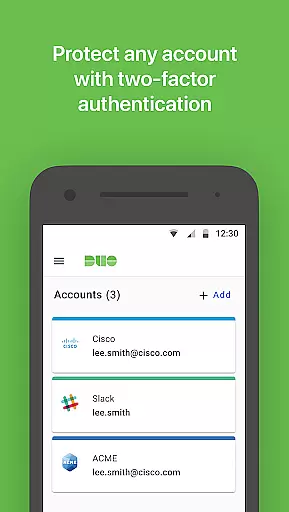
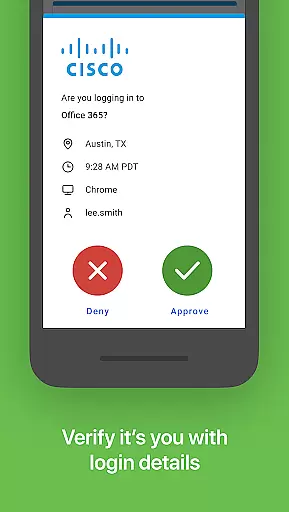
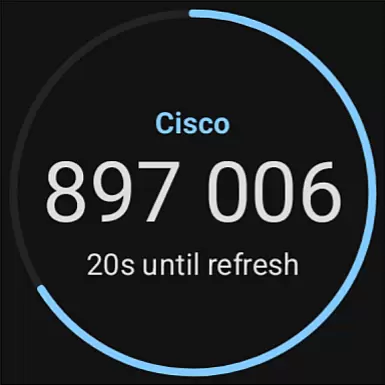
Duo Mobile offers several standout features that make it a leader in two-factor authentication. The app generates TOTP (Time-based One-Time Password) codes for secure logins and supports push notifications, allowing users to approve login requests with a single tap. This combination of security and convenience ensures a seamless user experience.
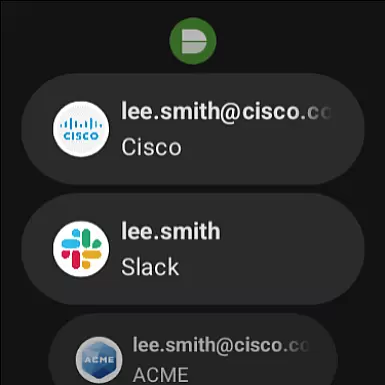
In addition to supporting Duo Security accounts, the app integrates with third-party services, enabling users to manage multiple authentication methods from one platform. Its compatibility with Wear OS through the Duo Wear app further enhances usability by allowing authentication directly from smartwatches. These features collectively provide a comprehensive and flexible security solution.
Companion app integration is essential for ensuring a seamless user experience across multiple devices. Duo Mobile excels in this area by offering a robust connection between its smartphone application and the Wear OS companion app, Duo Wear.
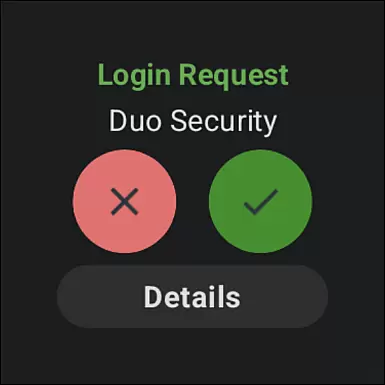
The integration allows users to receive authentication requests directly on their smartwatches, providing an additional layer of convenience. This means that even when your phone isn't readily accessible, you can still authenticate with a single tap on your wearable device.
Duo Mobile ensures that all data transmitted between the phone and wearable is encrypted and secure, maintaining the high-security standards that Duo Security is known for. This synchronization not only enhances accessibility but also maintains top-notch security protocols.
By integrating with Duo Wear, Duo Mobile offers users a versatile and reliable authentication method, making secure logins more convenient than ever before.
Device compatibility is crucial for applications designed to work across various platforms, including smartphones and wearables. Duo Mobile has been optimized to function smoothly on Wear OS, ensuring that users can take full advantage of their smartwatches for secure authentication.
The application supports a wide range of Wear OS devices, allowing users to choose from different brands and models without worrying about compatibility issues. This broad support ensures that most smartwatch users can benefit from the added security and convenience provided by Duo Wear.
In addition to supporting multiple devices, Duo Mobile maintains consistent performance and user experience across different hardware. This consistency ensures that users receive the same reliable service regardless of their specific Wear OS device.
With its strong focus on compatibility, Duo Mobile provides a dependable solution for users looking to enhance their two-factor authentication process through their preferred wearable technology.
Enhanced security
User-friendly interface
Multi-account support
Push notifications
Wear OS integration
Requires activation
QR code scanning
Limited offline use
Dependent on internet
No biometric login

Gym Log & Workout Tracker | Fitness Journal, Training & Weight Lifting Planner
 4.90
4.90
Diet tracker for weight loss - track calories, food and macros. Simple and easy!
4.70
WTW M17 is a premium and luxurious hybrid watch face
4.70
Contemporary digital watch face with five complications
4.4
Simple Analog-Digital Watchface For Wear OS 3.0 and Up Smartwatches
4.3
Sleek, highly customizable watch face inspired by Galaxy Watch Circle Dashboard.
4.0
Nutrition, Macro tracker: Food, fitness & healthy diet tracking for weight loss
4.60
The #1 source of faces for your smartwatch!
4.00
A realistic hybrid watch face with many customization options.
4.60
A modern hybrid informative watch face for Wear OS designed by BALLOZI
4.80
Gym & home workout plans with strength training, exercise tracking, HIIT & more.
4.60
Highly customizable hybrid watch face for Wear OS, perfect for everyday use.
4.60
Digital watch face with big numbers and many customization for Wear OS devices
4.40
Reliable phone calls with spam protection, caller ID and more helpful features
4.40
Bold weather Digital watchface with forecast & optional animated background
4.40
Bold, Modern Hybrid Watch Face for Wear OS. 10 Colors, Rich Info Display.
4.30
Find EV charging stations
4.30
Locate your family members by GPS phone location tracker everywhere and anytime
4.30
Watch face for Wear OS.
4.20




User Reviews