
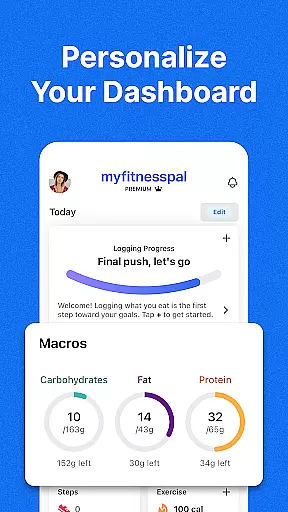
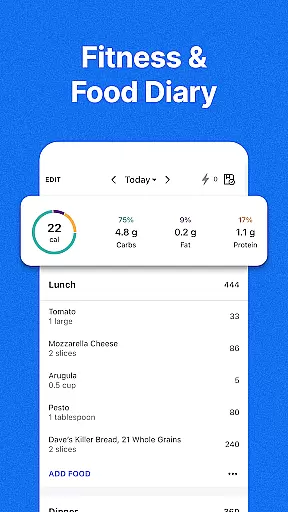
MyFitnessPal is a comprehensive health and fitness app designed specifically for Android Wear users. This application serves as a complete food and fitness tracker, allowing you to monitor your calorie intake, macronutrients, and workouts directly from your smartwatch. With an extensive database of over 20 million foods, it simplifies the process of tracking meals and provides detailed insights into carbs, fats, and proteins.
Beyond basic tracking, MyFitnessPal offers advanced features tailored to various health goals. Whether you're aiming for weight loss, muscle gain, or simply maintaining your current fitness level, the app provides personalized dashboards and meal planning tools. The integration with Wear OS ensures that key functionalities like calorie counting, water tracking, and macro monitoring are readily accessible on your wrist.
The true value of MyFitnessPal lies in its ability to transform how users approach their daily health routines. By combining expert guidance with practical tracking tools, it helps users develop sustainable habits. The app's comprehensive approach to nutrition and fitness makes it particularly useful for those who want to maintain an active lifestyle while managing their dietary needs efficiently through their Android Wear device.
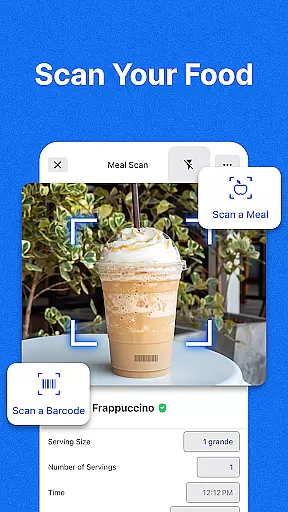
MyFitnessPal stands out with its robust feature set designed for both casual and serious fitness enthusiasts. One of its core strengths is the comprehensive food tracking system, which includes an impressive database of over 20 million food items. Users can easily log their meals using the integrated barcode scanner or by searching the extensive food library, making calorie and macro tracking more accurate and convenient than ever before.
The app's fitness tracking capabilities are equally impressive. Through its integration with Wear OS, MyFitnessPal allows users to monitor their physical activities, track steps, and record workouts directly from their smartwatch. The built-in hydration tracker and intermittent fasting features provide additional tools for maintaining optimal health. These features work together to create a holistic view of the user's daily health metrics, enabling better decision-making and progress tracking.
What truly sets MyFitnessPal apart is its premium offerings. Subscribers gain access to advanced features like personalized meal plans, smart grocery delivery integration, and detailed nutritional insights. The app's ability to connect with over 40 external devices and applications creates a seamless ecosystem for tracking all aspects of health and fitness. This comprehensive approach, combined with its user-friendly interface, makes MyFitnessPal an indispensable tool for Android Wear users seeking to optimize their health journey.
Companion app integration is essential for users who want a seamless experience between their mobile devices and wearables. MyFitnessPal excels in this area by offering robust synchronization capabilities with Wear OS devices. This ensures that whether you're logging meals on your phone or tracking steps on your smartwatch, all data is updated in real-time across devices.
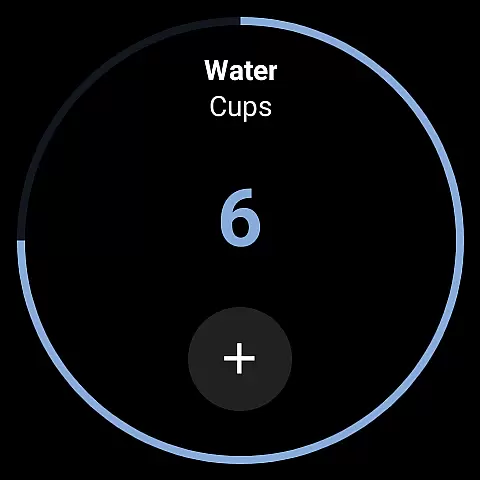
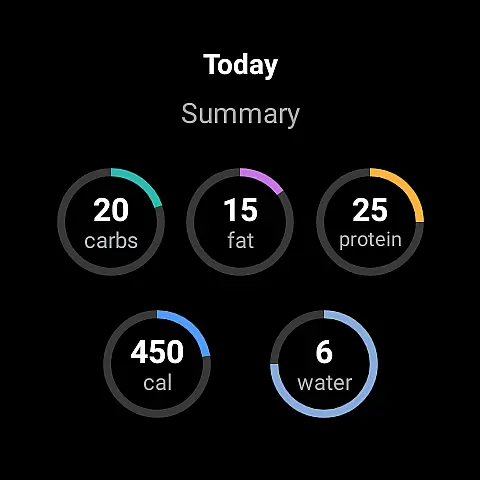
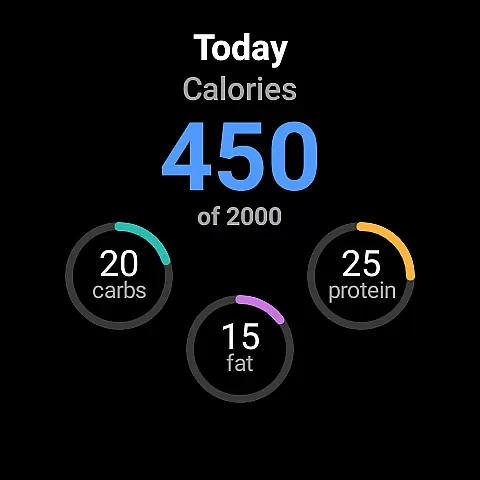
The app's companion features include the ability to add complications to your Wear OS home screen, allowing for quick access to key functionalities like calorie counting and water tracking. Users can also utilize the tile feature to monitor different nutrients at a glance, making it easier to stay on top of their health goals throughout the day.
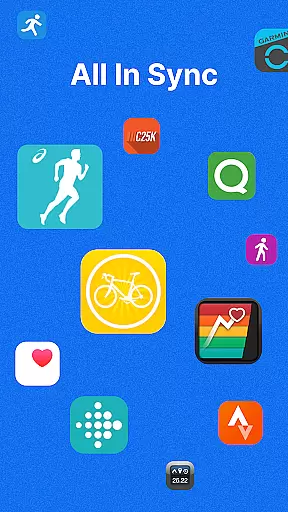
By integrating with over 40 apps and devices, MyFitnessPal creates a comprehensive ecosystem for health and fitness tracking. This connectivity enhances user engagement by providing multiple touchpoints for interaction, ensuring that your data is always accessible, no matter which device you choose to use.
Device compatibility is a critical factor for apps targeting the Android Wear platform, and MyFitnessPal offers extensive support for Wear OS devices. This compatibility allows users to enjoy a wide range of features directly on their smartwatches, including step tracking, calorie counting, and even macro monitoring.
MyFitnessPal's Wear OS app is designed with user convenience in mind. The interface is optimized for smaller screens, ensuring that all vital information is easily readable and accessible. With quick-logging capabilities and customizable watch faces, users can personalize their experience to suit their specific needs and preferences.
Furthermore, the app's compatibility extends beyond just Wear OS. By connecting with various fitness trackers and smart devices, MyFitnessPal provides a unified platform for managing all aspects of your health and fitness journey. This versatility makes it an invaluable tool for anyone looking to maintain an active lifestyle while staying connected across multiple devices.
Comprehensive food database
Wear OS integration
Personalized meal plans
Barcode scanning feature
Active user community
Premium subscription required
Occasional syncing issues
Limited free features
Complex interface
High data usage

Watch the sharpness of the sky on your wrist..
 3.70
3.70
Christmas watch face. For Wear OS devices.
4.30
Elegant animated Christmas tree with multiple customization options
4.20
Wear Os Watch Face - Animated Snow Effect & Magic Spark - 6 Scenes
4.10
Artistic Digital Watchface
4.2
Authentic military-tactical design with ZULU time! Realistic and functional!
3.80
Kia Access makes getting your vehicle information easier than ever
4.60
Find EV charging stations
4.30
The most customizable hybrid watch face. For Wear OS 5.0, API 34+ and later
4.70
Gym Log & Workout Tracker | Fitness Journal, Training & Weight Lifting Planner
4.90
The Chevron App allows you to pay for fuel from the comfort of your car!
4.80
Real-time results, stats, schedules and player profiles for all leagues
4.60
Ideal for surviving in the wasteland left after nuclear fallout
4.50
Current temperature, weather hourly, weather radar by the weather forecast app
4.40
Beautiful artistic animated digital watch face, with a customizable layout!
4.40
Reliable phone calls with spam protection, caller ID and more helpful features
4.40
Bold weather Digital watchface with forecast & optional animated background
4.40
A full-featured Amazon Alexa voice assistant that can show you things.
3.70
Precision analog watch face with 7 complications and style options
4.5







User Reviews