
Notes Launcher is a productivity app designed to streamline note-taking and task management. The app allows users to create quick notes or to-do lists with a simple swipe from the home screen, making it an ideal tool for capturing thoughts and organizing tasks on the go. Its user-friendly interface offers features such as text formatting tools, color-coding, locking sensitive notes, categorization, sorting, searching, and sharing capabilities.
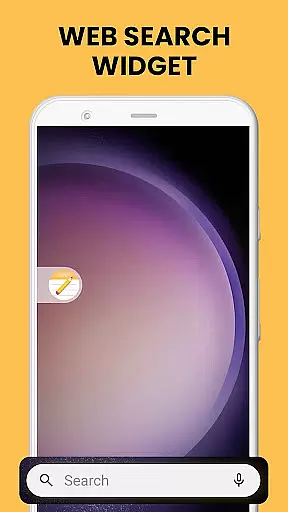
In addition to its core functionality, Notes Launcher enhances the overall smartphone experience by integrating useful widgets and shortcuts. Users can enjoy one-swipe access to their notes, view time and weather directly on the home screen, personalize wallpapers, and utilize multi-touchpoint search powered by Yahoo. These added benefits make daily organization more efficient while keeping important information readily accessible.
This app is particularly beneficial for busy professionals, students, and anyone looking to maintain an organized digital workspace. By consolidating essential productivity tools into a single platform, Notes Launcher helps users stay focused and productive throughout their day.
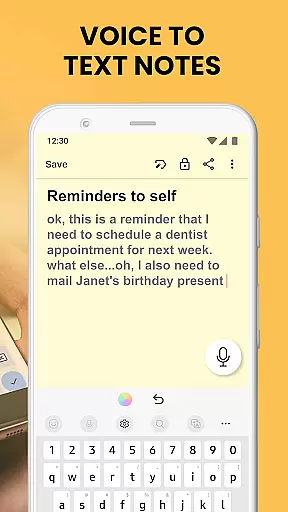
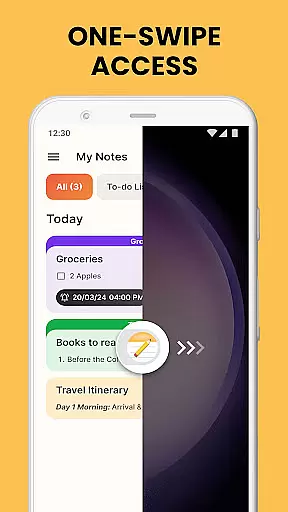
Notes Launcher stands out with its comprehensive set of features tailored for effective note management. One of its key highlights is the ability to create notes and checklists instantly by swiping right from the home screen. This one-swipe access ensures that users can capture ideas quickly without navigating through multiple screens. Additionally, the app provides rich text formatting tools, allowing users to customize fonts, apply styles like italics or underlining, and create structured lists.
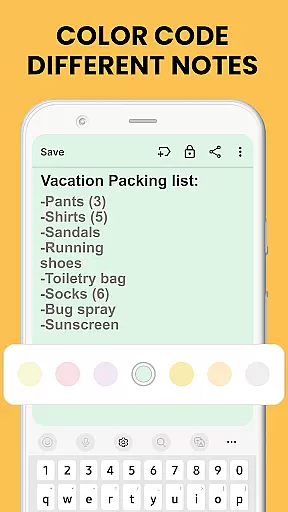
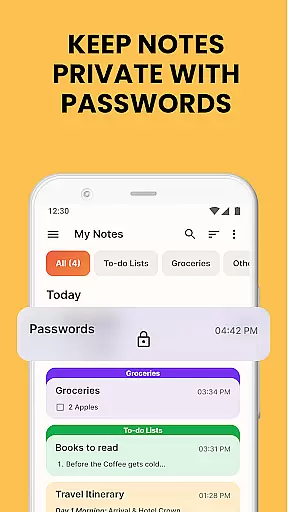
The app also supports advanced organizational features such as color-coding, which enables users to prioritize and categorize notes visually. For enhanced security, sensitive information can be protected using the lock notes feature. Furthermore, users can categorize notes into custom groups, sort them based on modification dates or creation order, and utilize the powerful search function to find specific content effortlessly.
Beyond individual use, Notes Launcher facilitates collaboration by offering seamless sharing options via email, social media, and messaging apps. Whether planning a group project or coordinating travel itineraries, these sharing capabilities ensure smooth communication and coordination among team members.
Task management is at the heart of productivity applications, and Notes Launcher excels in this area. The app provides users with a comprehensive suite of tools to create, organize, and prioritize tasks efficiently.
With features like note-taking, checklists, and categorization, users can break down complex projects into manageable steps. The ability to color-code notes further enhances organization, allowing users to visually separate work tasks from personal reminders or urgent items from long-term goals.
The app's sorting functionality enables users to arrange their notes based on modification dates or creation order. This chronological organization ensures that users can quickly find their most recent or upcoming tasks without wasting time searching through cluttered lists.
By combining these powerful organizational tools with instant access through home screen shortcuts and widgets, Notes Launcher transforms how users approach task management. The result is a streamlined workflow that helps users stay focused and productive throughout their day.
In today's interconnected world, reliable cross-device synchronization is crucial for maintaining productivity. Notes Launcher addresses this need by ensuring that all user data remains consistent across multiple devices.
While the current version focuses on local device functionality, its architecture is designed to support future cloud-based synchronization. This means users can expect seamless transitions between their smartphones, tablets, and potentially desktop computers in upcoming updates.
The app's robust data handling system maintains information integrity during transfers, preventing data loss or corruption. This reliability extends to features like locked notes and categorized lists, ensuring sensitive information remains secure while being accessible when needed.
Although real-time synchronization is still under development, the app's existing backup mechanisms provide peace of mind. Users can trust that their important notes, checklists, and formatted documents will be safely stored and readily available across their digital ecosystem.
User-friendly interface
Comprehensive text formatting
Secure note locking
Efficient categorization
Seamless sharing options
Home screen layout changes
Limited design customization
No cloud sync in free version
Occasional ads
Advanced features require learning

Secure, fast, open-source, VNC and SSH Remote Desktop for Windows, Linux and Mac
 4.70
4.70
Easiest event planning, volunteer signups & parent teacher conference scheduling
2.20
App Lock with fingerprint, password: Lock apps & hide photos with lock screens
4.60
Font maker keyboard with your own handwriting
4.10
Simple and reliable communication between inmates, friends and family
3.20
Functional QR scanner and barcode reader that requires little storage space.
4.60
ID.me Authenticator is a simple and free Two Factor Authentication solution
3.50
Experience and share your SolidWorks designs on your Android® phone and tablet.
2.50
Seamlessly read, manage, and organize all your PDF files solution in one place
4.40
Secure, fast, open-source, Remote Desktop Client for Windows and Linux with SSH
4.60
Planet Free VPN - The best Fast Unlimited and Secure VPN Without Logs
4.50
Secure your apps with lock screens, use custom themes and different features.
4.40 4.20
4.20
Total remote control for your Android device, PC and cloud services (IFTTT)!
4.20
Todo reminder
4.10
Make apps & sites with natural language prompts
4.10
Find and delete junk files & block unwanted notifications & manage files
3.70
Make your handwriting beautiful, even more than pen on paper.
3.60
A simple, portable logger for POTA, SOTA, Field Day, and more
4.2




User Reviews